November 17, 2026
Updated November 24, 2026
23 min read
Your buyers are asking AI. Are you the answer?
Find out with OptimizeCamp →The best AI tools for research in 2026, compared: Elicit, Consensus, Gemini Notebook, Perplexity, Scite, and more, with verified prices and free plans.
TL;DR
The best AI tools for research in 2026 are Elicit for systematic literature reviews, Consensus for quick evidence checks, and Gemini Notebook (formerly NotebookLM) for cited answers from your own PDFs. Perplexity and ChatGPT deep research handle cited web research and long reports, Claude handles long-document synthesis, Scite checks how papers are cited, Semantic Scholar and ResearchRabbit cover free discovery, and SciSpace explains dense papers. Prices were checked on each vendor's site in November 2026, and most tools have a free plan.
The best AI tools for research in 2026 are Elicit for systematic literature reviews, Consensus for fast answers on what the published evidence says, and Gemini Notebook (formerly NotebookLM) for questioning your own PDFs with citations. The other seven picks cover cited web research, long reports, citation checking, free paper search, and mapping a field. Most have a usable free plan, and every price below comes from the vendor's own site.
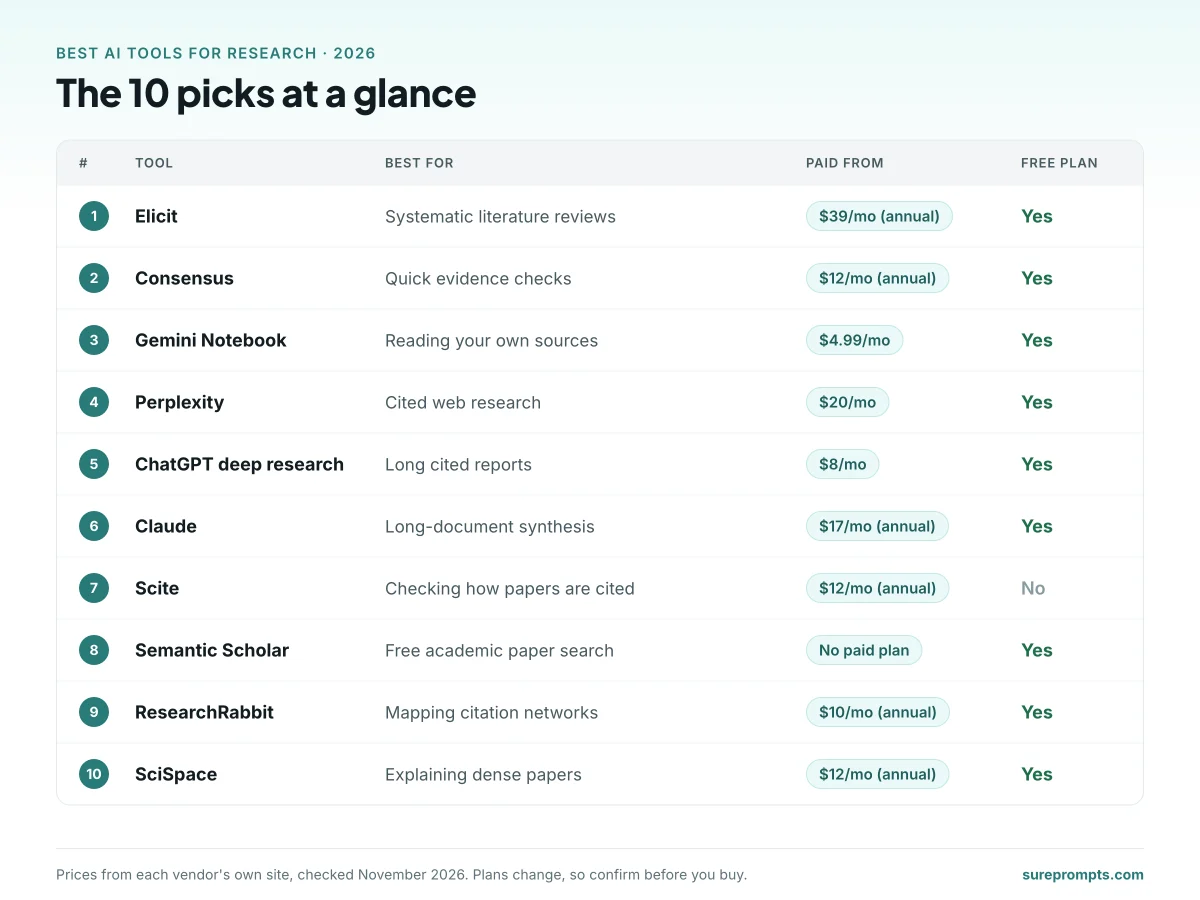
For plans, free tiers, and standout features in one place, jump to the comparison table further down.
We picked the best AI tools for research by following how a literature review runs: find papers, screen them, read closely, extract findings, check claims, and cite. AI tools for academic research earn a place here only if they speed up one of those steps without making it less reliable.
Real scholarly coverage. We favored tools that search large scholarly indexes such as Semantic Scholar, OpenAlex, and PubMed over tools that mostly search the open web.
Citations you can check in one click. Every answer should point to a specific paper or page you can open and confirm. Tools that link each claim to a source ranked higher.
Fit for the review workflow. We wanted at least one strong pick for discovery, screening, close reading, synthesis, and citation checking, so the list covers the whole job.
A free plan or academic pricing. Research budgets are tight. We noted which tools are free, which offer academic or student pricing, and which only offer a trial.
Sensible data handling. Researchers handle unpublished results, peer-review material, and participant data, so we flag where you need your institution's approval first.
We compared plans, features, and limits on each vendor's own site in November 2026 and picked for fit, not for sponsorship. No tool paid to be listed.
200M+
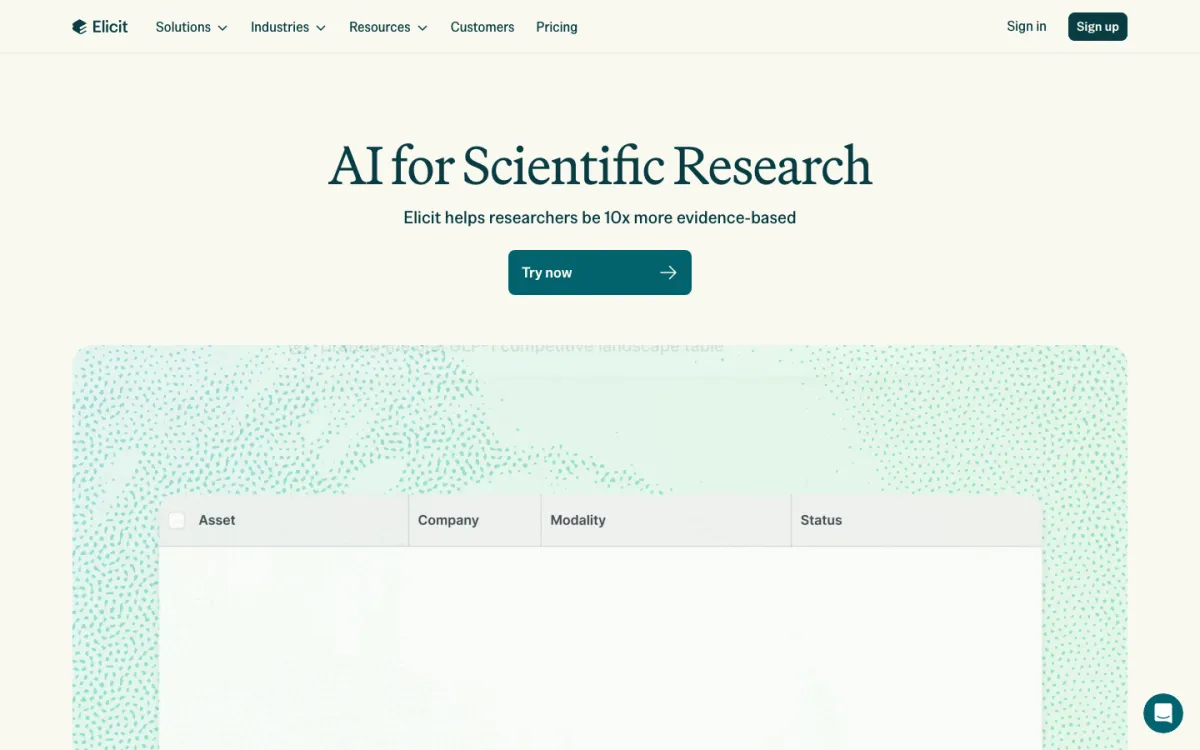
Of the best AI tools for research, Elicit is the one built for structured, defensible literature reviews. Type a research question, and it searches more than 138 million papers, summarizes the top results, and lets you chat with papers using their full text.
Pro adds a dedicated systematic review workflow that can screen 5,000 papers, plus custom data extraction into tables: sample size, intervention, outcome, effect size, or any column you define. That replaces a lot of manual spreadsheet work, though you still check every cell. If you want the best AI research assistant for screening and extraction, start here.
Best for: Systematic and scoping reviews, data extraction across dozens of papers, and evidence tables for a thesis chapter.
Pricing: Basic is free. Academic Pro is $69 per user a month, or $39 a month billed annually ($468 a year). Industry Pro is $75, or $49 billed annually. See Elicit's pricing page.
Strengths: The free plan includes unlimited search, summaries, and chat with papers. You can view the sources behind each answer and import your Zotero library.
Watch out for: The free plan has only limited Research Agent and Reports use, and the systematic review workflow is Pro-only. Spot-check extracted values against the PDFs before they go into a results table.
Try this: Start a new table, add your included papers, and paste this as your extraction instruction.
For each paper, extract the following into separate columns:
1. Study design and sample size (N)
2. Intervention or exposure: [YOUR INTERVENTION]
3. Primary outcome and how it was measured
4. Main result with effect size and confidence interval
5. Limitations the authors state themselves
If a value is not in the paper, write "Not reported".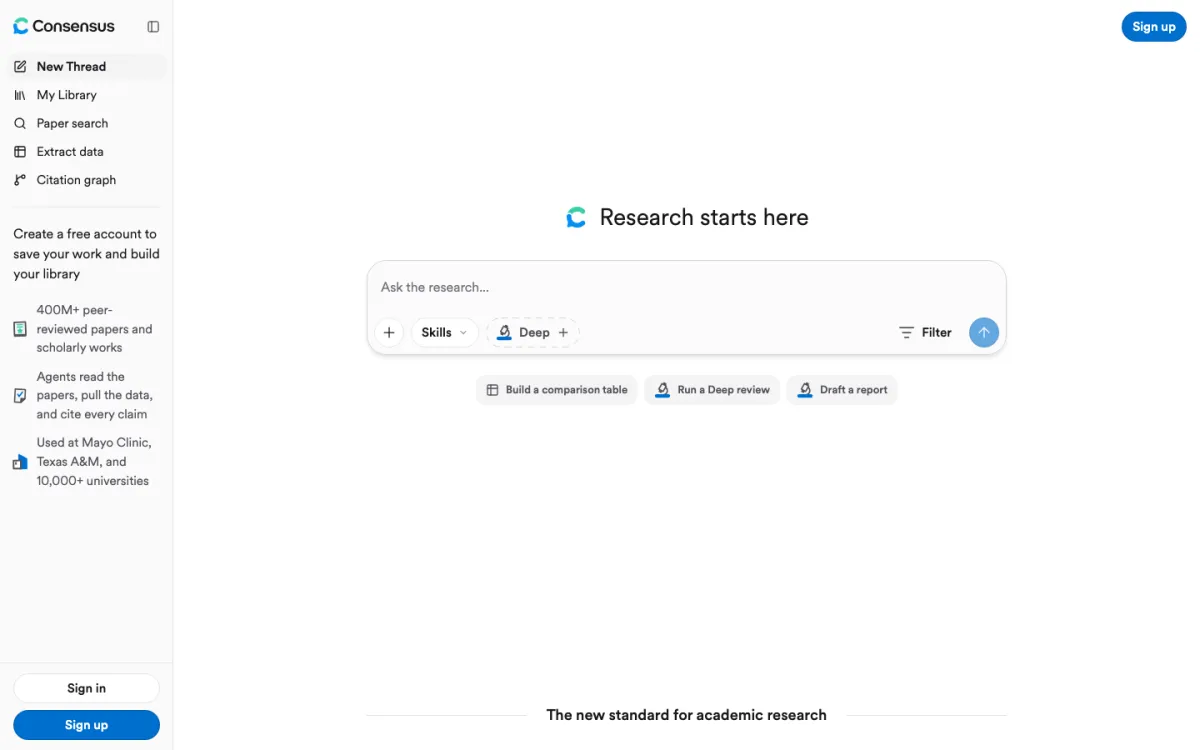
Consensus is the fastest way for researchers to see what peer-reviewed studies say about a specific question. Ask a yes-or-no question such as "Does creatine improve cognitive performance?" and the Consensus Meter shows how much of the research agrees, with the papers listed underneath.
Its corpus draws on Semantic Scholar and OpenAlex, and the company says it covers all of PubMed. The Meter weighs papers by methodology, recency, journal, and impact. Deep reviews produce a longer literature summary across many studies.
Best for: Checking the evidence on a focused question, health research, and grant background sections.
Pricing: Free covers basic paper search, 10 Pro messages a month, and up to 3 Deep reviews a month. Pro is $20 a month, or $12 a month billed annually ($144 a year), with unlimited Pro messages and 15 Deep reviews. Deep is $65 a month, or $45 billed annually, with 200 Deep reviews. Students and faculty with a school email can get up to 40% off. See Consensus pricing.
Strengths: The Meter gives a one-glance answer, and every claim links to a paper. With the academic discount, Pro is one of the cheapest paid tools on this list.
Watch out for: The Meter only works for yes-or-no questions, so exploratory topics get a plain list of papers. The free tier's 10 Pro messages a month go quickly.
Try this: Phrase your question as a testable yes-or-no claim, then ask for the details you need.
Does [INTERVENTION OR EXPOSURE] improve [OUTCOME] in [POPULATION]?

After the overview, list the five most relevant studies with:
- study design and sample size
- direction of the effect (supports, mixed, contradicts)
- one sentence on the main limitation
Flag any study that is a preprint or has fewer than [N] participants.
Gemini Notebook is the best AI tool for research when the sources are already in hand and you need to understand them fast. Google renamed NotebookLM to Gemini Notebook on July 16, 2026, and it is the same product: you upload PDFs, documents, and links, and it answers questions using only those sources.
Each answer carries inline citations, and hovering over one shows the exact quoted passage. You can save answers as notes, generate an Audio Overview, and, since the July update, have the notebook run code for data analysis grounded in your sources.
Best for: Literature you have already collected, exam and qualifying reading, and comparing arguments across a fixed set of papers.
Pricing: Free with a Google account (up to 100 notebooks with 50 sources each). Higher limits come with Google AI Plus at $4.99 a month or Google AI Pro at $19.99 a month (500 notebooks, 300 sources each). See Gemini Notebook.
Strengths: Answers stay tied to your uploads, and the citations make a stray claim easy to spot. It is free, and Google includes it in every Google Workspace for Education edition at no charge.
Watch out for: It cannot find papers you have not uploaded, so pair it with a discovery tool. Google itself warns that Audio Overviews may contain inaccuracies, so do not cite them as a summary.
Try this: Upload 10 to 30 papers on one topic, then paste this into the chat.
Using only these sources, build a table with one row per paper:
research question, method, sample, key finding, limitation.
Then write short paragraphs on where the papers agree, where they
disagree and why, and gaps that matter for [YOUR RESEARCH QUESTION].
Cite a source for every claim. If the sources do not cover
something, say so.
Perplexity is the quickest way for researchers to get a cited answer to a question that spans papers, reports, news, and government data. Each answer links its sources inline, and some citations carry a shield label marking them as Government, Academic, or Trusted.
That suits policy context for a grant, market data for an analyst brief, or checking a quoted statistic. Deep research returns a longer cited report. Our guide on how to use Perplexity for research covers follow-ups and source checks.
Best for: Desk research, current events and policy context, and fast fact checks with sources attached.
Pricing: Free includes 3 Pro Searches a day and 1 Research query a month. Pro is $20 a month or $200 a year, and verified students and educators can get Education Pro for $10 a month. See Perplexity's plan comparison.
Strengths: Answers arrive in seconds with a link behind each claim. Source labels separate government and academic sources from general web pages, and Education Pro halves the cost for students and faculty.
Watch out for: It searches the open web, so peer-reviewed papers can be outnumbered by blogs and news. The free plan includes one Research query a month.
Try this: Turn on deep research (or Pro Search on the free plan) and paste this.
Research question: [YOUR QUESTION]
Context: I am a [ROLE, e.g. PhD student in public health] writing
[DOCUMENT, e.g. the background section of a grant proposal].

Prioritize peer-reviewed journals and government statistics.
Cite a specific source and year for each key claim. End with
claims where sources disagree or evidence is thin.
ChatGPT deep research is the strongest general-purpose option for researchers who want a long, structured report on a broad question. It proposes a plan you can edit, works through the web and any files you upload, and returns a report with citations and a list of sources used.
For academic work, you can restrict the search to sites you name, such as PubMed or arXiv, and connect apps like Google Drive. Reports download as Markdown, Word, or PDF. If deep research is new to you, our Perplexity vs ChatGPT comparison explains where each fits.
The closest alternative among deep research tools is Gemini Deep Research, included in the free Gemini app. It suits researchers who work in Google's ecosystem and want a cited overview without paying.
Best for: Scoping a new topic, background chapters, and analyst-style briefs that need many sources.
Pricing: Free and Go ($8 a month) include limited deep research; Plus ($20 a month) has expanded deep research and Pro (from $100 a month) has the most. OpenAI does not publish exact task counts. See ChatGPT pricing.
Strengths: The editable plan lets you steer scope before it runs, and domain restrictions keep searches on scholarly sites.
Watch out for: A report reads as finished even when a source is weak, so open every citation before you reuse a claim. Usage limits vary by plan.
Try this: Start deep research, then paste this before approving the plan.
Topic: [RESEARCH TOPIC]
Purpose: background for [THESIS CHAPTER / BRIEF / GRANT]
Search only: pubmed.ncbi.nlm.nih.gov, arxiv.org, [OTHER DOMAINS]
Time window: [YEARS]

Structure it as: key debates, strongest evidence on each side,
common methods, and open questions. Cite a paper with year and DOI
for every claim, and list single-source claims at the end.
Claude is a strong choice for researchers who need to read, compare, and write about long documents in one conversation. Upload several full papers or a thesis draft and ask for a structured comparison, a critique of your methods, or a plain-language summary.
On paid plans, Research runs multiple web searches that build on each other and returns a cited answer, and can also search a connected Google Workspace. For model-by-model trade-offs, see which AI model for research synthesis, and for ready-made prompts try the Claude prompt generator for research.
Best for: Synthesizing a stack of papers, critiquing drafts, and turning notes into structured sections.
Pricing: Free has no Research feature. Pro is $20 a month, or $17 a month billed annually, and adds Research and Projects. Max is $100 a month. See Claude pricing.
Strengths: Projects keep a set of papers and instructions together across chats, which helps on a long review. Research adds cited web answers on top of your uploads.
Watch out for: Research is paid-only and uses your limits faster than normal chats. Without Research or uploads, ask for sources and check each one.
Try this: Create a Project, upload the papers, and paste this.
You are a methods reviewer in [FIELD]. Compare the uploaded papers
on design, sample, measures, and analysis. Then:
1. Rank them by strength of evidence for [CLAIM], with reasons
2. Note any conflicting results and likely methodological causes
3. Draft a 200-word synthesis paragraph for a literature review
Quote the passage that supports each point and name the paper.
If the papers do not support a point, say so.Scite is the best of the AI citation tools for researchers who need to know whether a paper's findings have held up. Its Smart Citation reports show how later papers cite a study and whether they support or contradict it.
Scite lists more than 1.6 billion citations and 300 million scholarly sources. Its Assistant answers questions grounded in that research, and citation alerts flag new work on papers you follow.
Best for: Vetting key references, reviewer-proofing a thesis, and tracking the reception of your own papers.
Pricing: No free plan; Basic and Pro each start with a 7-day free trial. Basic is $20 a month, or $12 a month billed annually ($144 a year). Pro is $50 a month, or $40 billed annually, and adds API access and larger collections. See Scite pricing.
Strengths: Supporting and contrasting citation reports are its signature feature, and alerts help you track a field. Scite says academics can request a discount.
Watch out for: The trial auto-enrolls you in the plan you picked, so cancel before day seven if you do not want it.
Try this: Open the Assistant and paste this.
Find the most-cited papers on [CLAIM OR FINDING] published since
[YEAR]. For each one, report how many citing statements support
and how many contrast it, and quote one contrasting statement.
Then tell me whether the claim is safe to cite as settled, or
whether I should present it as contested.
Semantic Scholar is the best free option among AI tools for researchers who want AI help without a subscription. It is run by Ai2, a nonprofit research institute, and indexes more than 200 million academic papers.
TLDRs give a one-line summary of a paper's objective and result, Semantic Reader shows citation context while you read, and Highly Influential Citations flag the papers that shaped later work. Research Feeds send personalized recommendations based on your library folders.
Best for: Daily paper search, staying current through alerts, and finding influential work in a new area.
Pricing: Free, with no paid plan. See Semantic Scholar's product page.
Strengths: Free, nonprofit, and large. Alerts on papers or authors keep you current, and its data also feeds other tools, including Consensus.
Watch out for: TLDRs cover nearly 60 million papers in computer science, biology, and medicine, out of more than 200 million indexed. It finds and summarizes papers, but it does not write syntheses.
Try this: Build a feed that does your weekly scan for you.
ResearchRabbit is a practical AI for literature review discovery when you know a few good papers and need to find the rest. You add seed papers, and it suggests related work through their citations and co-authors, learning from what you keep.
The free plan searches more than 320 million articles, lets you start from multiple seeds, imports from Zotero, and lets you share collections with a lab or co-author. It relaunched in October 2025 through a partnership with Litmaps.
Best for: Finding papers keyword searches miss and getting oriented in a new field.
Pricing: Free forever. ResearchRabbit+ is $10 a month on the annual plan or $12.50 a month billed monthly, with country discounts. See ResearchRabbit pricing.
Strengths: The free tier covers the core discovery loop, and shared collections suit lab groups.
Watch out for: Alerts, filters, and Zotero sync need ResearchRabbit+. It has no chat or summaries, so pair it with a reading tool.
Try this: Run one round of citation chasing.
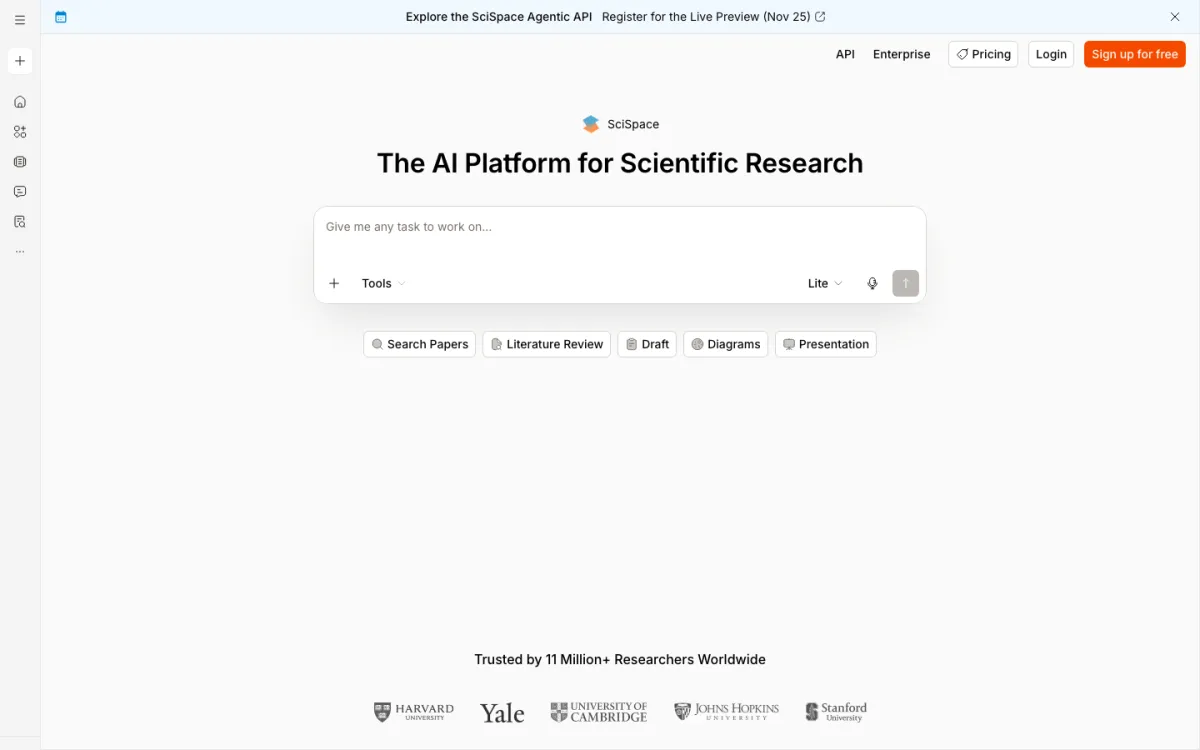
SciSpace rounds out the best AI tools for research as an all-in-one workspace for students and researchers who want to read, question, and organize papers in one place. Chat with PDF answers questions about a paper you upload, Literature Review finds papers on your question, and Extract Data pulls findings into tables.
Paid plans add Deep Research, a systematic review workflow, and more agent capacity. SciSpace says it searches more than 280 million papers. Among AI tools for research papers, it covers one of the widest ranges of tasks, from discovery to citation formatting.
Best for: Making sense of papers outside your field, quick literature tables, and early-stage thesis reading.
Pricing: A free tier includes 100 credits a month. Premium is $20 a month, or $12 a month billed annually. Advanced is $90 a month, or $70 billed annually. See SciSpace pricing.
Strengths: Premium includes unlimited Chat with PDF and literature reviews. A Chrome extension and mobile app are available.
Watch out for: SciSpace also sells paraphrasing and "AI humanizer" tools. Check your institution's policy before using them on anything you submit.
Try this: Open a paper in Chat with PDF and paste this.
I am a [YOUR LEVEL, e.g. first-year PhD student] in [YOUR FIELD],
reading a paper from [OTHER FIELD]. Explain:
1. The research question and why it matters, in two sentences
2. The method, defining any technical terms on first use
3. What the main figure or table shows
4. The limitations, including any the authors do not state
Point to the section or page for each answer.Here is how the best AI tools for research compare on plans and features, as of November 2026.
| Tool | Best for | Free plan | Paid plans from | Standout feature |
|---|---|---|---|---|
| Elicit | Systematic reviews | Yes | $39 a month (academic, billed annually) | Screening and extraction tables |
| Consensus | Evidence questions | Yes | $12 a month (billed annually) | Consensus Meter |
| Gemini Notebook | Your own sources | Yes | $4.99 a month (Google AI Plus) | Click-to-verify citations |
| Perplexity | Cited web research | Yes | $20 a month ($10 Education Pro) | Source labels on citations |
| ChatGPT deep research | Long cited reports | Yes, limited | $8 a month (Go) | Domain-restricted search |
| Claude | Long-document synthesis | Yes, no Research | $17 a month (billed annually) | Research plus Projects |
| Scite | Citation checking | No, 7-day trial | $12 a month (billed annually) | Supporting vs contrasting citations |
| Semantic Scholar | Free paper search | Yes | No paid plan | TLDR summaries |
| ResearchRabbit | Mapping a field | Yes | $10 a month (billed annually) | Seed-paper discovery |
| SciSpace | Explaining papers | Yes, 100 credits | $12 a month (billed annually) | Chat with PDF |
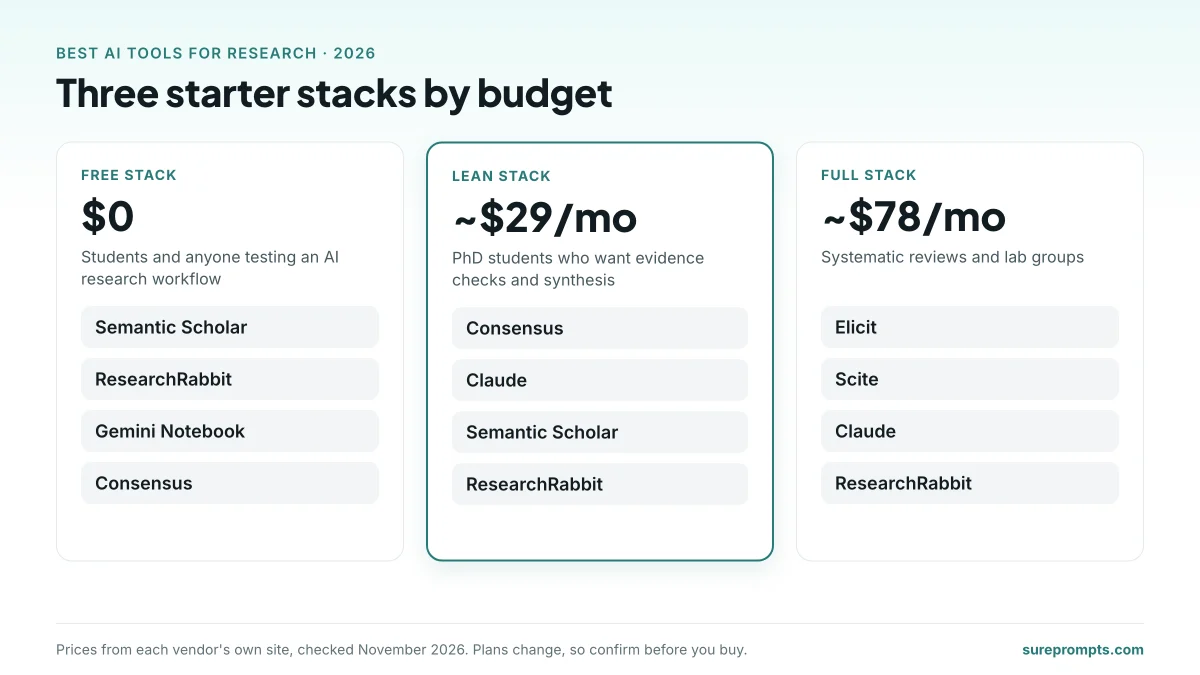
Free stack ($0): Semantic Scholar to search, ResearchRabbit to follow citations, Gemini Notebook to read and question your PDFs, and the Consensus free tier for quick evidence checks. Together they cover finding, reading, and checking.
Lean stack (about $29 a month): Consensus Pro ($12) and Claude Pro ($17), both billed annually, plus free Semantic Scholar and ResearchRabbit. Of the AI tools for PhD students we compared, this pair adds the most for the money: evidence checks plus long-document synthesis and cited Research.
Full stack (about $78 a month): Elicit Pro on academic pricing ($39), Scite Basic ($12), Claude Pro ($17), and ResearchRabbit+ ($10), all billed annually. This suits systematic reviews and lab groups: Elicit screens and extracts, Scite vets references, ResearchRabbit sends alerts, and Claude helps you write.
General chatbots can produce references that look real but do not exist, or cite real papers that do not say what the answer claims. Open every source before you use it: confirm the DOI resolves, the paper makes the claim, and the context (population, method, caveats) matches. Our guide on how to stop AI hallucinations covers prompts that reduce the problem.
Publishers are clear about the rest. Springer Nature's AI policy for Nature Portfolio journals lists assigning authorship to AI tools and fabricating citations as not permitted, and asks authors to disclose AI use. Check your target journal's own policy before you submit.
Warning
Do not upload unpublished data, confidential peer-review manuscripts, or IRB-protected participant data to a personal AI account. Springer Nature says manuscripts, peer review reports, and sensitive data must not be shared with unsecured or public AI systems. Use only tools your institution has approved for that data.
If you are running a systematic review, start with Elicit for screening and extraction, and add Scite to vet the references your argument rests on.
If you are weighing Elicit vs Consensus, pick Consensus for fast yes-or-no evidence checks and Elicit when you need extraction tables and a documented screening process.
If you are a student on a tight budget, stay on the free stack above. Our list of the best AI tools for students covers study help beyond research.
If you are an analyst doing desk research, Perplexity and ChatGPT deep research fit better than paper-only tools. To build your own pipeline, see our research agent walkthrough.
If you are writing up results, use Claude for drafting and critique, and see the best AI tools for writers for editing help.
Tip
Run the same question through two tools, such as Consensus and Perplexity. Where their sources overlap, you can move faster. Where they disagree, read the papers yourself.
Every tool here answers better when you give it a role, context, a format, and an example. Tell it who you are, what the output is for, which sources count, and how to structure the answer. Ask it to answer only from the sources you supply, a technique called grounding, and to say when the sources do not cover something.
The AI prompt generator for researchers builds structured prompts like the ones above from a plain-English description, and you can browse ready-made prompts for scientists. A free account with Google sign-in gets 3 AI prompt generations a month plus the free templates; Pro is $3.99 a month or $29.99 a year for 200 generations a month, 320+ expert templates, and cloud-saved prompts. SurePrompts builds the prompt, and you still run it in one of the tools above.
Pick one tool for each stage of your workflow, verify every citation, and let the tools do the busywork.
Try it yourself
Build expert-level prompts from plain English with SurePrompts — 330+ templates with real-time preview.
Open Prompt BuilderSurePrompts turns plain English into expert-level AI prompts. 330+ templates, real-time preview, works with any model.
Try AI Prompt GeneratorFor open-web research in 2026, Gemini 3.1 Pro is the default. Claude Opus 4.8 wins fixed-corpus synthesis, GPT-5.6 Sol wins structured output, Grok 4.3 wins last-24-hours.
Stop using Perplexity like a search engine. Learn 30 advanced research techniques including source verification, Focus modes, Collections, API usage, and professional research workflows.
Practical techniques to stop AI hallucinations: ground the model in sources, allow 'I don't know', demand citations, verify claims, and route risky tasks.