November 15, 2026
Updated November 24, 2026
23 min read
Your buyers are asking AI. Are you the answer?
Find out with OptimizeCamp →The best AI tools for writers in 2026: Claude, Sudowrite, ProWritingAid and 7 more compared, with verified prices, free plans, and copy-paste prompts.
TL;DR
The best AI tools for writers in 2026 are Claude for feedback on long drafts, ChatGPT for brainstorming, and Sudowrite for drafting fiction. Novelcrafter suits series planners who bring their own AI key, ProWritingAid leads for manuscript editing, and Grammarly and Hemingway Editor handle everyday polish. Perplexity covers research and fact-checking, Otter.ai transcribes interviews, and SurePrompts writes better prompts. We compared plans and prices on each vendor's site in November 2026, and cover copyright, KDP disclosure, and keeping your own voice.
The best AI tools for writers in 2026 are Claude for feedback on long drafts, ChatGPT for brainstorming and planning, and Sudowrite for drafting fiction. Around them sit three editors (ProWritingAid, Grammarly, Hemingway Editor), a novel-planning workspace (Novelcrafter), a research engine (Perplexity), a transcription app (Otter.ai), and SurePrompts for better prompts. We compared plans, prices, and limits on each vendor's own site, and picked tools that help without replacing your voice.
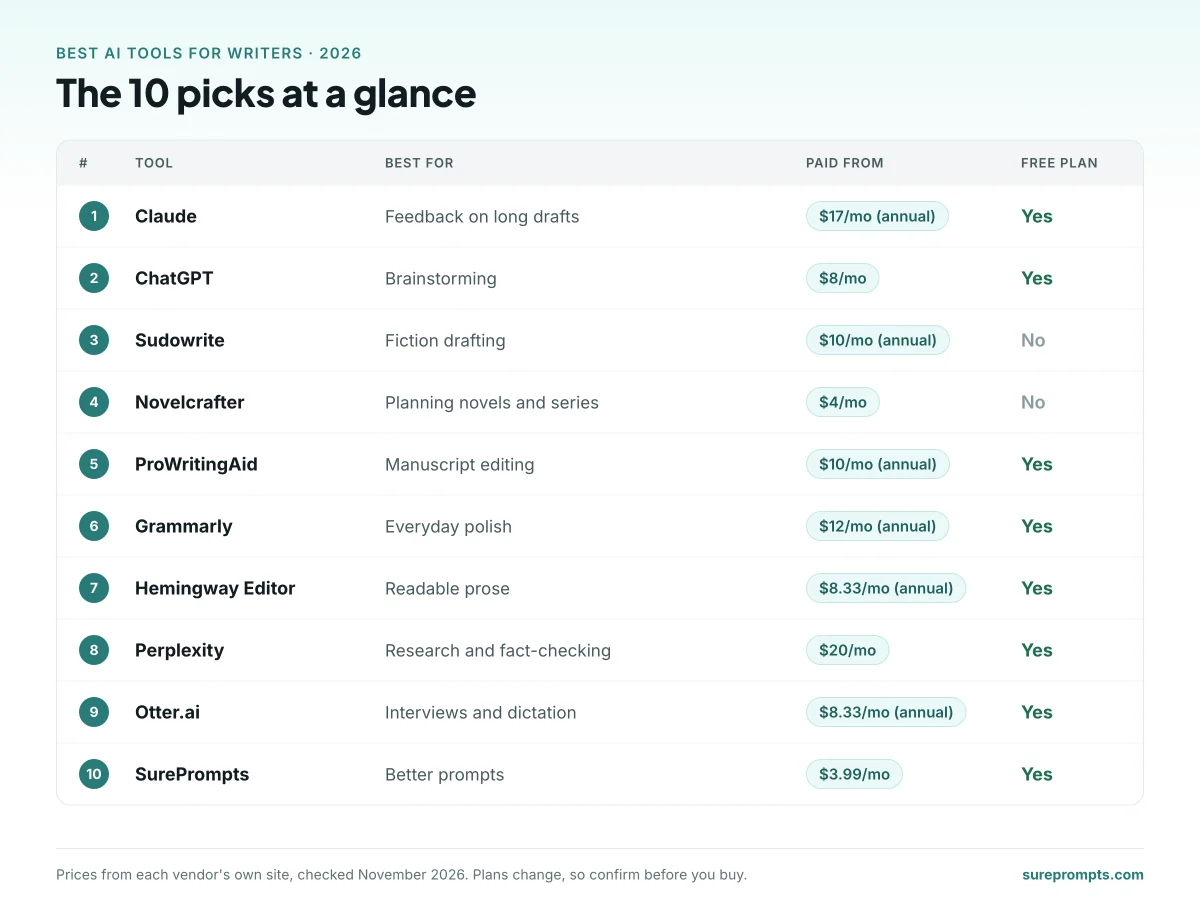
For every price and free plan side by side, jump to the comparison table further down.
AI tools for writers range from drafting engines to grammar checkers, so we judged each against the jobs writers actually do.
It protects your voice. We favored tools that give feedback, suggestions, and edits you approve one at a time, over tools that only produce finished text. A good tool leaves your draft sounding more like you.
It fits a real stage of the work. Each pick earns its place at one stage of the work (research, outline, draft, revision, or polish), so you can build a small stack without overlap.
The free plan or trial is usable. Eight of the ten tools have a free plan you can keep using, and the two that do not (Sudowrite and Novelcrafter) offer a trial with no credit card.
It handles book-length work. Books run to 80,000 words or more, so we looked for project spaces, story databases, and manuscript-level reports.
The data terms are clear. We noted which vendors state in writing how they treat your unpublished work.
We compared plans, features, and limits on each vendor's own site in November 2026 and picked for fit, not for sponsorship: no tool paid to be listed.
96%
Claude is one of the best AI tools for writers who want a sharp reader for long drafts, with Projects that keep a manuscript and its notes in one place.
The most useful setup is a Project: upload your outline, style notes, and chapters, then ask for developmental feedback, continuity checks, or a reverse outline. The free plan includes web search, file creation, memory across conversations, and up to five Projects. Pro adds Research, more usage, and more Claude models.
To keep your voice, Claude Academy suggests saving a voice profile built from your writing samples as a reusable skill. For ready-made prompts, try the Claude prompt generator for writing, and see which AI model for creative writing suits your genre.
Best for: Developmental feedback, reverse outlines, and critique on long manuscripts.
Pricing: Free; Pro is $20 a month, or $17 a month billed annually; Max is $100 a month and Ultra $200 a month. See Claude's plans
Strengths: Projects keep a manuscript and its notes together across chats. The free plan already includes memory and web search. Research on Pro helps nonfiction writers gather sources.
Watch out for: Free and Pro have usage limits that reset every five hours and every week, so a long manuscript session can hit the cap.
Try this: Create a Project, upload your outline and one chapter, then paste:
You are a developmental editor for [GENRE] fiction. Read the
chapter I uploaded alongside my outline. Do not rewrite my prose.
1. Summarize what this chapter does for the plot in 3 sentences.
2. List up to 5 places where pacing drags or a scene goal is
   unclear, quoting the first words of each passage.
3. Flag any continuity errors against the outline.
4. Ask me 3 questions a reader would have at the end.
My target reader is [AUDIENCE]. My biggest worry is [CONCERN].
ChatGPT is the most flexible AI writing assistant for writers who need a fast brainstorming partner, and its free plan includes unlimited text chats.
Use it to get twenty title ideas, test a premise, or pressure-test a plot twist. Deep research (limited on Free, expanded on Plus) can build a starting source list for nonfiction. Drafts appear in editable writing blocks, where you can revise only a selected passage and undo AI edits you do not like.
Plus adds Projects, custom GPTs, and expanded memory for a series bible or a client's style guide. Our ChatGPT vs Claude comparison covers the trade-offs.
Best for: Brainstorming premises, titles, and outlines, plus short pieces like newsletters and pitches.
Pricing: Free; Go is $8 a month (it may include ads); Plus is $20 a month; Pro starts at $100 a month. See ChatGPT's plans
Strengths: Unlimited free text chats suit open-ended brainstorming. Writing blocks let you revise one passage at a time. Custom GPTs on Plus reuse the same instructions across a long project.
Watch out for: Free users get limited uploads, deep research, and memory, so manuscript work pushes you toward Plus.
Try this: Start a new chat (or a Project on Plus) and paste:
Act as a brainstorming partner for my [NOVEL / NONFICTION BOOK /
BLOG SERIES]. Premise: [ONE-PARAGRAPH PREMISE].
Give me 10 different directions this could go, 2 lines each.
Mark the 3 that feel least like recent bestsellers in [GENRE].
Then ask which one I want to develop. Do not write scenes yet.
Sudowrite is the best AI for fiction writing if you want help generating prose inside a tool built only for novelists and short-story writers.
Its Story Bible walks you from idea to outline to chapter beats to draft text. Write suggests what comes next, Describe adds sensory detail, Expand fills out a rushed scene, and Rewrite revises a passage to your direction. Every plan includes Muse and Ballad, which Sudowrite calls its AI models built just for fiction.
Professional and Max add developmental edits, line edits, and beta reads. For fresh premises first, our story prompt generator builds structured prompts for ideas and scenes.
Best for: Novelists and short-story writers who want AI-assisted drafting, description, and scene expansion.
Pricing: Hobby & Student is $19 a month, or $10 a month billed yearly (225,000 credits a month); Professional is $29 a month, or $22 billed yearly; Max is $59 a month, or $44 billed yearly. See Sudowrite's plans
Strengths: Every tool is built around fiction craft. Credits come with the plan, so you need no separate AI account. Its FAQ states: "We do not use your writing to train AI models."
Watch out for: AI features stop without a paid plan, and the trial's 10,000 credits are small next to the cheapest plan's 225,000 a month, so test a single scene first.
Try this: Select a flat paragraph in your draft, choose Rewrite, and give it this direction:
Keep my plot beats and dialogue exactly as written. Tighten this
paragraph by about [20] percent, cut filter words like "saw" and
"felt", and add one concrete sensory detail from [SETTING].
Match the paragraph before it: [SHORT/LONG] sentences, [TENSE],
[POINT OF VIEW].
Novelcrafter is the best pick for novelists who want a full planning and writing workspace and prefer to choose, and pay for, their own AI models.
At its center is the Codex, which tracks and links your characters, locations, and lore, so a minor character from chapter 2 is still on file in chapter 30. You plan scenes in a grid view, generate prose from scene beats, and build custom prompts. The Artisan plan adds a workshop chat.
The main difference in Sudowrite vs Novelcrafter is how you pay for AI. Sudowrite includes credits; Novelcrafter is "bring your own key", so you connect a provider such as OpenRouter or OpenAI and pay per use, or run local models through LM Studio or Ollama.
Best for: Series writers and heavy planners who want a story database and control over which AI model they use.
Pricing: No free plan; a 21-day free trial with all features. Scribe is $4 a month (no AI), Hobbyist $8, Artisan $14, and Specialist $20, with two months off on annual billing. See Novelcrafter's plans
Strengths: The Codex keeps a whole series' world in one place. You choose your model and can switch providers. If you cancel, you keep read-only access and can export your work.
Watch out for: AI usage is billed separately by the provider you connect, and Novelcrafter notes that a ChatGPT Plus subscription is not the same as an API account.
Try this: Add your main characters to the Codex, open the workshop chat (Artisan plan), and paste:
Using my Codex entries for [CHARACTER A] and [CHARACTER B], list
5 scene ideas for Act [NUMBER] that force them into conflict over
[STAKES]. For each idea, give the scene goal, the obstacle, and
how it changes their relationship. Flag any idea that contradicts
the Codex.
ProWritingAid is among the best AI tools for writers who self-edit books, because it pairs sentence-level reports with critiques of whole chapters and manuscripts.
Line editing and writing reports flag problems sentence by sentence, and Rephrase suggests other ways to say a line you select.
Chapter Critique gives feedback on one chapter or short story (Premium gets 1 a day, Premium Pro 30 a day). For the full book, reports such as Manuscript Analysis, Plot Analysis, and Virtual Beta Reader run on Story Credits you buy separately. ProWritingAid says Virtual Beta Reader shows your story "through the eyes of your reader" and handles documents up to 300,000 words.
Best for: Authors revising a full manuscript before beta readers or an editor.
Pricing: Free; Premium is $30 a month, or $10 a month billed annually ($120 a year); Premium Pro is $36 a month, or $12 a month billed annually; lifetime licenses list at $399 and $699 (ProWritingAid is running 50% off yearly and lifetime plans until Nov 29, 2026). See ProWritingAid's plans
Strengths: It reviews structure, characters, and reader engagement as well as sentences. Reports run inside Google Docs, Microsoft Office, and a desktop editor. College and university students get a 25% discount.
Watch out for: The free plan checks only 500 words at a time, twice a day per report, and the book-level reports cost Story Credits on top of any subscription.
Try this:
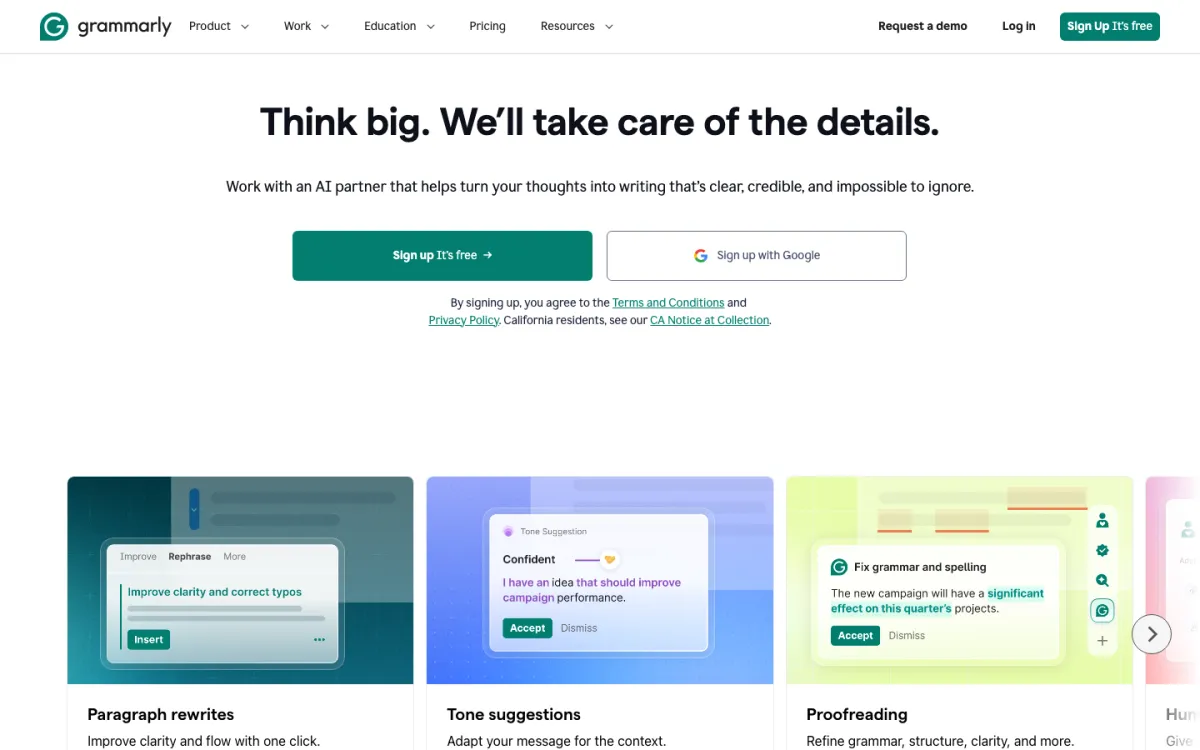
Grammarly is the easiest of the AI editing tools here for writers who draft across email, documents, and the web, and its free plan corrects grammar and detects tone.
It runs on desktop, mobile, and the browser, and inside Google Docs and Microsoft Office. The free plan covers grammar fixes, tone detection, and 100 AI prompts a month. Pro adds tone adjustment, full-sentence rewrites, citation consistency, 2,000 prompts a month, and plagiarism and AI-text detection.
Its site also lists AI features such as Reader Reactions and AI Grader. The company behind it is now called Superhuman.
Best for: Bloggers, freelance writers, and anyone who wants clean copy in email, docs, and the browser.
Pricing: Free; Pro is $30 a month, or $12 a month billed annually ($144 a year). See Grammarly's plans
Strengths: The free plan is useful on its own for typo and grammar catches. Plagiarism and AI-text detection on Pro let freelancers check work before a client does.
Watch out for: Rewrites and tone adjustment are Pro-only. Accepting every suggestion can sand down a distinctive voice, so treat fiction dialogue and deliberate fragments as yours to keep.
Try this:
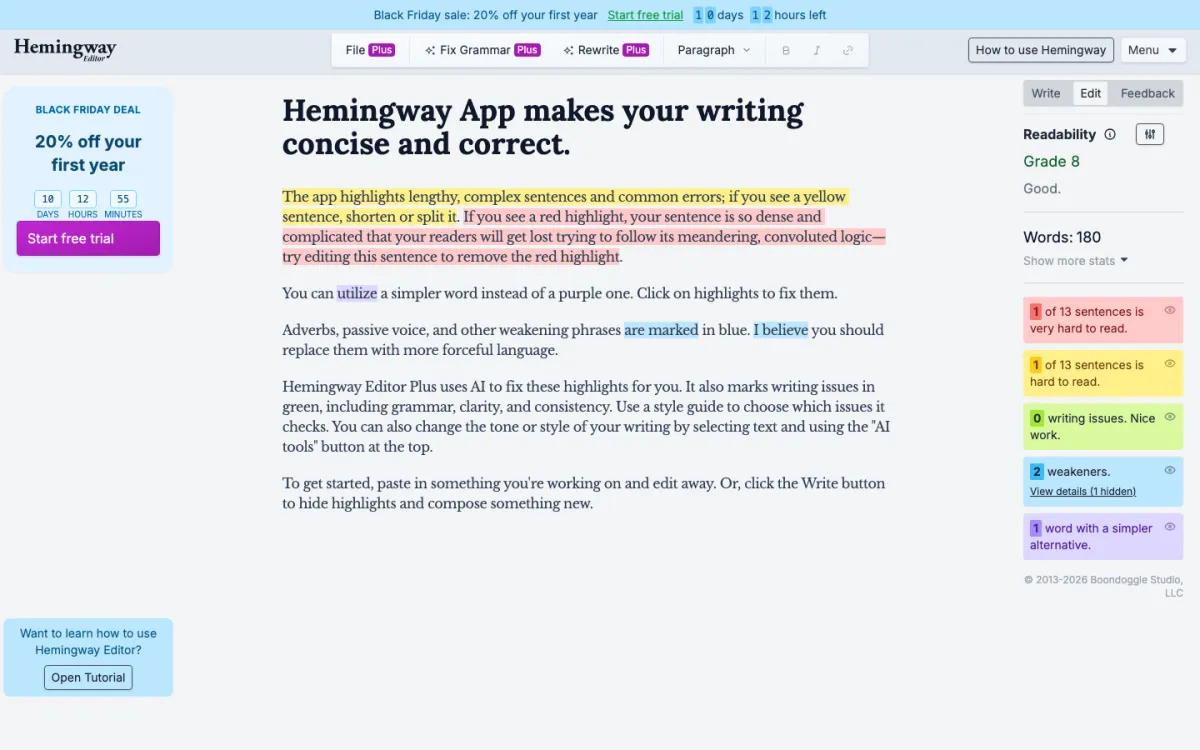
Hemingway Editor is the simplest pick for writers who want shorter, clearer sentences, and its basic version is free.
The free version scores your readability and highlights wordy sentences, passive voice, and words with simpler alternatives. It makes a good final pass for bloggers and nonfiction authors.
Hemingway Editor Plus adds AI: sentence rewrites, tone changes such as "More confident" or "More friendly", shorten and add-detail commands, and document feedback. The $19.99 desktop app, Hemingway says, "does not include new AI features."
Best for: Bloggers and nonfiction writers aiming for plain, readable prose.
Pricing: Free basic version; Hemingway Editor Plus is $10 a month, or $100 a year ($8.33 a month) with 5,000 AI sentences a month; the desktop app is $19.99 one time. See Hemingway Editor Plus plans
Strengths: The readability grade gives you one clear target to edit toward. Plus has a two-week trial with no credit card.
Watch out for: It pushes toward short, plain sentences, which can flatten literary fiction or a deliberately rhythmic style. AI rewrites are capped monthly on every Plus plan.
Try this:
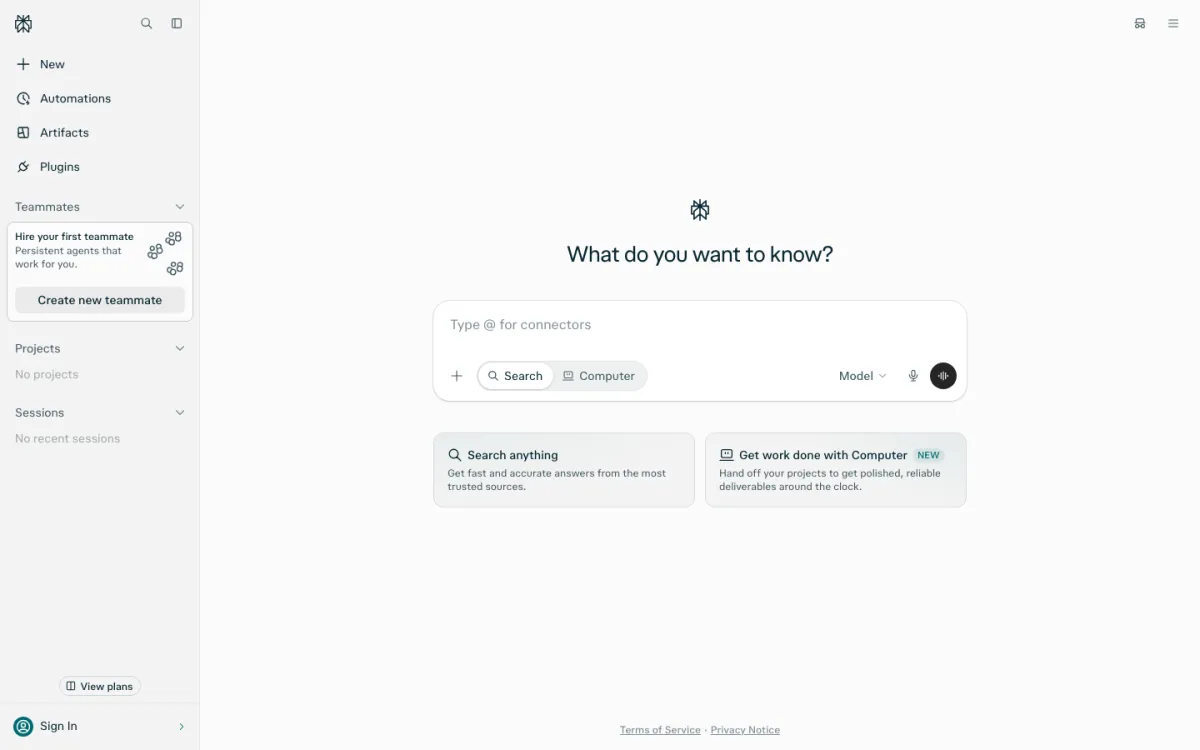
Perplexity is the strongest research pick among the AI tools for nonfiction writers on this list, because every answer links to numbered sources you can open and check.
Use it to find where a claim comes from, then read the source yourself. Perplexity says trust labels such as Government, Academic, and Trusted help you judge a source. Projects hold files, links, and instructions for a book's research.
See how to use Perplexity for search techniques and our best AI tools for research roundup for academic sources.
Best for: Fact-checking, background research, and building a source list for nonfiction and historical fiction.
Pricing: Free; Pro is $20 a month or $200 a year; Education Pro is $10 a month with verification. See Perplexity Pro
Strengths: Numbered citations put the source one click away. The free plan includes 3 Pro Searches a day.
Watch out for: The free plan allows only one Research query a month. Open every citation before you quote it, since the answer's wording may not match the source.
Try this: Open a new thread (or a Project for your book) and paste:
I am writing a [NONFICTION BOOK / FEATURE / HISTORICAL NOVEL]
about [TOPIC]. Check this claim from my draft: "[CLAIM]".
1. Say whether reliable sources support or contradict it.
2. Quote the exact sentence from each source you rely on.
3. Prefer [ACADEMIC / PRIMARY] sources from [DATE RANGE].
4. List what I still need to verify by hand.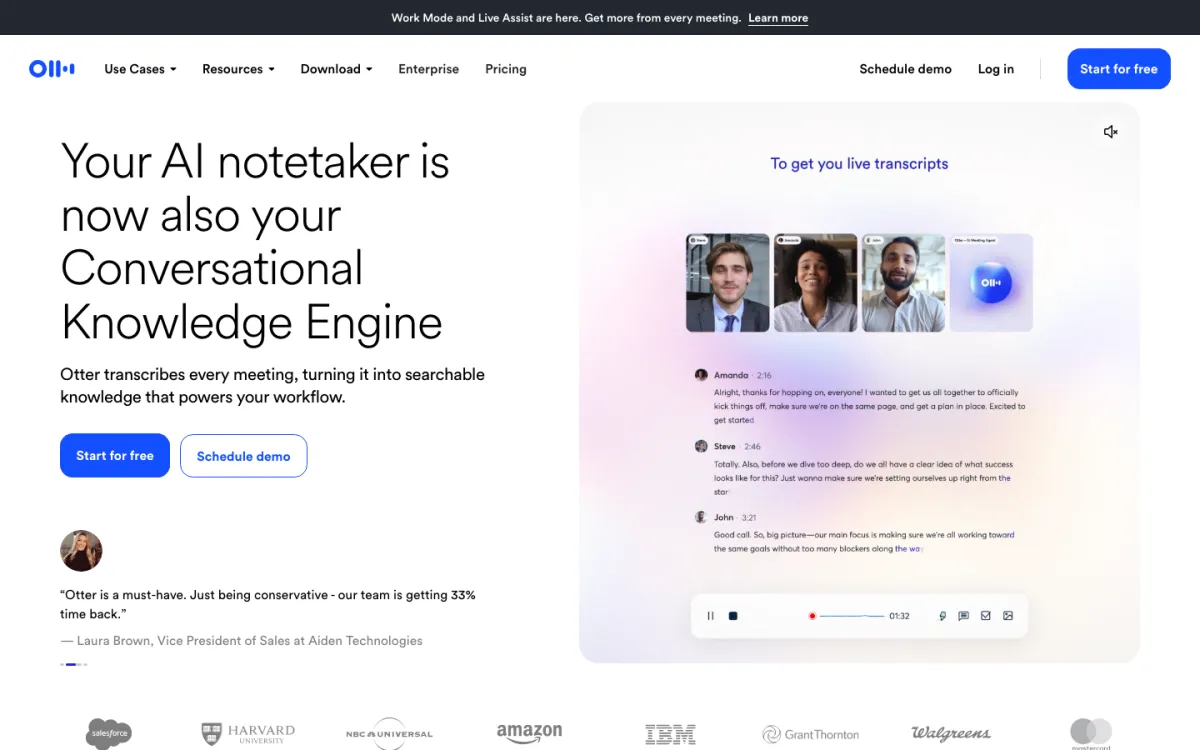
Otter.ai is the best pick for writers who interview sources or think out loud, because it turns recordings into searchable transcripts with speaker labels.
Journalists and memoir writers can record in the iOS or Android app or import audio, then search the transcript and ask Otter's AI Chat about it. Novelists who draft by voice can record now and clean up later.
Best for: Interview-based nonfiction, journalism, memoir research, and dictating rough drafts.
Pricing: Basic is free with 300 transcription minutes a month; Pro is $16.99 a month, or $8.33 a month billed annually, with 1,200 minutes; Business is $30 a month, or $19.99 a month billed annually. See Otter's plans
Strengths: Live transcription and speaker identification come on the free plan. AI Chat helps you pull quotes and themes from long interviews.
Watch out for: The free plan caps each conversation at 30 minutes and allows only 3 file imports in total, so long interviews need Pro (90 minutes per conversation). Always get consent before you record anyone.
Try this: After recording an interview, open the conversation, start AI Chat, and paste:
From this interview with [NAME, ROLE], list the 5 most quotable
lines word for word, with timestamps. Then list any facts or
numbers they stated that I need to verify, and suggest 3
follow-up questions about [TOPIC] for a second interview.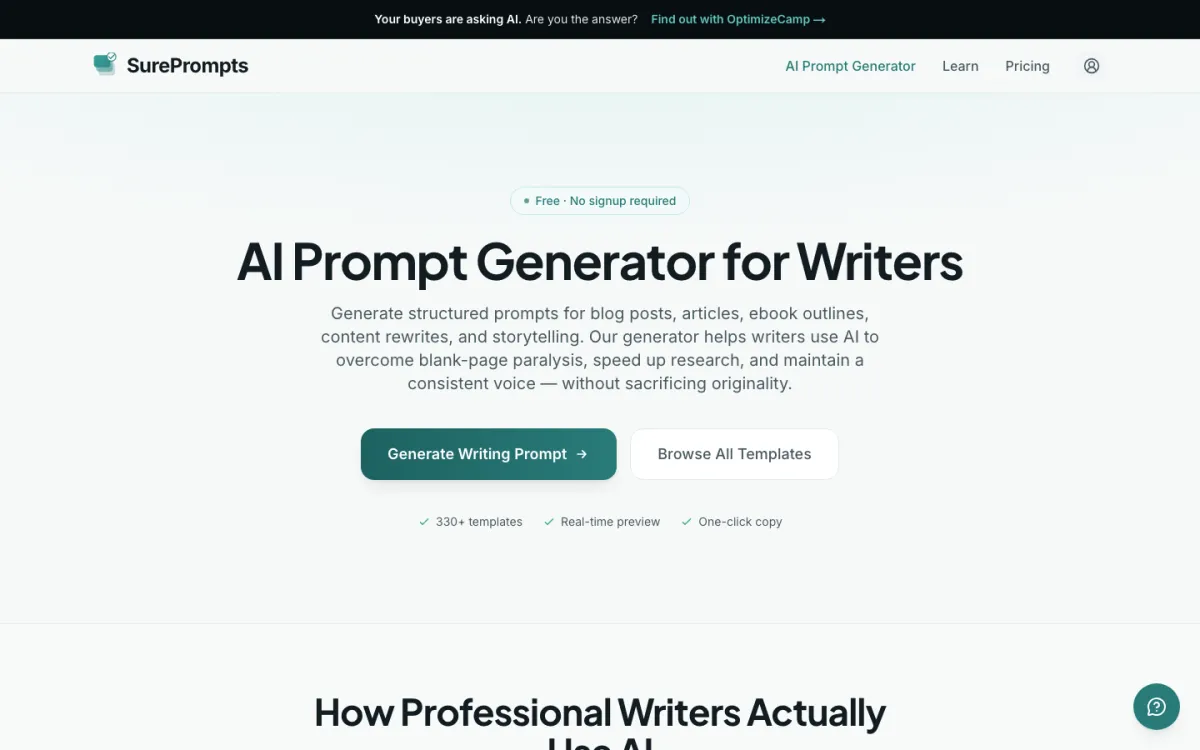
SurePrompts is the best add-on for writers who keep getting generic chatbot answers, because it turns a plain-English request into a structured prompt for the other best AI tools for writers on this list.
Describe the job, for example "developmental feedback on a cozy mystery chapter without rewriting my prose", and it builds a prompt with a role, context, constraints, and an output format. Bloggers can also use the blog post prompt generator for outlines and briefs.
Best for: Writers who want consistent prompts for feedback, outlines, and research.
Pricing: A free account (Google sign-in) includes 3 AI prompt generations a month and the free templates; Pro is $3.99 a month or $29.99 a year with 200 AI generations a month, 320+ expert templates, and cloud-saved prompts. See the SurePrompts AI prompt generator
Strengths: Prompts arrive with a role, context, and output format already in place. Cloud-saved prompts on Pro make a feedback routine repeatable across chapters.
Watch out for: SurePrompts builds prompts; it does not run them, so you still need a chatbot such as Claude or ChatGPT.
Try this: Open the writers generator and type a request like this:
I need a prompt for [CLAUDE / CHATGPT] that gives line-level
feedback on a [GENRE] chapter of about [WORD COUNT] words. It
must keep my voice, never rewrite whole paragraphs, flag cliches
and repeated words, and return a table of the 10 most important
fixes in order of impact.Here is how the best AI tools for writers compare on price and free access, as of November 2026.
| Tool | Best for | Free plan | Paid plans from | Standout feature |
|---|---|---|---|---|
| Claude | Feedback on long drafts | Yes | $17 a month (billed annually) | Projects for a whole manuscript |
| ChatGPT | Brainstorming | Yes | $8 a month (Go) | Editable writing blocks |
| Sudowrite | Fiction drafting | Trial only | $10 a month (billed yearly) | Story Bible and fiction models |
| Novelcrafter | Planning novels and series | Trial only | $4 a month (no AI); $8 with AI | Codex story database |
| ProWritingAid | Manuscript editing | Yes | $10 a month (billed annually) | Virtual Beta Reader |
| Grammarly | Everyday polish | Yes | $12 a month (billed annually) | Works across apps and browsers |
| Hemingway Editor | Readable prose | Yes | $8.33 a month (billed annually) | Readability grade |
| Perplexity | Research and fact-checking | Yes | $20 a month | Numbered citations |
| Otter.ai | Interviews and dictation | Yes | $8.33 a month (billed annually) | Speaker-labeled transcripts |
| SurePrompts | Better prompts | Yes | $3.99 a month | Structured prompts for writers |
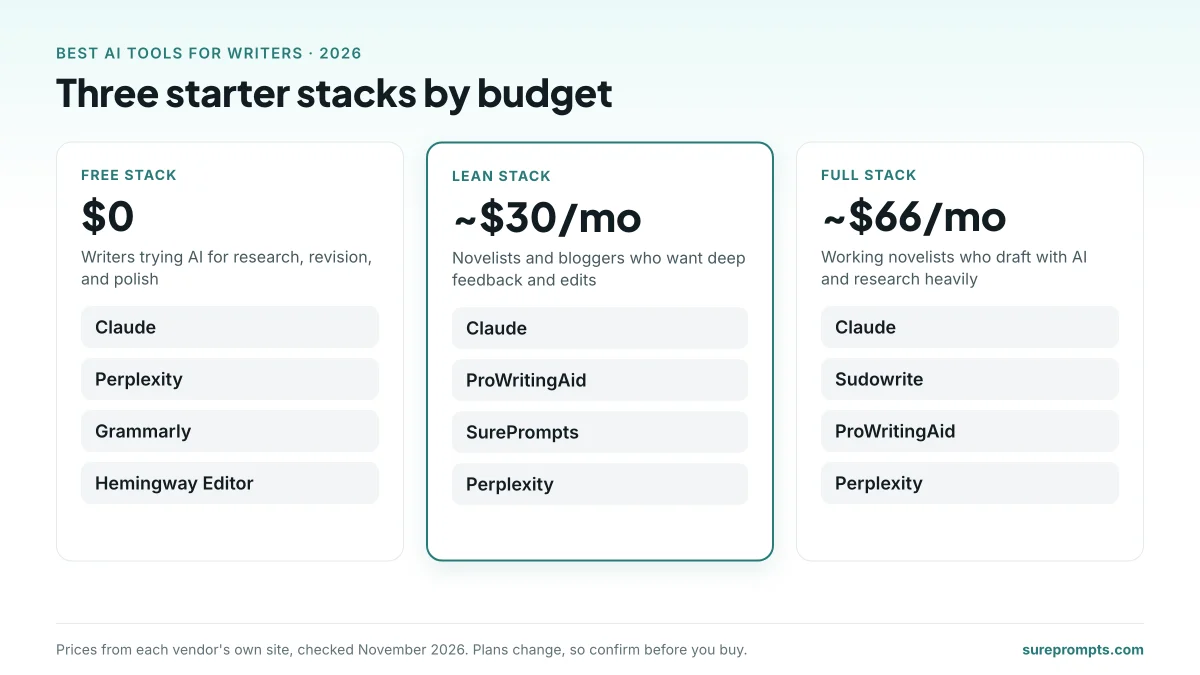
Free stack ($0). Claude for feedback, Perplexity for fact-checks, Grammarly for typos, and Hemingway Editor for readability. Together they cover research, revision, and polish without a card on file.
Lean stack (about $30 a month). Claude Pro ($17 billed annually), ProWritingAid Premium ($10 billed annually), and SurePrompts Pro ($29.99 a year, about $2.50 a month), plus Perplexity's free plan. It suits a novelist or blogger who wants deep feedback and a real edit.
Full stack (about $66 a month). Claude Pro ($17), Sudowrite Professional ($22 billed yearly), ProWritingAid Premium ($10), and Perplexity Pro ($200 a year, about $16.67 a month), all on annual billing. It fits a working novelist who also researches heavily.
AI tools for authors raise three practical questions: who owns the text, what you must disclose, and whether the book still sounds like you. This is general information, not legal advice.
Copyright. In its January 2025 report on copyrightability, the US Copyright Office concluded that copyright does not extend to purely AI-generated material, and that prompts alone do not give enough control to make you the author. Your own expression stays protected when a work also contains AI material, and so can your creative selection, arrangement, or modification of AI output.
Disclosure. Amazon KDP requires you to tell it about AI-generated content (text, images, or translations created by an AI tool, even if you edited them heavily) when you publish or republish a book. AI-assisted work, where you wrote the text and used AI to edit, check, or brainstorm, does not need disclosure. Publishers and clients may set stricter rules, so check contracts for AI clauses.
Voice. The surest way to keep your voice is to use AI for feedback, research, and questions more than for final prose. Keep your own drafts so you can show your process if anyone asks.
Warning
Do not upload an unpublished manuscript, a client's confidential draft, or an interviewee's private details until you have read the tool's data and privacy terms. Sudowrite says it does not train on your writing; check every other tool's terms yourself.
Choosing among the best AI tools for writers comes down to what you write and which stage slows you down most.
If you write novels, pick Sudowrite for AI drafting with credits included, or Novelcrafter for a story database and your own choice of model. They are the two AI tools for novelists here built only for fiction. Add ProWritingAid once the draft is done.
If you write nonfiction or journalism, pair Perplexity for sources with Otter.ai for interviews, and use Claude to check structure across chapters.
If you blog or freelance, use ChatGPT for ideas and Grammarly plus Hemingway Editor for polish. Our best AI tools for freelancers guide covers proposals, invoices, and client calls.
If you want the best AI writing assistant for 2026 in one subscription, choose Claude Pro for long manuscripts or ChatGPT Plus for brainstorming and short pieces; both cost $20 a month.
Tip
Test any new tool on a chapter or post you have already finished, so you can judge its feedback against work you know well.
AI writing tools give better feedback when the prompt is specific. Give the tool a role (developmental editor, copy editor, skeptical reader), context (genre, audience, what the chapter must do), the format you want back (a ranked list, a table, questions only), and a short sample of your own writing to match. Assigning a role this way is called role prompting, and our guide on how to write AI prompts covers the rest.
To skip the blank page, browse ready-made prompts for writers, or describe your task in the AI prompt generator for writers and paste the result into the tool you picked.
Pick one tool, give it one chapter, and keep only the feedback that makes the work more yours.
Try it yourself
Build expert-level prompts from plain English with SurePrompts — 330+ templates with real-time preview.
Open Prompt BuilderSurePrompts turns plain English into expert-level AI prompts. 330+ templates, real-time preview, works with any model.
Try AI Prompt GeneratorDecision matrix for creative writing in 2026. Claude Opus 4.8 wins on prose and voice, GPT-5.6 Sol on structure, Gemini 3.1 Pro on manuscript-length context.
Copy-paste AI prompts for every type of writing. Emails, blog posts, social media captions, landing pages, newsletters, and creative fiction that sound like you.
An honest roundup of 11 AI tools for content creators in 2026 — covering writing, image, video, audio, editing, prompting, and repurposing. Features, pricing, and best-for verdicts.