November 12, 2026
Updated November 24, 2026
23 min read
Your buyers are asking AI. Are you the answer?
Find out with OptimizeCamp →The best AI tools for sales in 2026, from prospecting to close: 10 picks with verified prices, free plans, starter stacks, and the email rules to follow.
TL;DR
HubSpot Sales Hub is the best AI tool for most SMB sales teams, with a free two-user CRM and a Prospecting Agent on paid plans. Apollo.io is the top pick for prospect data and sequences, and Gong leads conversation intelligence for teams that coach from calls. The list also covers Clay, Salesforce Agentforce for Sales, Outreach, Fathom, Lavender, ChatGPT Business, and SurePrompts, with prices checked on each vendor's site in November 2026, starter stacks from $0 to about $214 per rep a month, and the email and call-recording rules to follow.
The best AI tools for sales in 2026 are HubSpot Sales Hub for an all-in-one CRM with AI built in, Apollo.io for prospect data and email sequences, and Gong for conversation intelligence on recorded calls. Below are ten picks covering the full cycle, from finding accounts to forecasting the close, with prices checked on each vendor's site, three starter stacks, and the email and call-recording rules your team must follow.
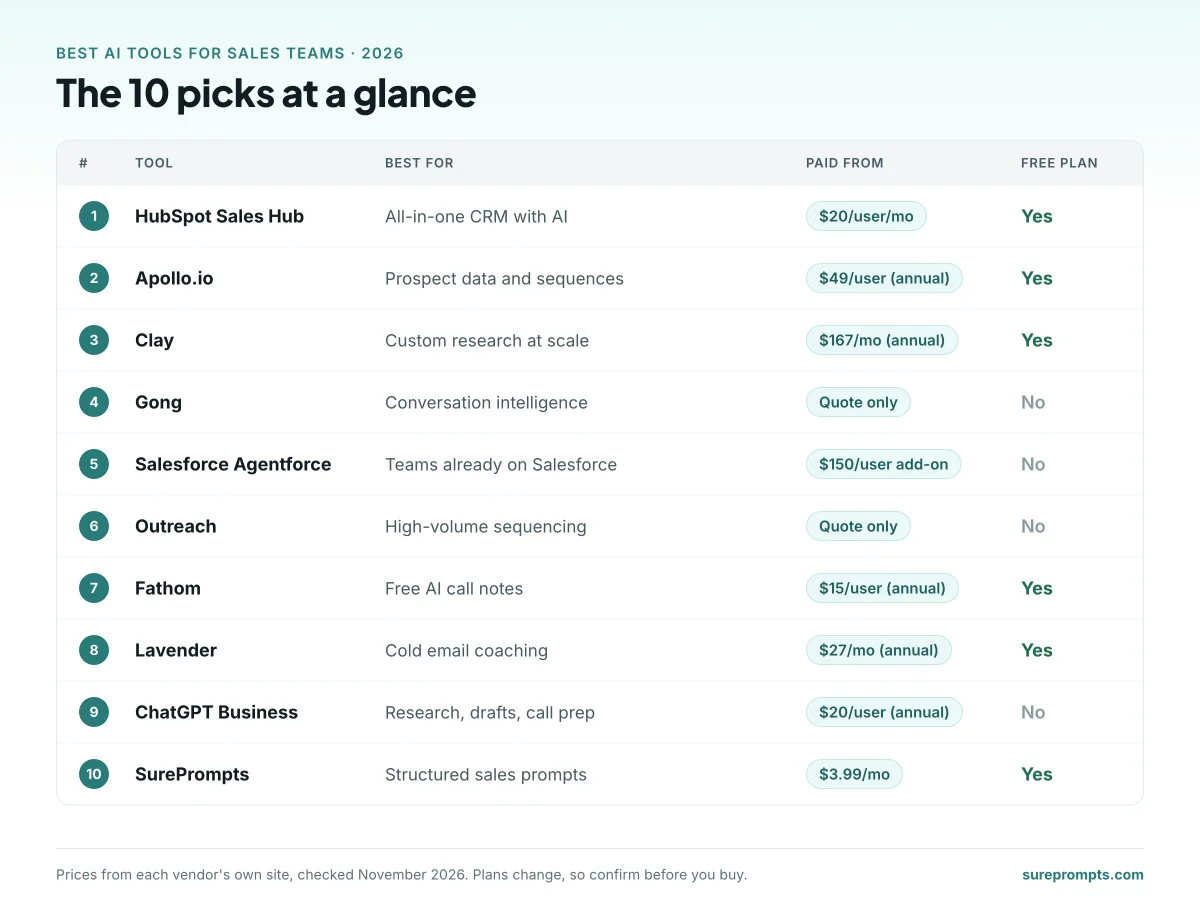
The full comparison table sits further down the page.
To pick the best AI tools for sales, we started from the weekly jobs of a B2B sales team: build lists, write outreach, run calls, update the CRM, and forecast. Most AI sales tools claim all five, so we filtered hard.
Fit for SMB and mid-market teams. The list serves SDRs, AEs, managers, and founders who sell. Enterprise suites made the cut only if a mid-market team can realistically buy and run them.
AI that saves selling time. Each tool had to do a specific job a rep would otherwise do by hand: research an account, draft a follow-up, summarize a call, or update deal fields.
Works with the CRM you have. We favored tools that sync with HubSpot or Salesforce, or that are the CRM.
Clear pricing and data controls. We prefer published prices and a free plan or trial, say so when a vendor sells by quote only, and checked what each vendor says about data use and call recording.
We compared plans, features, and limits on each vendor's own site in November 2026 and picked for fit, not for sponsorship: no tool paid to be listed.
40%
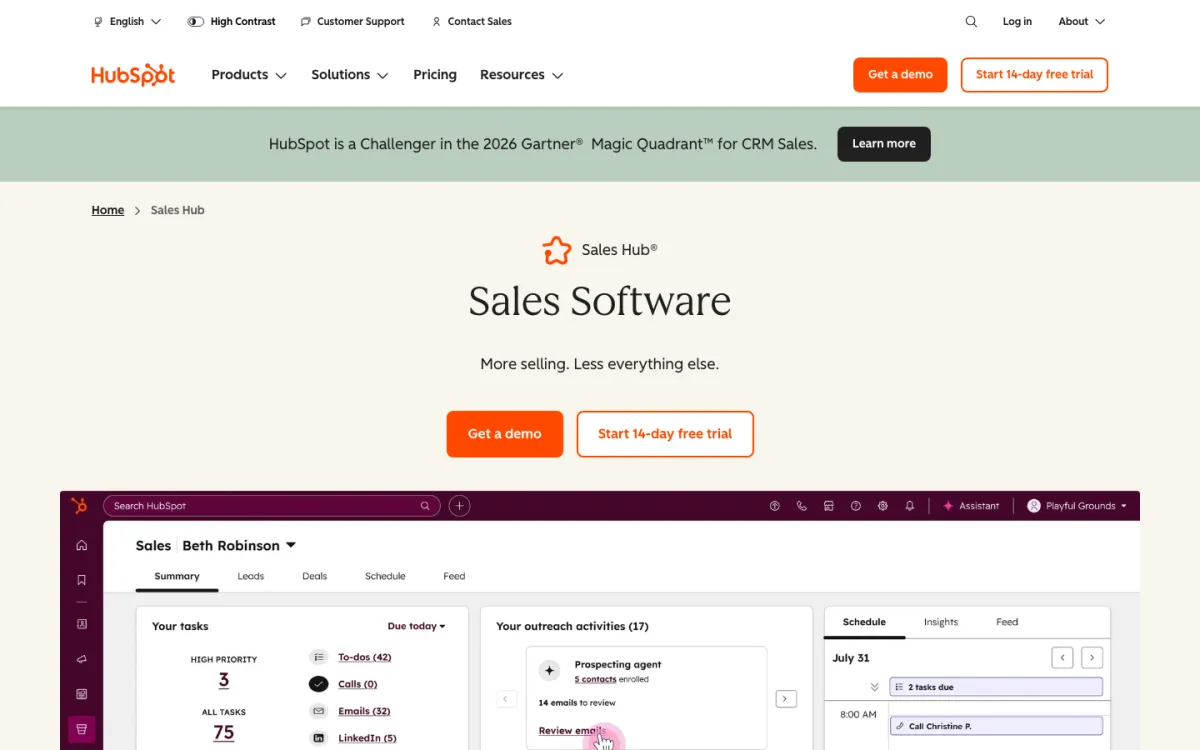
HubSpot Sales Hub is the best starting point for small and mid-sized sales teams that want CRM, email, and AI in one system. Breeze Assistant answers questions from your CRM records, and the Prospecting Agent watches buying signals such as funding rounds and leadership changes, then finds contacts and drafts outreach in each rep's voice.
Among the best AI tools for sales, it is the easiest to adopt: the free tools cover two users, and Professional includes sequences, call transcription, and lead scoring.
Best for: Small and mid-sized B2B teams that want one CRM with AI built in.
Pricing: Free for up to 2 users. Starter is normally $20 per seat a month. Professional is $90 per seat a month billed annually ($100 monthly), plus a one-time $1,500 onboarding fee. The Prospecting Agent runs on HubSpot Credits, priced at $1 per lead it recommends outreach for. See HubSpot Sales Hub pricing.
Strengths: Emails, calls, and deals share one record, so AI answers draw on real activity.
Watch out for: The jump to Professional is steep once you add the onboarding fee, and credit-based agents add a variable cost on top of seats.
Try this: Open Breeze Assistant on a deal record and paste:
You are my sales assistant. Using this deal's emails, calls,
and notes, write a brief for my next call with [CONTACT NAME]:
1. Where the deal stands and what changed since [DATE].
2. The open objection we have not answered yet.
3. One question that would move the deal to [NEXT STAGE].
4. A follow-up email draft under 120 words, plain text.
Use only facts from the record.
Apollo.io is the most complete of the AI sales prospecting tools for teams that want contact data, email sequences, and a dialer in one subscription. Reps build lists with filters and intent topics, enrich them, and push contacts into sequences, while AI Assistant and AI Research help draft messages and research accounts.
Professional adds AI lead scoring and call recordings with AI insights, and paid plans include email warmup and other deliverability tools.
Best for: SDRs and founders who run their own outbound.
Pricing: Free with 75 credits a month and 2 sequences. Basic is $49 per seat a month billed annually ($65 monthly). Professional is $79 per seat a month billed annually ($99 monthly). See Apollo pricing.
Strengths: One tool replaces a data vendor, a sequencer, and a dialer, and the free plan is enough for a real test.
Watch out for: Credits pay for emails, phone numbers, and AI research, and unused credits expire at the end of each billing cycle. The free plan connects Gmail only.
Try this: Save a list, then open Apollo's AI Assistant and paste:
Act as an SDR for [COMPANY], which sells [PRODUCT] to [ROLE]
at [COMPANY SIZE] companies in [INDUSTRY].
For the saved list "[LIST NAME]":
1. Group the accounts by their most likely pain point.
2. For each group, write emails for day 1, day 4, and day 9.
   Under 90 words each, one clear ask, no jargon.
3. Name one detail per group I should verify before sending.
Clay is the best pick for RevOps and growth people who want to research every account on a list the way a good rep would, across thousands of rows. Its spreadsheet columns pull from many data providers, with waterfalls that try sources in turn.
Its AI agent, Claygent, browses the web to answer a custom question for every row, such as "Does this company sell to hospitals?" That turns a vague ideal customer profile into filterable columns.
Best for: RevOps, growth marketers, and technical founders building targeted lists.
Pricing: Free with 100 data credits and 500 actions a month. Launch is $185 a month, or $167 a month billed annually. Growth is $495 a month, or $446 a month billed annually, and adds CRM auto-sync. See Clay pricing.
Strengths: Unlimited seats and tables on every plan. Claygent and waterfalls find details no single data provider has.
Watch out for: Actions, data credits, and token-billed AI models are metered separately, so costs are hard to predict at first. It suits workflow builders more than busy AEs.
Try this: Add a Claygent column to a table of company domains and use:
Visit [COMPANY DOMAIN] and its careers page.
Answer in exactly this format:
- Sells to: one line on who their customers are
- Uses [TOOL CATEGORY] today: Yes / No / Unknown, plus the URL
  where you saw it
- One email opener based only on something on their site
If you cannot find evidence, write Unknown. Do not guess.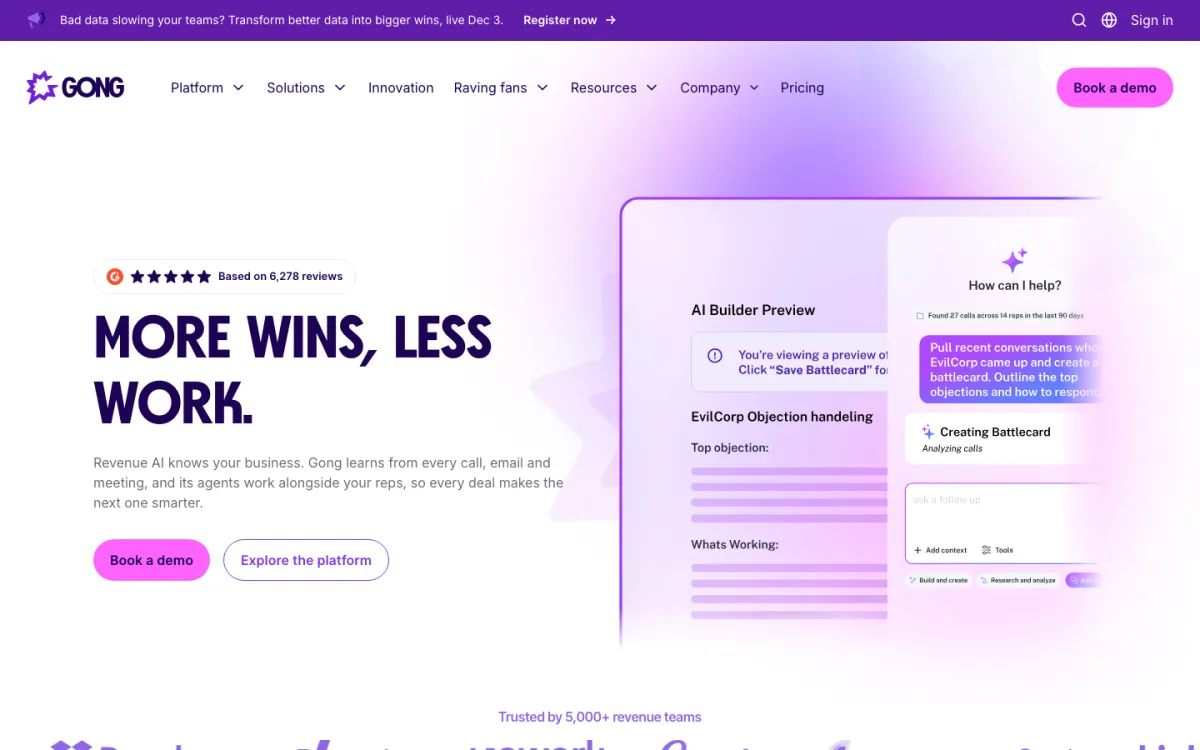
Gong is the best conversation intelligence software for sales teams whose managers coach from real calls and want forecasts built on what buyers actually said. It records and transcribes calls, then runs AI agents over them.
AI Briefer writes account briefs, AI Call Reviewer evaluates calls for coaching, AI Deal Monitor flags hidden deal risks, AI Composer drafts follow-ups, and AI Data Extractor fills CRM fields.
Best for: Mid-market teams with several reps and a manager who coaches every week.
Pricing: Gong does not publish prices. Licenses are per user, plus a platform fee that scales with user count. See Gong pricing.
Strengths: It ties deal risk, coaching, and forecasting to the same calls, which makes it one of the best AI tools for sales leaders.
Watch out for: Quote-only pricing plus a platform fee is a lot for very small teams, where Fathom covers the basics for free. Recording calls also needs a consent routine.
Try this: Paste a call transcript from Gong or any recorder into your company-approved chatbot:
Review this discovery call transcript with [PROSPECT COMPANY].
Score it against [METHODOLOGY, e.g. MEDDICC] and return a table:
element | evidence quote | missing? | question to ask next time.
Then list:
- The top 2 risks to this deal, each with the quote behind it
- One coaching note for [REP NAME], specific and kind
Quote only what was said. Do not invent details.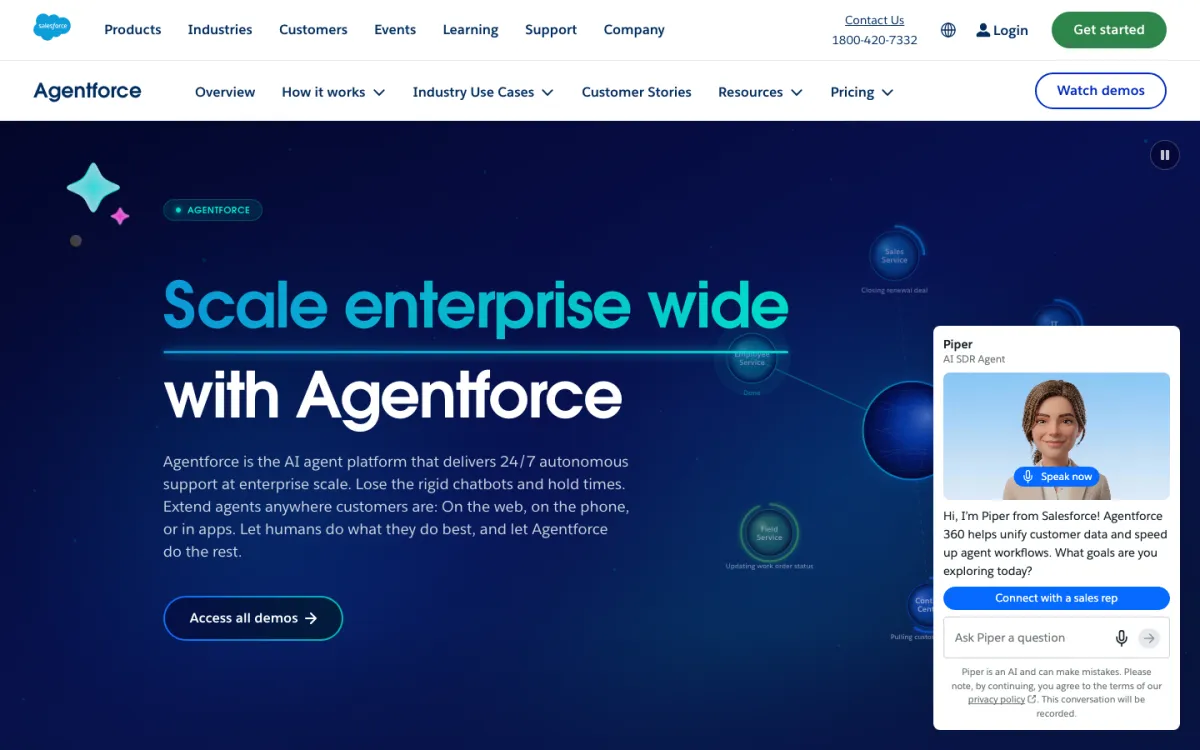
Agentforce for Sales is the right AI sales assistant for teams already committed to Salesforce, because its agents work on the records and permissions you already have. Salesforce lists agents for prospecting, sales emails, account research, lead nurture, and pipeline management.
The prospecting agent surfaces high-intent accounts in Salesforce or Slack, and Agentforce can update stage and next steps after activity, for a rep to review or automatically. Pair it with our AI pipeline forecasting prompts for the forecast call.
Best for: Mid-market teams on Sales Cloud Core or above.
Pricing: Sales Cloud starts at $25 per user a month. AI can be added to Core ($195 per user a month, billed annually) and above, with the Agentforce for Sales add-on from $150 per user a month; the Max edition ($550, billed annually) includes it. See Salesforce Sales Cloud pricing.
Strengths: Agents inherit Salesforce's data model and sharing rules, and field updates improve pipeline hygiene without nagging reps.
Watch out for: The real entry price is Core plus the add-on, and agent actions draw on Flex Credits, so get a written quote. It is too heavy for teams not already on Salesforce.
Try this: Ask Agentforce on an opportunity, or have your admin save this as a team prompt:
For opportunity [OPPORTUNITY NAME], review activity since
[DATE] and propose updates. Do not save any changes yet.
1. Suggested stage, close date, and next step, each with the
   activity that supports it.
2. Fields that look stale or contradict recent emails.
3. A 3-sentence summary for the forecast call.
Flag any change that moves the close date by 30 days or more.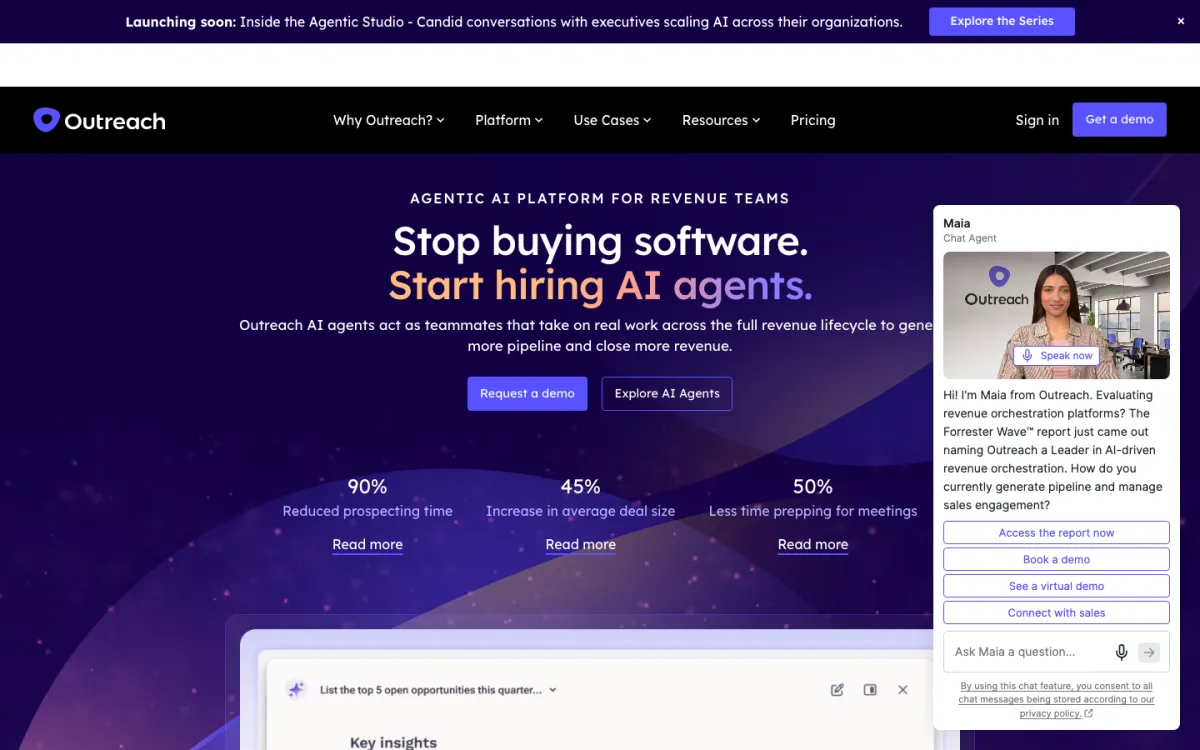
Outreach is the strongest choice for larger SDR and AE teams that live in multi-channel sequences and want AI agents to handle the work around them.
The Research Agent turns conversation history and public information into account insights, the Personalization Agent writes channel-ready messages from that research, the Meeting Prep Agent builds call briefs, and the Deal Agent suggests deal-field updates from calls.
Best for: Larger SDR teams running structured outbound at volume.
Pricing: Outreach does not publish prices. It sells per user, with no platform fees, across four Amplify tiers (Essentials, Core, Plus, and Pro) that include between 10,000 and 100,000 AI credits. See Outreach pricing.
Strengths: Sequences, calls, coaching, and deals share one data set, so agents work from full context.
Watch out for: Quote-only pricing and credit-based AI make budgeting harder. Small teams will pay for capability they do not use; Apollo covers basic sequencing for less.
Try this: Draft the sequence before you build it in Outreach:
Write a 4-touch sequence for [PERSONA] at [INDUSTRY] companies
that just had [TRIGGER EVENT, e.g. a new VP of Sales].
Day 1 email, day 3 call opener, day 5 LinkedIn note under
300 characters, day 10 short closing email.
Rules: under 100 words per email, one ask each, no "just
checking in".
Leave a [PERSONAL LINE] slot in each email.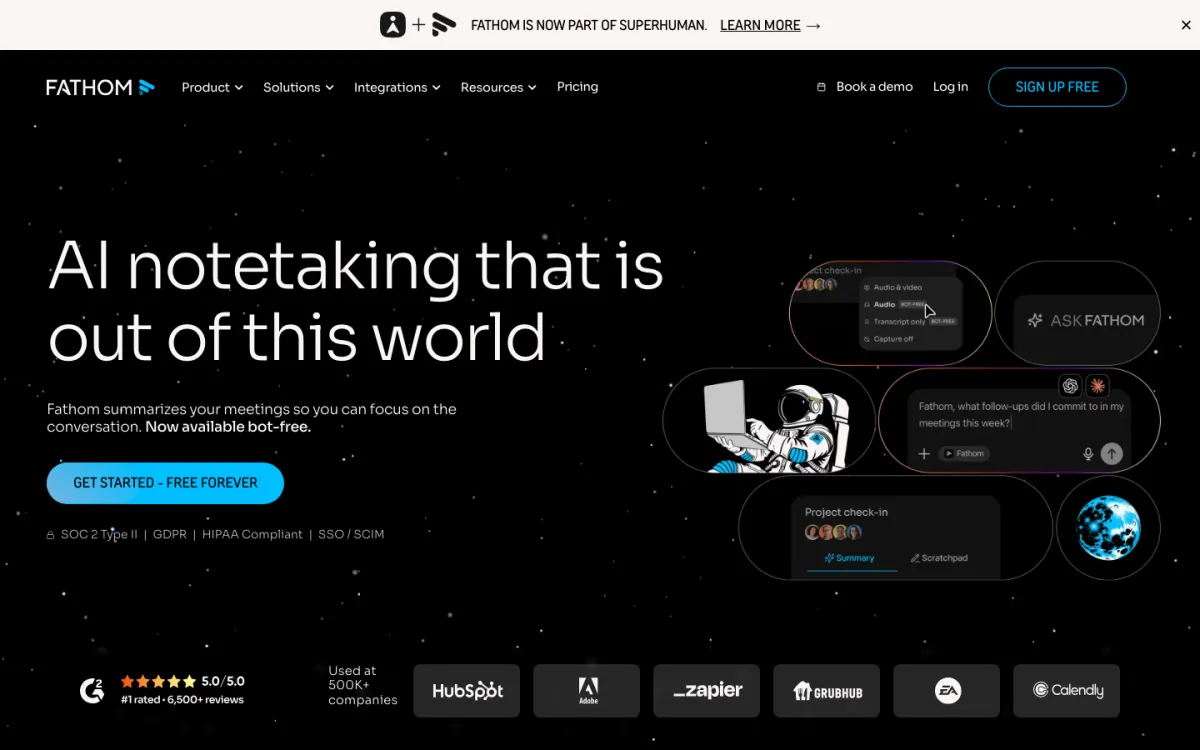
Fathom is the best free notetaker for sales reps, because its free plan records and transcribes unlimited calls on Zoom, Google Meet, and Microsoft Teams, with an AI summary after each one.
Paid plans add Ask Fathom and AI action items, and Business adds CRM field sync, a Deal View of every call on a deal, and AI scorecards for coaching. Our prompt patterns for meeting notes help turn those notes into clean follow-ups.
Best for: Reps and small teams who want call notes without a Gong-sized contract.
Pricing: Free forever. Premium is $20 a month, or $16 billed annually. Team is $19 per user a month, or $15 billed annually (2-user minimum). Business is $34 per user a month, or $25 billed annually (2-user minimum). See Fathom pricing.
Strengths: Unlimited recordings and transcripts at $0, plus HubSpot and Salesforce integrations that push summaries into the CRM.
Watch out for: Free gives advanced summaries on only 5 calls a month, Ask Fathom and AI action items need Premium, and CRM sync below Business is capped at 3 users per company domain.
Try this: Paste a call summary into Ask Fathom (Premium) or your approved chatbot:
From this call with [PROSPECT NAME] at [COMPANY], write:
1. A follow-up email under 120 words that restates their
   problem in their own words and confirms [NEXT STEP] on [DATE].
2. CRM notes: pain, budget, timeline, decision makers, risks.
3. Three questions I should ask next time.
Use only what was said on the call.
Lavender is the best of the AI tools for cold email when reps write one-to-one messages and want a coach scoring each draft before sending. Inside Gmail or Outlook it scores emails against best practice and suggests fixes; Lavender says emails scoring 90 or above get more replies.
Its Personalization Assistant suggests openers from prospect data, and plans with integrations work inside Outreach, Salesloft, HubSpot, and Apollo. For the habits behind a high score, see how to write better emails with AI.
Best for: SDRs and AEs who write personal outbound, and managers who coach email.
Pricing: The free Basic plan covers 5 emails a month. Starter is $29 a month, or $27 billed annually. Individual Pro, which adds integrations, is $49 a month, or $45 billed annually. Team is $99 per seat a month, or $89 billed annually. See Lavender Email Coach pricing.
Strengths: It teaches while it fixes, so reps improve their own writing. Paid features come with a 7-day free trial.
Watch out for: Five free emails a month is only a trial, Starter lacks integrations with sales engagement tools, and Lavender does not send sequences.
Try this: A five-minute Lavender routine before any first-touch email:
ChatGPT Business is the best general AI for sales reps who need one assistant for research, call prep, proposals, and objection practice. OpenAI says business data on this plan isn't used to train its models by default, the main reason to choose it over personal accounts.
HubSpot's connector lets reps search and update CRM records from the chat, and HubSpot recommends requiring approval for write actions. If your team prefers Claude, Claude Team Standard costs the same; our ChatGPT vs Claude comparison covers the differences.
Best for: Every rep, as a daily writing and research assistant.
Pricing: Business Standard is $25 per user a month, or $20 per user a month billed annually. See ChatGPT Business.
Strengths: It handles almost any sales writing or research task, with admin controls for the whole team.
Watch out for: It can state wrong facts about a prospect with total confidence, so check anything that goes into an email. It knows your deals only through connectors your admin approves.
Try this: Before a discovery call, paste this (more in our AI discovery call prompts):
You are a senior AE preparing me for a discovery call.
Company: [PROSPECT COMPANY]. Contact: [NAME], [TITLE].
What we sell: [ONE-LINE PRODUCT DESCRIPTION].
Search the web and give me:
1. Three recent facts about the company, each with its source
   link and date.
2. Two likely priorities for a [TITLE] this quarter.
3. Five open-ended discovery questions, broad to specific.
4. Two likely objections, each with a short, honest reply.
Write "not found" instead of guessing.
SurePrompts is the best pick for sales reps who use ChatGPT, Claude, or Gemini every day but get generic output from short prompts. You describe the task in plain English, such as "follow-up email after a demo where pricing was the objection," and it builds a structured prompt with a role, context, constraints, and an output format.
The AI prompt generator for sales covers discovery scripts, outreach, objection handling, and proposals, and the email prompt generator handles follow-ups and replies.
Best for: Reps and founders who want repeatable prompts.
Pricing: A free account with Google sign-in includes 3 AI prompt generations a month and the free templates. Pro is $3.99 a month or $29.99 a year, with 200 AI generations a month, 320+ expert templates, and cloud-saved prompts. See SurePrompts pricing.
Strengths: It turns your best emails and call plans into prompts the whole team can reuse. At $3.99 a month, it is the cheapest upgrade to any of the best AI tools for sales that has a chat box.
Watch out for: SurePrompts builds prompts; it does not run them, so you still need a chatbot such as ChatGPT or Claude. It does not connect to your CRM.
Try this: Type a request like this into the generator:
Build a prompt for a follow-up email after a product demo.
Context: we sell [PRODUCT] to [PERSONA]. On the demo,
[CONTACT NAME] liked [FEATURE] but raised [OBJECTION].
Goal: [NEXT STEP] by [DATE]. Ask for 3 subject lines, a body
under 120 words, and one easy yes-or-no question.Here is how the best AI tools for sales compare on plans and starting prices, as of November 2026.
| Tool | Best for | Free plan | Paid plans from | Standout feature |
|---|---|---|---|---|
| HubSpot Sales Hub | All-in-one CRM for SMBs | Yes, up to 2 users | $20 per seat a month | Prospecting Agent for buying signals |
| Apollo.io | Prospect data and sequences | Yes, 75 credits a month | $49 per seat a month (billed annually) | Data, sequences, and dialer in one |
| Clay | Custom research and enrichment | Yes, 100 data credits a month | $167 a month (billed annually) | Claygent web research on every row |
| Gong | Conversation intelligence | No | Quote only | AI Deal Monitor flags deal risk |
| Salesforce Agentforce | Teams already on Salesforce | No Agentforce on Free Suite | $150 per user a month add-on | Agents update pipeline fields |
| Outreach | High-volume sequencing | No | Quote only | Deal Agent updates from calls |
| Fathom | Call notes on a budget | Yes, unlimited recordings | $15 per user a month (billed annually) | Free unlimited transcripts |
| Lavender | Cold email coaching | Yes, 5 emails a month | $27 a month (billed annually) | Live email score with fixes |
| ChatGPT Business | Research, drafts, call prep | No | $20 per user a month (billed annually) | HubSpot connector for CRM records |
| SurePrompts | Structured sales prompts | Yes, 3 AI generations a month | $3.99 a month | 320+ expert templates |
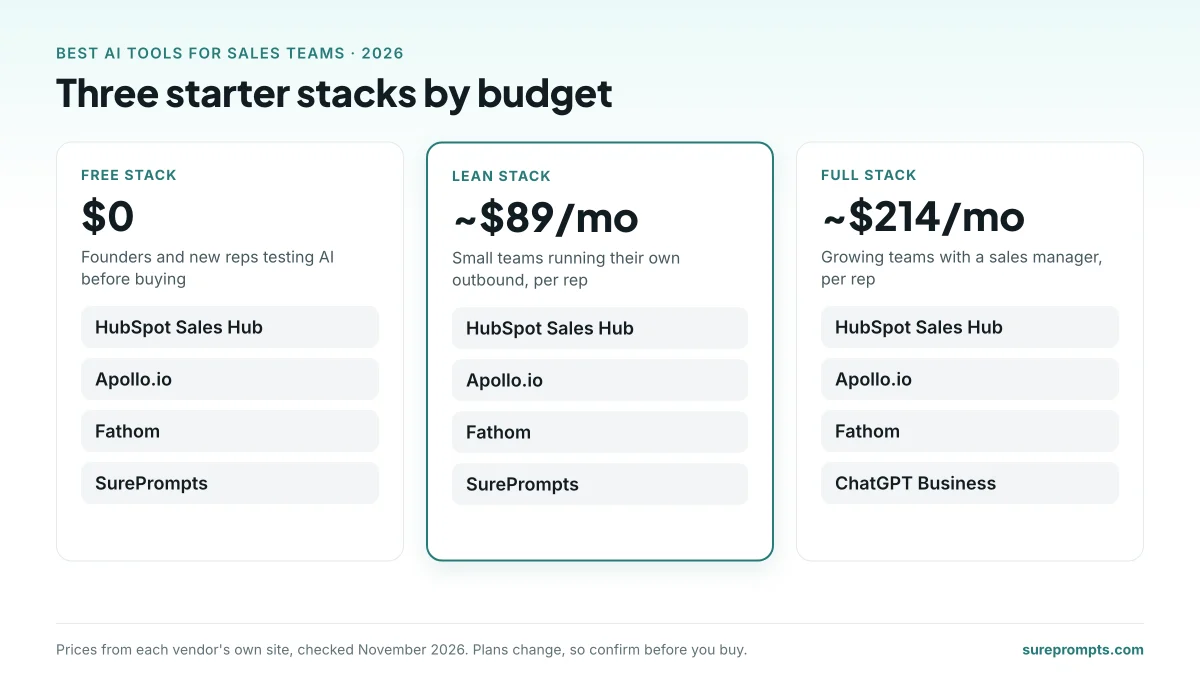
Free stack ($0): HubSpot Sales Hub's free CRM, Apollo.io Free, Fathom Free, and a free SurePrompts account. You get a CRM for two users, 75 prospecting credits and two sequences a month, unlimited call recordings, and better prompts. It fits founders testing AI tools for sales teams before signing a contract.
Lean stack (about $89 a month per rep): HubSpot Sales Hub Starter ($20), Apollo.io Basic ($49 billed annually), Fathom Premium ($16 billed annually), and SurePrompts Pro ($3.99). That is $88.99 per rep for a paid CRM, unlimited sequences, AI action items from calls, and 200 prompt generations.
Full stack (about $214 a month per rep): HubSpot Sales Hub Professional ($90 billed annually, plus the one-time $1,500 onboarding fee), Apollo.io Professional ($79 billed annually), Fathom Business ($25 billed annually), and ChatGPT Business ($20 billed annually). This adds call transcription in the CRM, AI lead scoring, CRM field sync with AI scorecards, and a business-grade assistant for every rep.
AI lets you send more email and record more calls, so mistakes scale too. This is a plain summary; ask counsel about your markets.
CAN-SPAM covers B2B email. The FTC says the law "makes no exception for business-to-business email." Each commercial email needs accurate sender details, an honest subject line, a physical postal address, and an opt-out you honor within 10 business days. Penalties run up to $53,088 per violating email.
GDPR covers EU prospects. If you email people in the EU using bought or enriched data, the European Commission says you must tell them you collected it by your first message at the latest, and they can object. Once they do, stop.
Gmail and Yahoo enforce sender rules. Google requires every sender to use SPF or DKIM and keep spam complaints below 0.3%. Bulk senders (over 5,000 messages a day to Gmail) also need DMARC, an aligned From domain, and one-click unsubscribe, and Google advises staying under 0.1%. Yahoo's rules are similar and add a 2-day deadline for unsubscribes.
Tell people you record. Some US states require consent from every party on a call, so announce the notetaker at the start of every call and offer to turn it off.
Verify enrichment data. Databases and research agents return stale titles and old emails, so check anything that goes into a message.
Warning
Keep CRM exports, customer lists, and call transcripts out of personal chatbot accounts. Use a company-approved business plan, check its data settings, and connect the CRM only through admin-approved connectors.
The best AI sales software in 2026 depends on team size and the CRM you already run.
If you are a solo founder who sells: Start with HubSpot's free CRM, Fathom Free, and SurePrompts, then add Apollo for outbound. For AI sales tools for small business beyond sales, see our best AI tools for small business.
If you run a small outbound team: Apollo for data and sequences, Lavender for email quality, and Clay once lists need custom research.
If your managers coach from calls: Fathom Business is the budget option; move to Gong when you need deal risk and forecasting too.
If you already run Salesforce: Price Agentforce for Sales before buying point tools; add Outreach for heavier sequencing.
If you want every rep to write and prep faster: ChatGPT Business or Claude Team, plus SurePrompts templates.
Tip
Trial one tool at a time for 30 days against one number you already track, such as replies per 100 emails or meetings booked per rep. Keep it only if the number moves.
Almost every tool here has a text box, and the output depends on what goes into it. Give the model a role (a senior AE in your industry), the context it cannot guess (product, persona, deal stage), the format you want, and one example of an email that worked. Assigning that persona is called role prompting, and it is a quick fix for generic sales copy.
For ready-made starting points, browse 40 AI prompts for sales or build your own with the AI prompt generator for sales. For follow-up habits that keep deals moving, read AI for sales and follow-up.
Pick one tool, one workflow, and one number to track, and let the results decide what comes next.
Try it yourself
Build expert-level prompts from plain English with SurePrompts — 330+ templates with real-time preview.
Open Prompt BuilderSkip the trial and error. Our curated prompt collection is designed specifically for sales professionals — ready to use in seconds.
See Sales professionals PromptsCopy-ready AI prompts for sales professionals. Cold outreach, discovery calls, proposals, objection handling, and follow-ups — tested and ready to paste.
Use AI for cold outreach, fast replies, and follow-up sequences as a solo business. Copy-paste prompts that stay personal and actually get answered.
Prompt patterns for sales discovery — pre-call research, question generation, objection handling, and post-call synthesis.