November 19, 2026
Updated November 24, 2026
23 min read
Your buyers are asking AI. Are you the answer?
Find out with OptimizeCamp →The 10 best AI tools for small business in 2026, with prices checked on vendor sites: ChatGPT, Gemini, Copilot, QuickBooks, HubSpot, Canva, and more.
TL;DR
ChatGPT Business is the best all-round AI tool for small business teams in 2026, Gemini in Google Workspace is the pick for Gmail and Docs users, and Microsoft 365 Copilot is the pick for Outlook and Excel shops. The rest of the list covers long documents (Claude), marketing graphics (Canva), bookkeeping (QuickBooks Online), CRM (HubSpot), customer chat (Tidio), automation (Zapier), and better prompts (SurePrompts). Every price was checked on the vendor's own site in November 2026, with free, lean, and full starter stacks.
The best AI tools for small business in 2026 are ChatGPT Business for everyday writing and analysis, Gemini in Google Workspace for teams that run on Gmail and Docs, and Microsoft 365 Copilot for teams that run on Outlook and Excel. The other seven picks cover bookkeeping, marketing graphics, customer chat, CRM, and automation. Most have a free plan, and every price below was checked on the vendor's own site.
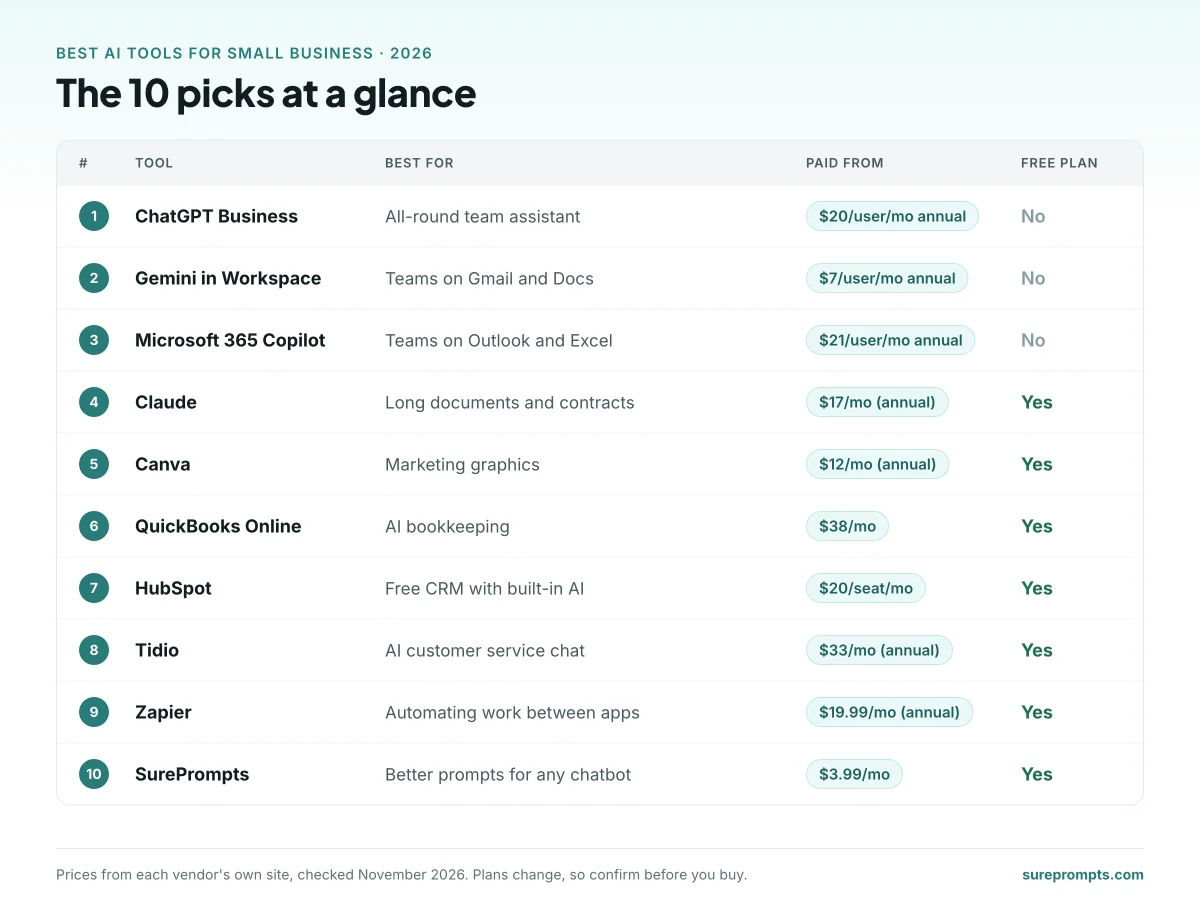
The full comparison table sits after the reviews.
Seat prices add up. Most business AI is billed per user, so a $25 tool costs $125 a month for five people. We favored affordable AI tools for small business budgets: free plans, low entry prices, and seat math done for you in the stacks below.
Business-grade data terms. You handle customer names, invoices, and payment details. We checked whether each vendor trains on business data by default and favored plans that say in writing that they do not.
Fits the software you already run. AI inside Gmail or Outlook saves more time than one more browser tab, so we looked for tools that plug into Google Workspace, Microsoft 365, QuickBooks, and store platforms.
One strong tool per job. We picked one tool each for writing, bookkeeping, marketing, sales, support, and automation. If you are still deciding where AI fits at all, start with our guide to AI for small business.
We compared the plans, features, and limits of this small business AI software on each vendor's own site in November 2026 and picked each tool for fit; no tool paid to be listed.
17% to 20%
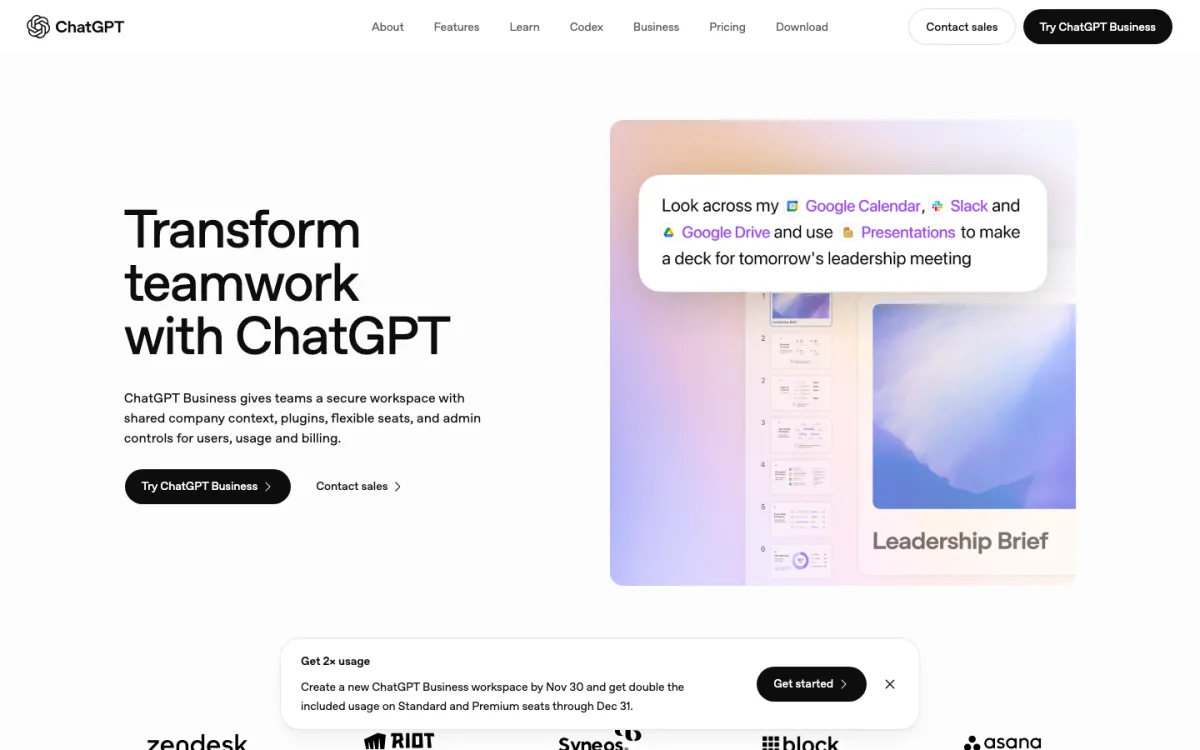
ChatGPT Business is the best all-round AI assistant for small business teams that want one shared tool for writing, analysis, and research. It is the team version of ChatGPT (called ChatGPT Team until August 2025), with admin controls and OpenAI's statement that it does not train on your business data by default.
Typical uses: follow up on a quote, turn a sales export into a one-page summary, or run deep research on three suppliers. Connectors link it to Google Workspace, Microsoft 365, and Slack, and workspace agents let you save a repeatable job, like a Monday sales recap, for the whole team.
Best for: Small teams that want one general AI assistant on business data terms.
Pricing: A Standard seat is $25 per user a month, or $20 per user a month (billed annually); Premium seats cost $125, or $100 (billed annually). See ChatGPT Business pricing.
Strengths: It handles almost any writing or analysis task, and deep research lists sources you can open and check. SAML SSO, MFA, and an admin console let you cut off access the day someone leaves.
Watch out for: Per-seat costs climb as you add staff, and monthly billing costs $5 more per seat than annual.
Try this: Attach last month's sales export to a new chat and paste:
You are an operations analyst for a [TYPE OF BUSINESS]. Using the
attached sales export for [MONTH], list our top 5 products by
revenue, flag anything that fell more than [PERCENT]% from last
month, and suggest 3 actions for next week. Use a short table,
then a numbered list. If data is missing, say so; do not guess.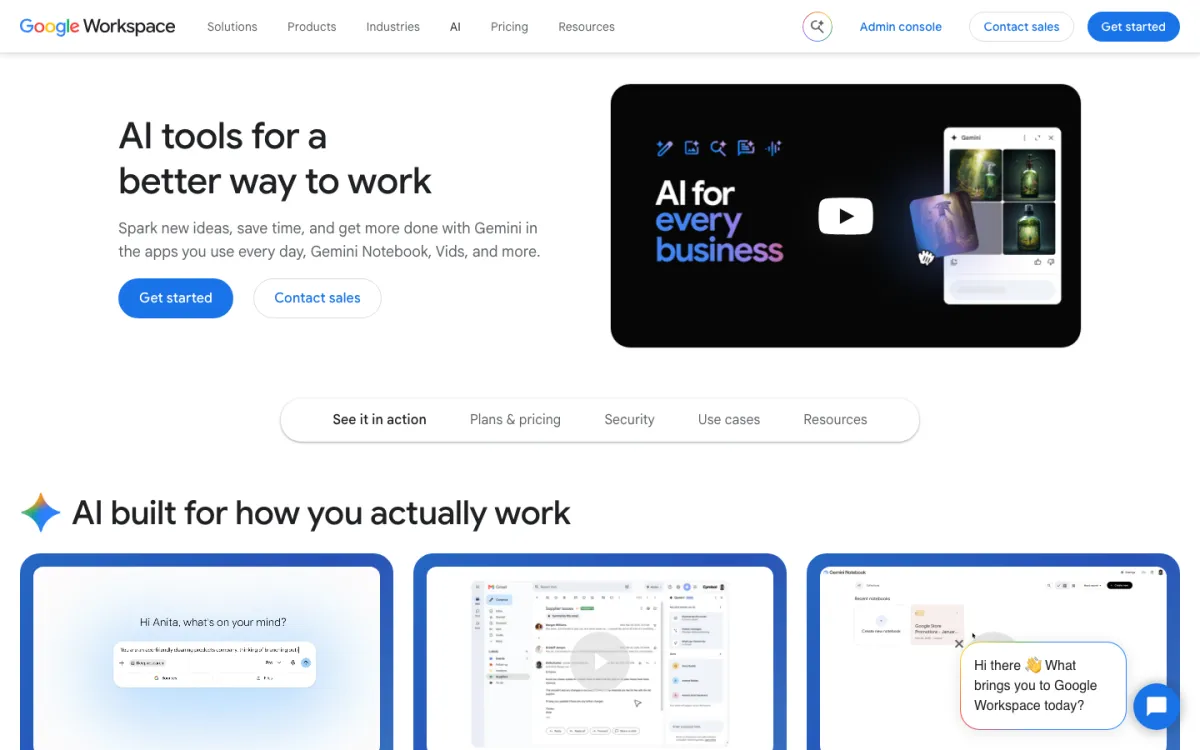
Gemini in Google Workspace is the best pick for small businesses that already run email, files, and calendars on Google. Gemini comes inside the Workspace plan, in the apps your team already opens every day.
On Business Standard and above, Gemini works in Gmail, Docs, Sheets, Slides, Drive, Meet, and Chat: summarize a long customer thread, draft a proposal from rough notes, or explain a formula. Gemini Notebook (formerly NotebookLM) is included too, for answers drawn only from your own price lists and policies.
Best for: Teams on Gmail and Google Drive who want AI where they already work.
Pricing: Business Starter is $7 per user a month, Business Standard $14, and Business Plus $22, each with a one-year commitment, plus a 14-day free trial. See Google Workspace pricing.
Strengths: Email, storage, video calls, and AI arrive on one bill. Google's pricing page says that in Gemini, "your company data is not used to train models."
Watch out for: Business Starter includes Gemini only in Gmail and the Gemini app; Gemini in Docs, Sheets, and Meet starts at Business Standard.
Try this: Open a long customer thread in Gmail, open the Gemini side panel, and paste:
Summarize this thread: what the customer wants, what we already
promised, and every date or amount mentioned. Then draft a reply
under 120 words, friendly and direct, that confirms [DECISION]
and asks for [MISSING DETAIL].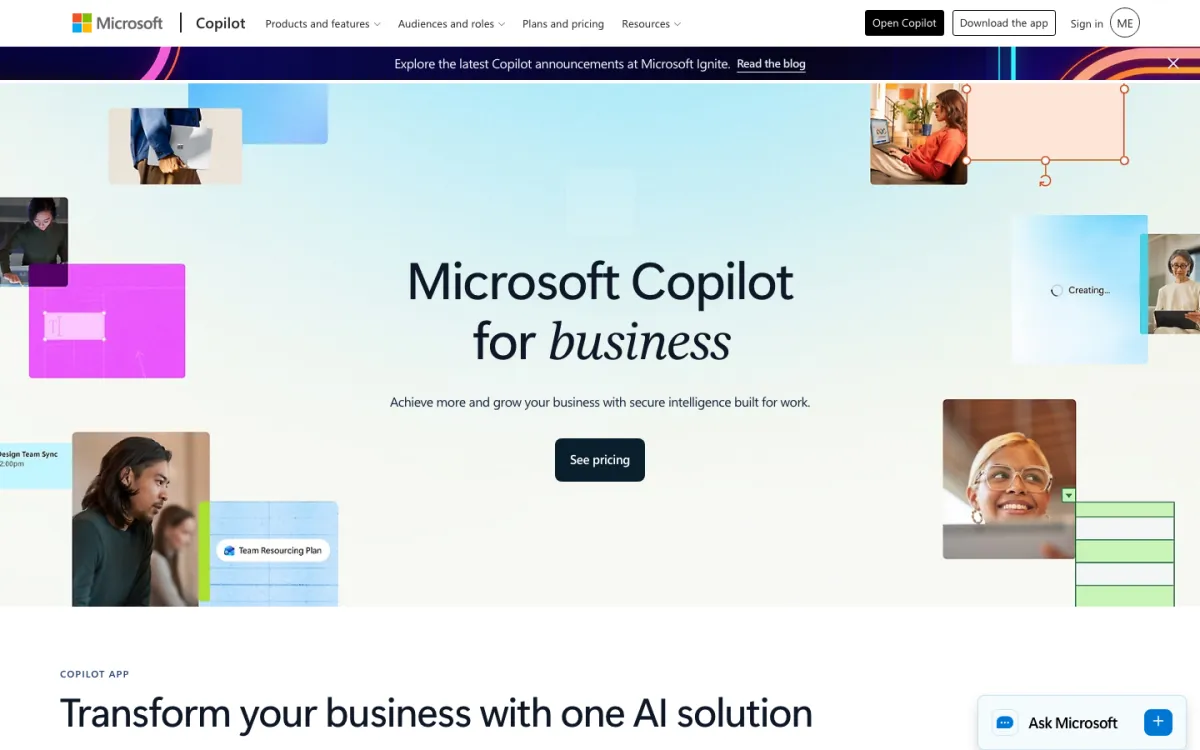
Microsoft 365 Copilot is the best AI tool for small businesses that run on Outlook, Word, Excel, and Teams. It puts an assistant inside each app, so the work happens in the file you already have open.
Microsoft lists the core jobs: drafting and summarizing in Word, analyzing data and creating charts in Excel, drafting email and summarizing long threads in Outlook, and recapping meetings with action items in Teams. Copilot Chat, a web-grounded assistant, comes at no extra cost with eligible Microsoft 365 plans, so try it before you pay for the add-on.
Best for: Businesses already paying for Microsoft 365 that want AI inside their Office files.
Pricing: The Copilot Business add-on is $21 per user a month (billed annually), or $25.20 billed monthly, on top of a Microsoft 365 plan. Business Standard with Copilot costs $23.50 per user a month (billed annually). See Microsoft 365 Copilot business pricing.
Strengths: Copilot works on your real Excel files and Outlook threads. Microsoft says prompts and responses "are not used to train the underlying large language models."
Watch out for: Copilot in Teams needs a Teams license, and Microsoft notes usage-based billing for select advanced AI features.
Try this: Open your sales workbook in Excel, open Copilot, and paste:
This sheet lists our sales for [PERIOD], one row per order. Chart
revenue by [CATEGORY] by month, flag orders over [AMOUNT] dollars,
and write 3 bullets I can email to my [ACCOUNTANT] explaining
what changed.
Claude is the best AI tool for small business owners who work through long documents: leases, supplier contracts, staff handbooks, and grant applications. Projects hold your price list, brand voice notes, and FAQs, so each new chat starts with your business context.
For a solo owner, Pro adds Projects, Research, Claude for Microsoft 365, and Claude for Excel. Claude Team adds shared Projects, single sign-on, and central billing. Our ChatGPT vs Claude comparison covers how the two differ.
Best for: Owners who read and write long documents, and small teams that want shared context.
Pricing: There is a free plan. Pro is $20 a month, or $17 a month (billed annually). Team Standard is $25 per seat a month, or $20 (billed annually), for 2 to 150 seats. See Claude pricing.
Strengths: Shared Projects keep the whole team working from the same context. Anthropic's pricing page lists "No model training on your content by default" for Team.
Watch out for: Pro is a personal plan where model training is opt-out, so switch it off in Privacy Settings before you paste business material. The free plan has limited usage and no Research.
Try this: Create a Project for your business, upload the document, and paste:
Read the attached [LEASE / CONTRACT / POLICY] for the owner of a
[TYPE OF BUSINESS]. Give me a 5-bullet plain-English summary,
then every date, fee, penalty, and renewal term quoted with its
section number, then 3 questions to ask [LAWYER] before I sign.
Do not give legal advice; flag anything unclear.
Canva is the best of the AI tools for small business marketing when you have no designer on staff. It pairs a large template library with Canva AI, so an owner can turn a rough idea into a social post, flyer, or menu in one sitting.
Magic Write drafts captions and product blurbs, Magic Layers turns a flat image into an editable design, and Canva Code builds simple interactive pieces like a pricing calculator from a description. Paid plans add Brand Kits to keep your logo, colors, and fonts consistent. For a weekly routine, see our guide to AI marketing for a solo business.
Best for: Owners who make their own social posts, flyers, menus, and ads.
Pricing: Canva Free is $0. Pro is $18 a month, or $144 a year ($12 a month). Business is $25 per person a month, or $250 per person a year. See Canva pricing.
Strengths: The free plan includes more than 1.6 million templates and 5 GB of storage. Pro gives 10 times the Free plan's AI usage, and Business 20 times.
Watch out for: Free-plan AI is limited, and the heaviest use needs the paid AI Pass add-on. Check every AI-written price and claim before you post.
Try this: Open Canva AI and paste:
Create 3 Instagram posts for [BUSINESS NAME], a [TYPE OF BUSINESS]
in [CITY], promoting [OFFER] until [END DATE]. Use colors [HEX
CODES], a [BOLD / CALM] style, a headline under 8 words, and the
call to action "[CALL TO ACTION]". Leave room for our logo.
QuickBooks Online is the best of the AI bookkeeping tools for most U.S. small businesses, because its AI works inside the same books you share with your accountant. Intuit now calls its AI Intuit Intelligence; the pricing page no longer uses the older Intuit Assist name.
Simple Start categorizes expenses and looks for tax deductions. Essentials adds Accounting AI to clean up your books and Payments AI to get you paid faster, and Plus finds and fixes anomalies. Intuit calls these pieces agents (an AI agent carries out multi-step tasks for you) and says its AI reconciliation helps customers close their books nearly three times faster, based on internal data.
Best for: U.S. owners who want help categorizing, reconciling, and chasing unpaid invoices.
Pricing: A free plan covers one user, 2 invoices a month, and 1 connected bank. Simple Start is $38 a month, Essentials $85, Plus $140, and Advanced $340, with no annual contract and a 30-day free trial. See QuickBooks Online pricing.
Strengths: Categorization and anomaly checks happen where your money is already recorded. Higher plans add users (3 on Essentials, 5 on Plus) and accountant access.
Watch out for: Intuit Intelligence chat is limited to primary and company admins and has monthly usage caps; a $10 a month add-on raises them. Several AI features are labeled beta, and the free plan lists none.
Try this: Sign in as the company admin, open the Intuit Intelligence chat, and paste:
Compare my profit and loss for [THIS MONTH] with [LAST MONTH].
List the 5 expense categories that changed most, in dollars and
percent, with the transactions behind each. Flag anything that
looks miscategorized or duplicated for [ACCOUNTANT] to review.
HubSpot is the best free CRM with built-in AI for small businesses that still track customers in a spreadsheet or an inbox. HubSpot says Breeze Assistant is included with every HubSpot subscription at no additional cost.
Breeze Assistant answers questions from your CRM data, drafts emails, proposals, and reports, and prepares account summaries before customer meetings. Starter adds 500 HubSpot Credits a month to run AI agents such as the prospecting agent. For follow-ups that sound like you, pair it with our email prompt generator.
Best for: Owners who need one place for contacts, deals, and follow-ups.
Pricing: Free tools are $0 for up to 2 users. Starter is normally $20 per seat a month (HubSpot is offering new customers $7 per seat a month on annual billing for a limited time). See HubSpot Starter pricing.
Strengths: You can start free and grow into paid tools without moving your data. Breeze Assistant answers from your own customer records.
Watch out for: The AI customer agent requires Professional, at $90 per seat a month (billed annually) plus a $1,500 onboarding fee.
Try this: Open Breeze Assistant in HubSpot and paste:
Find deals in [PIPELINE NAME] with no activity for [NUMBER] days.
List contact, deal value, and last touch. Then draft follow-ups
for the top 3 by value: friendly, under 90 words, one clear
question, and a mention of [REASON TO REPLY].
Tidio is the best pick for AI customer service for small business websites and online shops that answer the same questions all day. Its Lyro AI agent replies first on live chat, email, Messenger, Instagram, and WhatsApp, and hands the conversation to your team when it cannot help.
Tidio says Lyro learns from your website, FAQ, product catalog, and help articles imported from Zendesk. It also says customers average a 75% resolution rate with Lyro; treat that as the vendor's number and measure your own. Our AI prompts for customer service help with the tricky replies.
Best for: Shops and local services that answer questions about orders, returns, hours, or bookings.
Pricing: The free plan includes 50 human conversations a month plus a one-time 50 Lyro conversations. Starter with Lyro is $33 a month (billed annually, $390 a year), and Growth starts at $63 a month (billed annually), with a 7-day free trial. See Tidio pricing.
Strengths: Chat, email, and social messages land in one inbox, with AI and staff in the same conversation. Growth adds routing, ticketing workflows, and native Shopify actions.
Watch out for: Lyro and your team share one conversation quota, the free Lyro allowance does not renew, and monthly billing costs more than annual.
Try this: In Lyro's settings, add a Guidance instruction like this:
For refund or return questions: ask for the order number and
checkout email, then explain our policy ([RETURN WINDOW] days,
[CONDITION], refund in [NUMBER] business days). If the order is
outside the window or damaged, promise nothing and hand the chat
to a person. Never ask for card numbers.
Zapier is the best tool on this list for connecting the others, so customer and order data moves between apps without copy and paste. Zapier says it connects 9,000+ apps.
Zapier Agents work on every plan, including Free: you describe a job in plain English, such as drafting replies to new quote requests, and the agent carries it out. AI by Zapier, an AI step inside a regular workflow, needs a paid plan. Our guide to AI agents for small business has more ideas.
Best for: Owners who repeat the same copy-and-paste steps every week.
Pricing: Free covers 100 tasks a month with two-step Zaps. Professional is $29.99 a month, or $19.99 a month (billed annually), for 750 tasks. Team is $103.50 a month, or $69 (billed annually). See Zapier pricing.
Strengths: Agents get 400 activities a month on Free and 1,500 on Professional. Copilot builds a workflow from your description.
Watch out for: Free runs only two-step Zaps, and prices rise with task volume. Keep anything that messages customers in draft mode until you trust it.
Try this: Create a new agent in Zapier Agents and paste:
When a quote request arrives in [INBOX OR FORM], pull the name,
email, service, and timeline. Add or update the contact in [CRM].
Draft a reply using our price range of [RANGE] and offer two call
times next week. Save it as a draft. Do not send anything.
SurePrompts is the best pick for small business owners who get vague answers from AI and want better ones without studying prompt writing. You describe the task in plain English, and it builds a structured prompt with a role, your business context, clear steps, and an output format, ready for ChatGPT, Claude, Gemini, or Copilot.
It suits jobs owners repeat: supplier emails, job ads, product descriptions, and review replies.
Best for: Owners who use more than one chatbot and want consistent, reusable prompts.
Pricing: A free account with Google sign-in includes 3 AI prompt generations a month and the free templates. Pro is $3.99 a month or $29.99 a year, with 200 AI generations a month, 320+ expert templates, and cloud-saved prompts. See the SurePrompts AI prompt generator.
Strengths: It works with any chatbot on this list, and the template library covers common business tasks.
Watch out for: SurePrompts builds prompts; it does not run them, so you still need a chatbot such as ChatGPT or Claude.
Try this: Open the generator and type a description like this one:
I own a [TYPE OF BUSINESS] in [CITY]. I need a prompt that writes
replies to [GOOGLE / YELP] reviews in a [WARM] tone: thank happy
customers by name, apologize once to unhappy ones, offer
[REMEDY], stay under 80 words, and never admit fault.Here are the best AI tools for small business side by side, with prices as of November 2026.
| Tool | Best for | Free plan | Paid plans from | Standout feature |
|---|---|---|---|---|
| ChatGPT Business | All-round team assistant | No | $20 per user a month (billed annually) | Deep research and workspace agents |
| Gemini in Google Workspace | Gmail and Docs teams | No (14-day trial) | $7 per user a month (annual commitment) | Gemini in Gmail, Docs, and Meet |
| Microsoft 365 Copilot | Outlook and Excel teams | Copilot Chat with eligible plans | $21 per user a month add-on (billed annually) | Excel charts and Teams meeting recaps |
| Claude | Long documents | Yes | $17 a month (billed annually) | Projects and Claude for Excel |
| Canva | Marketing graphics | Yes | $12 a month (billed annually) | Canva AI with Magic Layers |
| QuickBooks Online | Bookkeeping | Yes (2 invoices a month) | $38 a month | Intuit Intelligence AI agents |
| HubSpot | CRM and follow-ups | Yes (2 users) | $20 per seat a month | Breeze Assistant on your CRM data |
| Tidio | Customer chat | Yes | $33 a month (billed annually) | Lyro AI agent with human handoff |
| Zapier | Automation | Yes (100 tasks) | $19.99 a month (billed annually) | Zapier Agents on every plan |
| SurePrompts | Better prompts | Yes (3 generations) | $3.99 a month | Structured prompts for any chatbot |
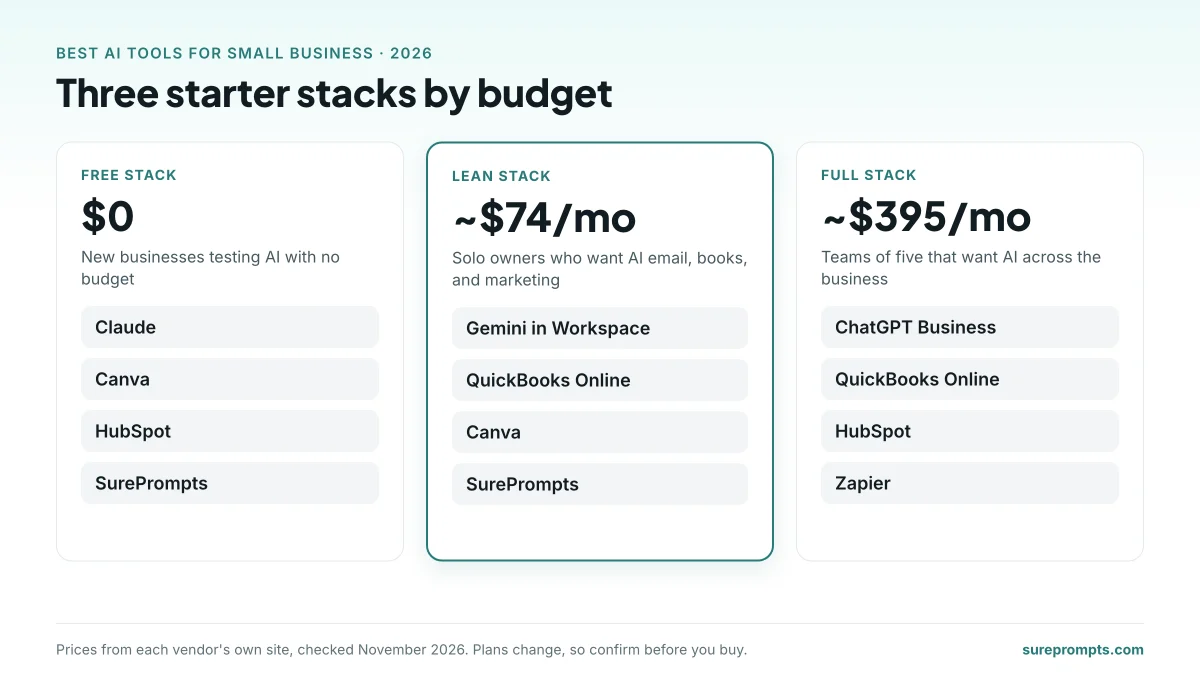
Free stack ($0 a month). Claude's free plan for drafting (training setting off, no customer data), Canva Free for social posts, HubSpot's free CRM for contacts and deals, and a free SurePrompts account for better prompts. Together they cover writing, marketing, and follow-ups.
Lean stack (about $74 a month). For one person: Google Workspace Business Standard with Gemini ($14 with a one-year commitment), QuickBooks Online Simple Start ($38), Canva Pro ($18), and SurePrompts Pro ($3.99). That buys business email with AI built in, AI-assisted books, and on-brand marketing.
Full stack (about $395 a month). For five people, billed monthly: ChatGPT Business ($125 for five Standard seats), QuickBooks Online Plus ($140, up to five users), HubSpot Starter ($100 for five seats at the normal price), and Zapier Professional ($29.99) to connect them. Annual billing on ChatGPT and Zapier brings it to about $360.
Business plans and personal accounts treat your data differently. OpenAI and Anthropic say they do not train on ChatGPT Business or Claude Team content by default, and Google says Workspace company data is not used to train models when you chat with Gemini. On personal ChatGPT Free, Plus, and Pro accounts, data sharing is on until you turn off "Improve the model for everyone" under Data controls, and Claude Free and Pro users set their own training choice in Privacy Settings.
Keep payment and personal data out of consumer chatbots. Never paste card numbers, bank logins, Social Security numbers, or customer addresses into a personal chatbot account. Work with customer records inside a business plan or the tool that already holds them, such as QuickBooks or HubSpot.
Keep a human on anything customer-facing or financial. AI can misread a number or invent a policy, so review every refund reply, invoice, tax figure, and public post before it goes out. Our guide on how to stop AI hallucinations covers practical checks.
Lock down every connected account. Remove each AI tool's access to your email, books, and CRM the day an employee leaves.
Warning
Turn on two-factor authentication for every AI tool connected to your email, your books, or your CRM, and for the accounts it connects to. One stolen password on a connected AI account can expose every customer record that account can reach.
The best AI tools for small business are the ones that fit the software you already pay for and the job that eats the most hours each week.
If you run on Gmail and Google Drive: start with Gemini in Google Workspace Business Standard before you buy another chatbot.
If your team lives in Outlook, Excel, and Teams: try the free Copilot Chat first, then add Copilot Business for the people who write and analyze the most.
If you sell online and answer the same questions all day: set up Tidio with Lyro, and use Canva for the promotions that bring traffic in.
If bookkeeping eats your evenings: move to QuickBooks Online Essentials or Plus, where the cleanup and anomaly-checking AI lives.
If you work alone: Claude Pro plus SurePrompts covers most needs, and our list of the best AI tools for freelancers goes deeper on solo work.
Tip
Run a 30-day trial with one tool and one job, such as email replies or expense categorizing. Write down the minutes saved each week, and add the next tool only after the first one pays for itself.
The biggest gain in AI for small business owners comes from how you ask. Every tool here gives better answers when you tell it who to act as, give it your business context, and say what format you want back. "Write a reply" gets a generic answer. "You are the owner of a family bakery; reply to this complaint in under 80 words, offer a free coffee, and keep it warm" gets something you can send. Assigning the role is called role prompting, and one example of a past reply you liked helps even more.
Our AI prompt generator for business turns a plain-English request into that kind of structured prompt, and our prompts for entrepreneurs give you ready-made starting points for common owner tasks.
Pick one tool, one job, and one week, and let the results decide what you add next.
Try it yourself
Build expert-level prompts from plain English with SurePrompts — 330+ templates with real-time preview.
Open Prompt BuilderSkip the trial and error. Our curated prompt collection is designed specifically for small business owners — ready to use in seconds.
See Small business owners PromptsA practical, no-jargon guide for small business owners who want to use AI to save time, reduce costs, and grow revenue. Covers marketing, operations, customer service, hiring, and finance with ready-to-use prompts.
Learn how AI agents can run repeatable tasks end-to-end for your one-person business, which jobs to hand off first, and how to stay safe with simple guardrails.
Battle-tested AI prompts for business owners and operators. Strategic planning, financial analysis, operations, hiring, and growth — each prompt is copy-ready with fill-in-the-blank fields.