November 16, 2026
Updated November 25, 2026
23 min read
Black Friday: 30% off Pro annual with code BF2026 · ends November 30
Get the deal →The 10 best AI tools for designers in 2026, with prices checked on vendor sites: Figma, Adobe Firefly, Midjourney, ChatGPT, Google Stitch, and more.
TL;DR
Figma is the best AI tool for UI and product designers in 2026, thanks to Figma Make and the Figma agent. Adobe Firefly is the pick for commercially safe images and Photoshop edits, and Midjourney is the pick for concept art and moodboards. The rest of the list covers image edits (ChatGPT), free UI generation (Google Stitch), website building (Framer), sitemaps and wireframes (Relume), vector graphics (Recraft), brand templates (Canva), and better prompts (SurePrompts). Every price was checked on the vendor's own site in November 2026.
The best AI tools for designers in 2026 are Figma for UI design and prototyping with Figma Make, Adobe Firefly for commercially safe images and Photoshop edits, and Midjourney for concept art and moodboards. The other seven picks cover image edits, UI generation, website building, wireframes, vector graphics, brand templates, and better prompts. Most have a free plan, and every price below was checked on the vendor's own site.
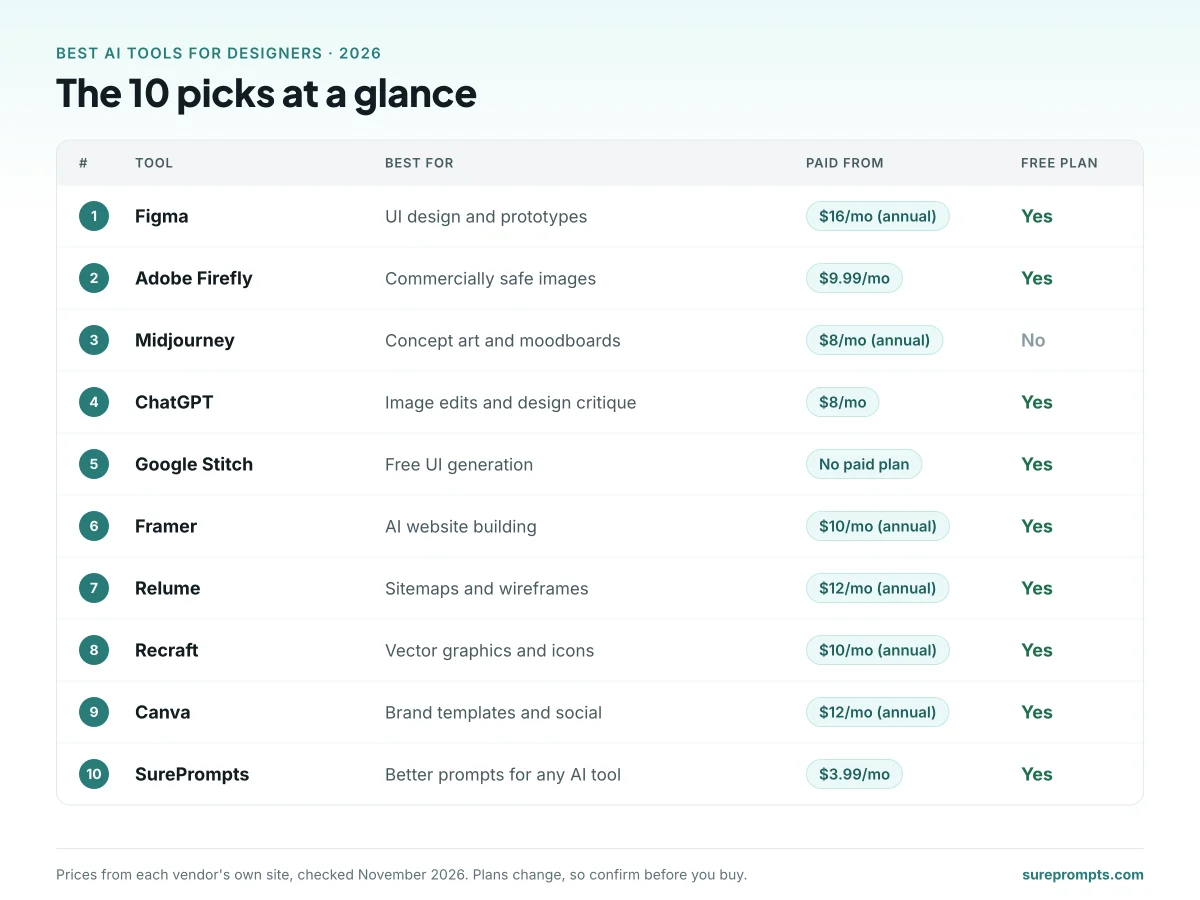
The full comparison table sits after the reviews.
Editable output wins. We favored tools that hand back layers, frames, components, or vectors you can keep editing in Figma, Photoshop, Illustrator, or Webflow.
Commercial rights in writing. We checked each vendor's commercial-use terms, who owns the output, and which plans keep your images private.
Fits the tools designers already open. We looked for AI inside Figma and Photoshop, export to Figma, and a clean handoff to code.
Credit math you can predict. Most AI tools for designers now meter usage in credits or GPU hours, so we noted each plan's monthly allowance.
Client files stay private. We flagged tools that train on your content by default or show your images in a public gallery, so you can change those settings first.
We compared the plans, features, and limits of these AI design tools on each vendor's own site in November 2026 and picked each tool for fit; no tool paid to be listed.
72%
Figma is the best AI tool for UI and product designers who already build screens and design systems in Figma. Its AI takes you from a prompt or an existing frame to a working prototype without leaving the file.
Figma Make turns prompts and existing Figma designs into prototypes and web apps. The Figma agent generates and remixes designs, renames layers, and gives design feedback, and smaller Figma AI tools erase objects and find components with visual search. Pair it with our AI prompts for UX designers.
Best for: UI/UX and product designers who want AI where their design system already lives.
Pricing: Starter is free with 500 AI credits a month (up to 150 a day). On Professional, a Full seat is $20 a month, or $16 a month (billed annually), with 3,000 AI credits a month. Cheaper Dev and Collab seats leave out Figma Design editing and Figma Make. See Figma pricing.
Strengths: Figma says its agentic tools can create and edit content using your own design system, and admins can buy extra AI credits.
Watch out for: Credits are capped per seat, and content training is on by default for Starter and Professional teams, so have an admin switch it off before you open client files.
Try this: Select a frame, open Figma Make, and paste:
Turn the selected [SCREEN NAME] frame into a clickable prototype
for [PRODUCT]. Use only components and color styles from our
library. Add four states: empty, loading, error, and success.
Wire the primary button to a [NEXT SCREEN] confirmation screen.
List any component you had to invent so I can review it.
Adobe Firefly is the best AI image tool for designers who need visuals a client can use commercially. Adobe says its own Firefly models are trained on licensed and public domain content and that their outputs are safe for commercial use.
The Firefly app generates images and short videos and adds Firefly Boards for moodboards. Pro and Pro Plus include Photoshop on the web and mobile, where Generative Fill adds or removes content from a text prompt. Partner models from Google, OpenAI, and others sit in the same app.
Best for: Brand and campaign designers who need commercially safe imagery.
Pricing: Firefly Free includes limited daily generations. Standard is $9.99 a month with 2,000 generative credits, Pro is $19.99 a month with 4,000 credits, and Pro Plus is $49.99 a month with 10,000 credits (Pro is $9.99 a month for the first six months until Dec 6, 2026). See Adobe Firefly plans.
Strengths: Among the best AI tools for designers, Firefly has the clearest commercial-use statement. Adobe also offers eligible enterprise customers IP indemnification for select Firefly outputs.
Watch out for: Partner models draw on the same monthly credits, and Adobe says you are responsible for deciding whether their output fits your project.
Try this: Open Firefly's image generator, pick a Firefly model, and paste:
Product hero image for [BRAND], a [PRODUCT TYPE]. Place the
product on a [SURFACE] in soft morning light, shot from a low
three-quarter angle. Palette: [HEX CODES]. Leave empty space on
the [LEFT / RIGHT] third for a headline. No text, no logos, no
people. Aspect ratio [16:9].
Midjourney is the best AI image generator for designers who need concept art, moodboards, and art direction. Its default model is V8.2, released on July 24, 2026, which Midjourney says focuses on aesthetics, image quality, and Personalization.
Style References repeat a look across a series, Moodboards steer results from your own images, and Personalization learns your taste from images you rate. The new Edit Model replaces Omni Reference, Character Reference, and Retexture for changing parts of an image. Our roundup of the best AI image generators in 2026 compares the alternatives.
Best for: Art directors and brand designers exploring visual directions.
Pricing: There is no free trial on the website or Discord. Basic is $10 a month, or $8 a month (billed annually), with 3.3 hours of fast GPU time. Standard is $30, or $24 (billed annually), with unlimited Relax-mode images. Pro is $60, or $48 (billed annually). See Midjourney plans.
Strengths: Style tools hold one look across a campaign, and Midjourney says you own your images, even after you cancel.
Watch out for: Stealth Mode, which keeps images private, is only on Pro and Mega. Companies grossing more than $1 million a year must use Pro or Mega.
Try this: Build a Moodboard from three reference images, turn it on, and prompt:
[SUBJECT] for a [BRAND TYPE] campaign, [SETTING], [TIME OF DAY]
light, [MOOD] mood, editorial photography, muted palette of
[COLORS], generous negative space at the top for a headline
--ar 4:5
ChatGPT is the best all-round assistant for designers who want image edits and layout feedback in one place. OpenAI released ChatGPT Images 2.6 on November 4, 2026, and says it is 50% faster and better at keeping products and brand details consistent as you edit.
Saved reference images let you reuse a product shot in later chats by name, and GIF creation is rolling out. You can also upload a screenshot of a landing page and ask for a critique against your brief. Our ChatGPT image prompts give you ready-made starting points.
Best for: Designers who want one assistant for images, copy, and feedback.
Pricing: Free is $0 with limited image generation. Go is $8 a month, Plus is $20 a month, and Pro starts at $100 a month. ChatGPT Business is $25 per user a month, or $20 (billed annually). See ChatGPT pricing.
Strengths: One subscription covers images, writing, and feedback, and OpenAI says Images 2.6 is on every subscription tier.
Watch out for: On personal Free, Plus, and Pro accounts, data sharing is on by default, so turn off "Improve the model for everyone" under Data controls before you upload client work.
Try this: Upload a screenshot of your design and paste:
You are a senior product designer reviewing this [SCREEN TYPE]
for [AUDIENCE]. The page's goal is [GOAL]. Critique it in a
table: issue, why it matters, suggested fix, and priority (high,
medium, low). Cover hierarchy, contrast, spacing, copy, and
accessibility. End with the 5 fixes that would help most.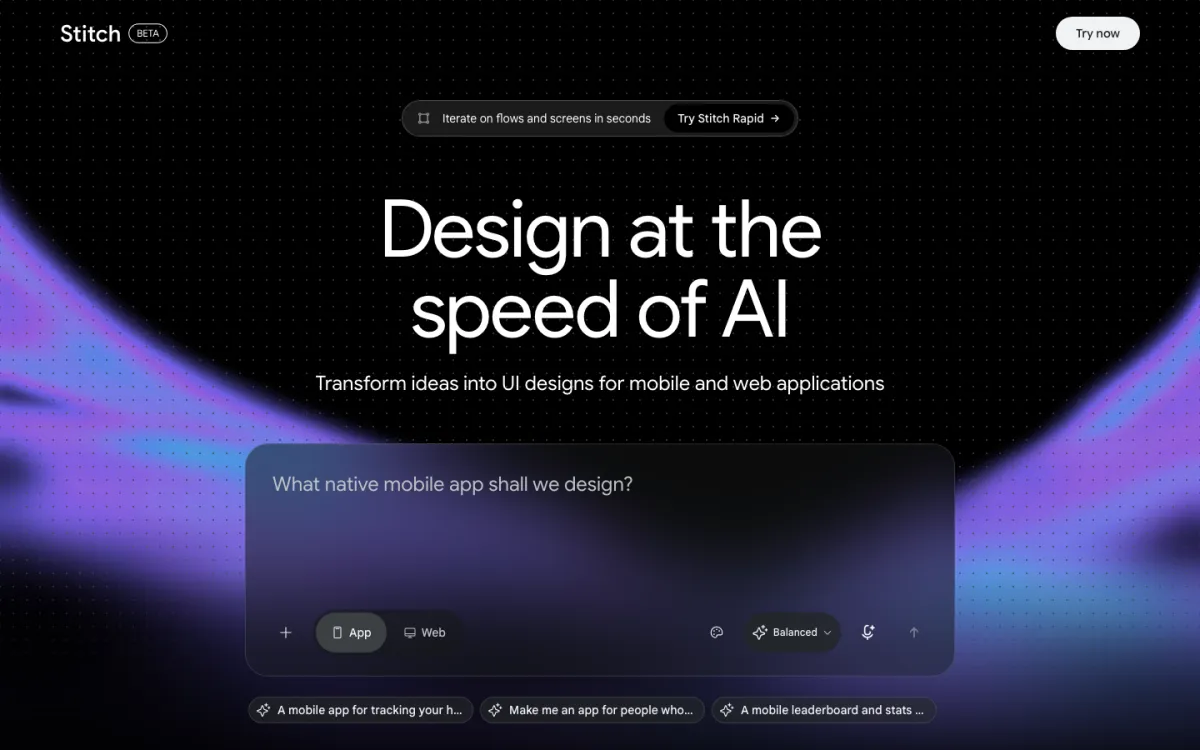
Google Stitch is the best free AI tool for designers who want a fast first draft of app or web screens from a prompt, sketch, or screenshot. Google says Stitch is currently free on a daily credit limit, which makes it the easiest of the free AI design tools here to try.
This Google Labs canvas is one of the most useful AI tools for UI/UX design on a zero budget. It generates screens plus HTML and CSS, links them into clickable prototypes, and exports to Figma with Auto Layout and named layers. Galileo AI's old site now redirects to Stitch, and former Galileo users can import their history.
Best for: UI designers who want several layout directions before refining in Figma.
Pricing: Stitch is currently free, with a daily credit limit that resets at midnight UTC. It is available in English to users 18 and older in countries where Gemini is available. See Google Stitch.
Strengths: Figma export gives you real layers, and MCP support lets coding agents read your designs.
Watch out for: It is a Labs product with daily limits on credits and Figma exports. Figma designs you paste in are processed by a third-party service, so check that before pasting client work.
Try this: Start a new web project in Stitch and paste:
Design a [NUMBER]-screen onboarding flow for [APP NAME], a
[APP TYPE] for [AUDIENCE]. Style: [ADJECTIVES], primary color
[HEX], [FONT STYLE] type, 8px spacing grid. Screens: welcome,
[STEP 1], [STEP 2], and done. Use real copy, not lorem ipsum, and
keep tap targets at least 44px.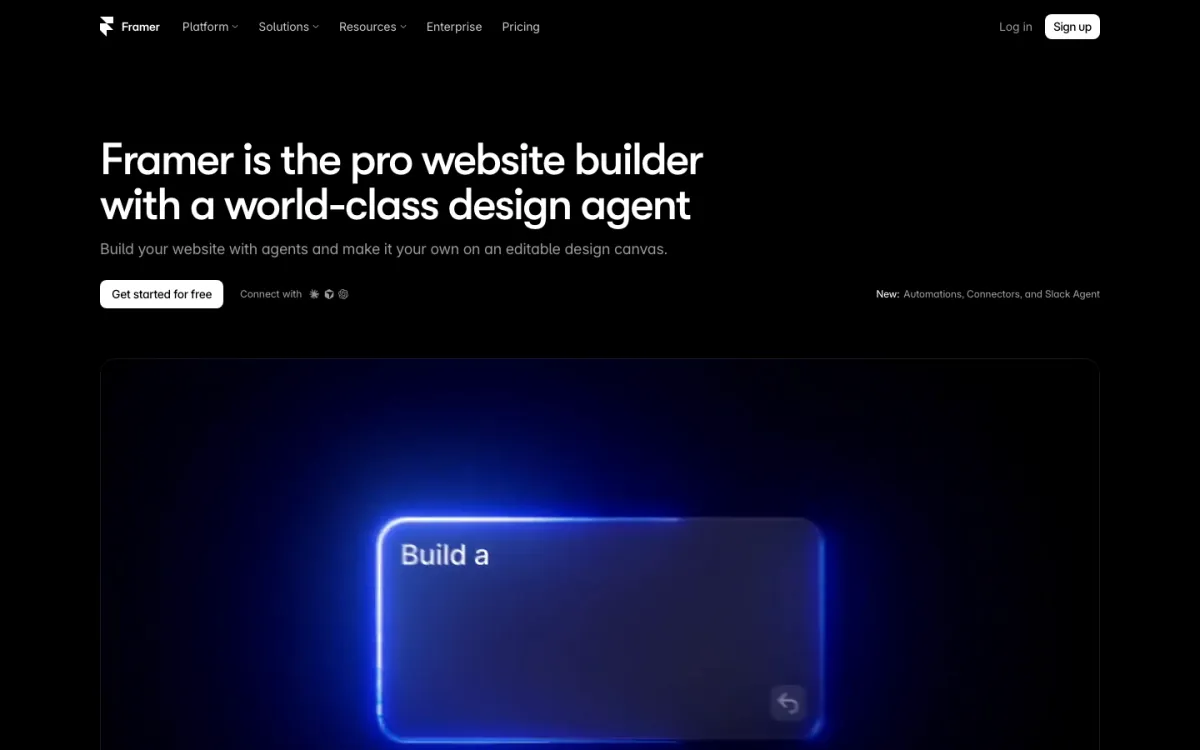
Framer is the best pick among AI tools for web design in 2026 for designers who want a prompt to become a published site they can still edit by hand. Its design agent builds layouts and components from a description, and everything stays editable.
Agents also manage the CMS, write code for custom interactions, and handle localization. Hosting, CMS, analytics, and SEO are built in, and Framer says outside agents connected through its MCP server do not use Framer credits.
Best for: Designers who ship marketing sites and portfolios without a developer.
Pricing: Free includes 500 AI credits on a Framer domain. Basic is $15 a month, or $10 a month (billed yearly), with 1,000 AI credits a month and a custom domain. Pro is $45 a month, or $30 a month (billed yearly), with 3,000 credits and a staging environment. Extra editors cost $20 a month each. See Framer pricing.
Strengths: You keep full design control, and Framer refunds credits when you mark an agent result as bad.
Watch out for: Plans are priced per site, so each client site needs its own plan, and a custom domain requires a paid plan.
Try this: Start a new project, open the design agent, and paste:
Build a one-page portfolio for [NAME], a [DISCIPLINE] designer
in [CITY]. Sections: hero with a one-line positioning statement,
6 selected projects in a grid, a short about section, client
logos, and a contact form. Style: [ADJECTIVES], [FONT PAIRING],
accent color [HEX]. Keep everything as editable components.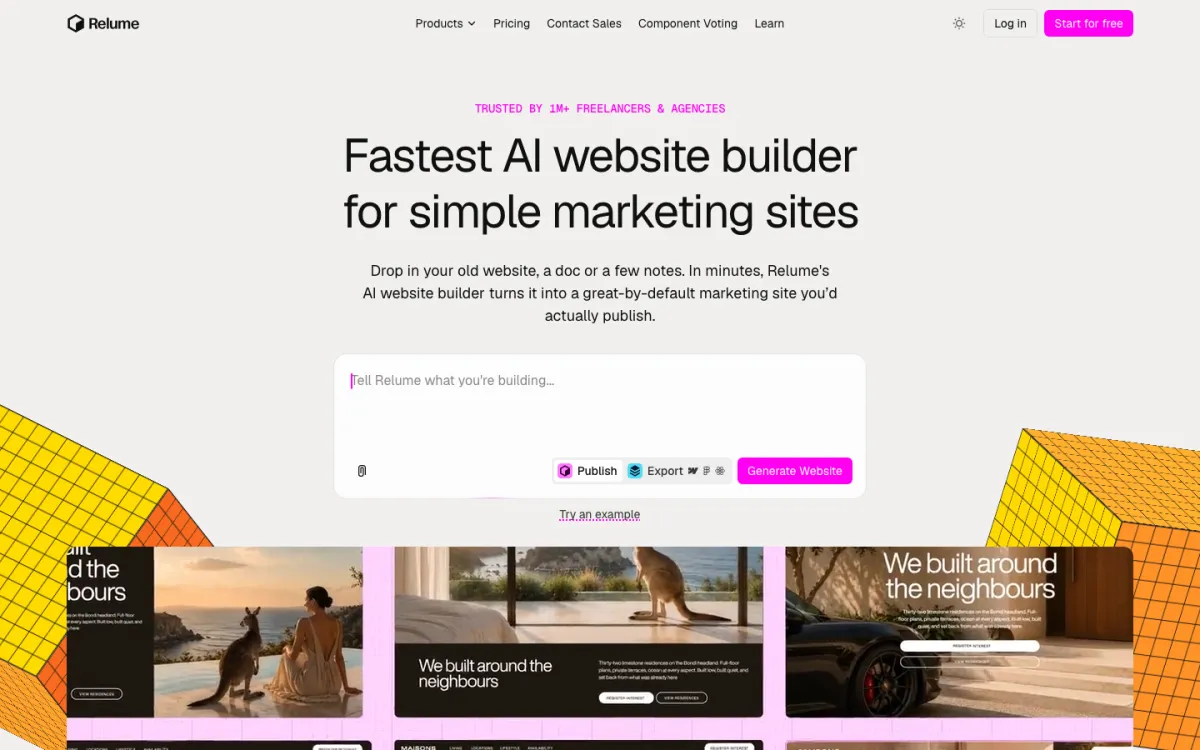
Relume is the best AI tool for designers who plan client websites and want the sitemap and wireframes settled before visual design starts. You describe the business, and Relume's AI drafts the brief, sitemap, wireframes, and copy for you to edit.
A style guide step sets color, type, and spacing tokens, and specialist AI agents help with strategy, copy, and design. Approved work copies to Figma or Webflow, exports to React and HTML, or publishes on Relume's hosting.
Best for: Web designers and agencies who want client sign-off on structure first.
Pricing: The free plan exports to Figma only (one project, one page). Export plans start with Starter at $26 per user a month, or $18 (billed yearly), adding Webflow and React export; Pro is $58, or $40 (billed yearly). Hosting on your own domain is $16 a month per site, or $12 (billed yearly). See Relume pricing.
Strengths: Clients approve a concrete structure before you spend hours on visuals.
Watch out for: Relume prices publishing and exporting separately, so check which one your workflow needs.
Try this: Start a new site and paste into the brief:
[BUSINESS NAME] is a [TYPE OF BUSINESS] in [CITY] serving
[AUDIENCE]. Goal of the site: [GOAL, e.g. book consultations].
Create a sitemap with no more than [NUMBER] pages, then
wireframes for each page. Must include: [PRICING / CASE STUDIES
/ FAQ]. Tone of copy: [TONE]. Avoid stock phrases.
Recraft is the best of the AI tools for graphic designers who need icons, illustrations, and vectors they can keep editing, which also makes it one of the more practical AI logo design tools. Recraft says every output of its vector generator is editable SVG, ready for Figma, Illustrator, or production.
Custom styles turn a few of your own images into a reusable style, so an icon set stays consistent, and paid plans add custom color palettes. Our guide to keeping AI images on brand has more techniques.
Best for: Graphic designers who make icon sets, illustrations, and logo explorations.
Pricing: Free is $0 for personal use only. Basic is $12 a month, or $10 a month (billed annually), with 1,000 credits. Pro is $20, or $16 (billed annually), with 2,000 credits and video. Teams is $22 per seat a month, or $17.58 (billed annually). (Recraft is taking 40% off the first year of new yearly plans until Dec 1, 2026.) See Recraft pricing.
Strengths: SVG output skips the tracing step raster images need. Paid plans give you full ownership and commercial rights, and your images stay private.
Watch out for: Free-plan images are public, owned by Recraft, and not licensed for commercial use, so never make client work on the free plan.
Try this: Open the vector generator, apply your custom style, and paste:
A set of [NUMBER] line icons for [PRODUCT OR APP]: [ICON 1],
[ICON 2], [ICON 3], [ICON 4]. 24px grid, 2px stroke, rounded
caps, no fill, single color [HEX]. Keep the visual weight even
across the set and the shapes simple enough to read at 16px.
Canva is one of the best AI tools for designers who produce high volumes of on-brand social posts and presentations, or who hand templates to a client's team. Canva AI sits inside the editor next to a large template library.
Magic Layers turns a flat image into an editable design, Magic Write drafts copy, and paid plans add Brand Kits that lock logos, colors, and fonts after handoff. Affinity, Canva's professional vector, photo, and layout app, is free for individuals, with Canva AI inside on premium plans. Our AI prompts for designers cover briefs you can paste into Canva AI.
Best for: Brand designers who build template systems for client teams.
Pricing: Canva Free is $0. Pro is $18 a month, or $144 a year ($12 a month). Business is $25 per person a month, or $250 per person a year (Pro is $9 a month for three months until Dec 4, 2026). See Canva pricing.
Strengths: Brand Kits let clients make their own posts without breaking your system, and the free plan includes 1.6 million+ templates.
Watch out for: Free-plan AI is limited, and the heaviest use needs the paid AI Pass add-on.
Try this: Open Canva AI in a team with your client's Brand Kit and paste:
Create a carousel of [NUMBER] Instagram slides for [CLIENT]
announcing [LAUNCH OR OFFER]. Use our Brand Kit fonts and colors
only. Slide 1: a hook under 8 words. Middle slides: one idea per
slide with a supporting icon. Last slide: the call to action
"[CTA]". Keep all text inside the safe zone, 1080 x 1350.
SurePrompts is the best pick for designers who get generic results from AI tools and want sharper ones without studying prompt writing. You describe the job in plain English, and it builds a structured prompt with a role, brand context, constraints, and an output format, ready for Midjourney, ChatGPT, Firefly, Figma Make, or Stitch.
It suits repeat jobs: image briefs, moodboard directions, UX copy, and critique requests.
Best for: Designers who use several AI tools and want consistent, reusable prompts.
Pricing: A free account with Google sign-in includes 3 AI prompt generations a month and the free templates. Pro is $3.99 a month or $29.99 a year, with 200 AI generations a month, 320+ expert templates, and cloud-saved prompts. See the SurePrompts AI prompt generator.
Strengths: It works with every tool on this list, and image prompts come out with subject, style, lighting, composition, and aspect ratio spelled out.
Watch out for: SurePrompts builds prompts; it does not run them, so you still need an image or design tool such as Midjourney, Firefly, or ChatGPT.
Try this: Open the generator and type:
I'm a brand designer working on [CLIENT], a [TYPE OF BUSINESS].
I need a prompt for [MIDJOURNEY / FIREFLY] that creates [NUMBER]
lifestyle photos for their website: [SCENE], [MOOD], palette
[HEX CODES], room for headline text, no visible logos, aspect
ratio [RATIO].Here are the best AI tools for designers side by side, with prices as of November 2026.
| Tool | Best for | Free plan | Paid plans from | Standout feature |
|---|---|---|---|---|
| Figma | UI design and prototypes | Yes (500 AI credits) | $16 per Full seat a month (billed annually) | Figma Make prototypes |
| Adobe Firefly | Commercially safe images | Yes (limited) | $9.99 a month | Photoshop on web and mobile (Pro) |
| Midjourney | Concept art and moodboards | No | $8 a month (billed annually) | Style references and moodboards |
| ChatGPT | Image edits and critique | Yes | $8 a month | ChatGPT Images 2.6 |
| Google Stitch | Free UI generation | Yes (daily credits) | No paid plan | Figma export and HTML code |
| Framer | AI website building | Yes (500 AI credits) | $10 a month (billed yearly) | Design agent on the canvas |
| Relume | Sitemaps and wireframes | Yes (one page) | $12 a month per site (billed yearly) | Sitemap to wireframes |
| Recraft | Vector graphics and icons | Yes (personal use) | $10 a month (billed annually) | Editable SVG output |
| Canva | Brand templates and social | Yes | $12 a month (billed annually) | Brand Kits and Magic Layers |
| SurePrompts | Better prompts | Yes (3 generations) | $3.99 a month | Structured prompts for any tool |
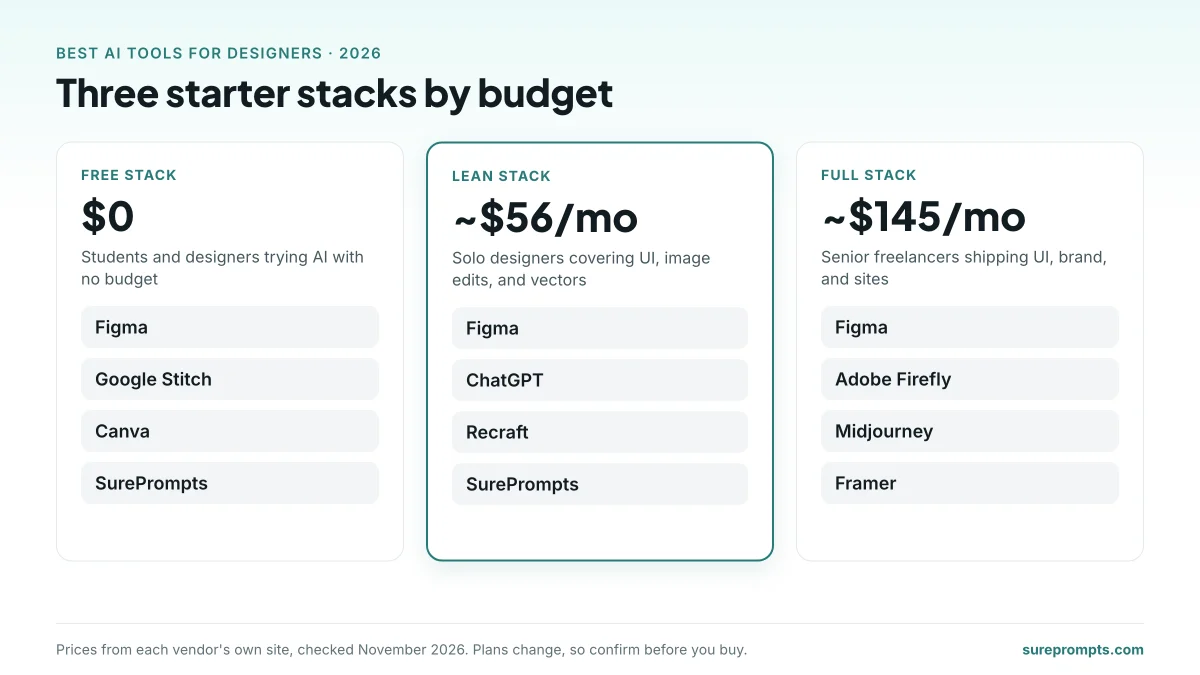
Free stack ($0 a month). Figma Starter for UI work and Figma Make drafts, Google Stitch for first-draft screens, Canva Free for social posts, and a free SurePrompts account. Turn off Figma's content training before client work.
Lean stack (about $56 a month). For one designer, billed monthly: a Figma Professional Full seat ($20), ChatGPT Plus ($20) for image edits and critique, Recraft Basic ($12) for private, commercially licensed vectors, and SurePrompts Pro ($3.99). Annual billing on Figma and Recraft brings it to about $50.
Full stack (about $145 a month). For a senior freelancer, billed monthly: a Figma Full seat ($20), Adobe Firefly Pro ($19.99) with Photoshop on the web and mobile, Midjourney Pro ($60) so client concepts stay private, and Framer Pro ($45) for one client site. Annual billing on Figma, Midjourney, and Framer brings it to about $114.
AI changes who owns the work. This is general information, not legal advice; check client contracts with your own counsel.
Human authorship decides copyright in the U.S. In Part 2 of its report on copyright and AI, published January 29, 2025, the U.S. Copyright Office concluded that AI output can be protected only where a human author has determined sufficient expressive elements. That can include your own work visible in the output and your creative arrangement or modification of it, but not the mere provision of prompts.
Commercial terms differ by tool and plan. Adobe says Firefly model outputs are safe for commercial use and offers IP indemnification for select outputs to eligible enterprise customers, but it puts partner-model output on you. Midjourney requires Pro or Mega for companies grossing more than $1 million a year, and Recraft's free-plan images belong to Recraft.
Keep client files out of tools that train on them. Figma's content training is on by default for Starter and Professional teams, personal ChatGPT accounts share data until you switch it off, and Midjourney images are private only with Stealth Mode. Fix those settings before you upload work under NDA.
Tell clients when AI was used. Name the tools and what they touched in your statement of work, so ownership questions do not surface after launch.
Warning
Never hand a client an AI-generated logo as a finished mark. Rework it substantially by hand, document your changes, and run a trademark search before launch, because a purely prompted logo may not be protected by copyright in the U.S. and could resemble an existing mark.
The best AI tools for designers are the ones that fit where your work ends up: screens, brand assets, or live websites.
If you design apps and product UI: start with Figma Professional and Figma Make, and use Google Stitch for free first drafts you export to Figma. See what your PM partners use in our best AI tools for product managers.
If you make campaign imagery for clients: use Adobe Firefly for final, commercially safe images and Midjourney Pro for private early concepts.
If you build marketing sites: plan the structure in Relume, then design and publish in Framer.
If you make logos and icons: generate in Recraft, then refine the SVG by hand.
If you freelance: start with the lean stack and price AI costs into your rates; our guide to the best AI tools for freelancers covers proposals and client admin.
If you need tools outside design: our guide to the 22 best AI tools in 2026 covers writing, research, and automation.
Tip
Try one new tool on one real project for two weeks. Track the hours it saves and the revisions it causes, and keep it only if the first number beats the second.
The biggest gain with AI design tools comes from the brief. Every tool here does better work when you say who it should act as, what the project is, which constraints apply, and what format you want back. "Make a logo" gets a generic mark. "You are a brand designer; create 6 monogram directions for a Brooklyn coffee roaster, two colors max, geometric, no coffee cups" gets options you can take into a client review. Setting that role up front is called role prompting.
Our AI prompt generator for designers turns a plain-English request into that kind of structured brief, and our AI image prompt generator builds detailed prompts for Midjourney, Firefly, and ChatGPT Images.
Pick one tool, one project, and one week, and keep the prompts that earn a place in your process.
Try it yourself
Build expert-level prompts from plain English with SurePrompts — 330+ templates with real-time preview.
Open Prompt BuilderSkip the trial and error. Our curated prompt collection is designed specifically for designers — ready to use in seconds.
See Designers PromptsWrite clear design briefs for logos, websites, apps, or marketing materials
Detailed system architecture and design documentation
Create detailed specifications for analytics dashboards
Get expert recommendations for visualizing your data effectively
Copy-ready AI prompts for designers. Design system documentation, user research, creative briefs, client presentations, and brand guidelines — tested and ready to paste.
Copy-paste AI prompts for UX designers. User research, personas, information architecture, wireframe copy, usability testing, and design systems — tested and ready.
We compare 8 AI image generators for November 2026: Midjourney V8.2, ChatGPT Images, Nano Banana 2.1, Firefly, FLUX, Ideogram, Recraft, and Stable Diffusion.