November 13, 2026
Updated November 25, 2026
23 min read
Black Friday: 30% off Pro annual with code BF2026 · ends November 30
Get the deal →The 10 best AI tools for product managers in 2026, with prices checked on vendor sites: Claude, ChatGPT, ChatPRD, Dovetail, Linear, Lovable, and more.
TL;DR
Claude is the best AI tool for product managers in 2026 for PRDs and long research documents, ChatGPT is the most flexible all-round assistant, and ChatPRD is the best specialist PRD generator. The rest of the list covers user research synthesis (Dovetail), feedback-driven roadmaps (Productboard), team docs (Notion AI), Jira and Confluence (Atlassian Rovo), issue tracking (Linear), prototypes (Lovable), and better prompts (SurePrompts). Every price was checked on the vendor's own site in November 2026, with free, lean, and full starter stacks.
The best AI tools for product managers in 2026 are Claude for PRDs and long research documents, ChatGPT for everyday research and data questions, and ChatPRD for drafting and reviewing product specs. The other seven picks cover customer research synthesis, feedback-driven roadmaps, team docs, Jira and Linear workflows, and clickable prototypes. Most have a free plan or a free trial, and every price below was checked on the vendor's own site.
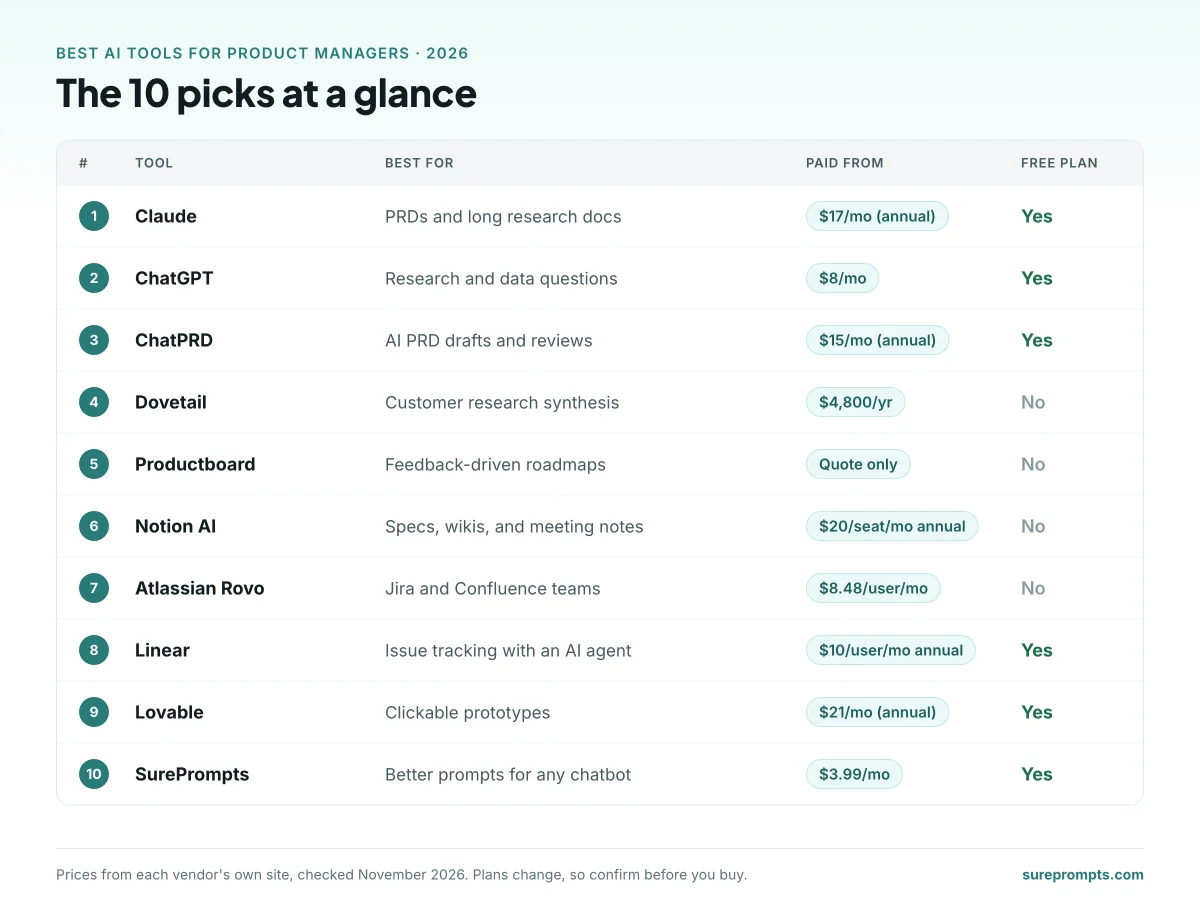
The full comparison table sits after the reviews.
Works from your real context. Product work lives in interview notes, tickets, and old specs. We favored AI tools for product managers that read your documents and connect to Jira, Linear, Notion, Slack, or Google Drive.
Insights you can trace to evidence. A synthesis is only useful if you can click back to the customer who said it, so we gave credit to tools that cite source feedback.
Covers discovery to launch. We picked one strong tool per stage, from AI for product discovery through specs, roadmaps, tracking, and prototypes. For the prompts themselves, start with our 18 AI prompts for product managers.
Prices a startup can expense. Per-seat and credit pricing adds up across a squad, so we noted free plans, annual discounts, and credit rules.
Data terms for customer and roadmap data. We checked whether each vendor trains on your content by default and favored plans that say in writing that they do not.
We compared the plans, features, and limits of these AI product management tools for 2026 on each vendor's own site in November 2026 and picked each one for fit; no tool paid to be listed.
84%
Claude is the best AI tool for product managers who write long PRDs and work through long research material, such as interview transcripts, competitor teardowns, and strategy memos. Projects hold your product brief, personas, and past specs, so each new chat starts with your context loaded.
Artifacts open longer outputs, such as a spec draft or a small interactive mock, in a panel you can keep editing, and Pro adds Research for deeper questions. Our guide on how to use Claude like a pro covers Projects and Artifacts in depth.
Best for: PMs who write long specs and want their product context saved between chats.
Pricing: There is a free plan that includes Artifacts and up to 5 Projects. Pro is $20 a month, or $17 a month (billed annually). Team Standard is $25 per seat a month, or $20 (billed annually), for 2 to 150 seats. See Claude pricing.
Strengths: Anthropic lists context windows of up to 1M tokens, depending on the model, so a full research folder fits in one chat. Team plans add shared Projects and "No model training on your content by default."
Watch out for: Free and Pro are personal plans with opt-out model training, so switch it off in Privacy Settings before you paste customer interviews.
Try this: Create a Project, upload your research notes and a past PRD you like, and paste:
You are a senior PM at a [TYPE OF COMPANY]. Using the attached
interview notes and our PRD template, draft a PRD for [FEATURE]:
problem, users, goals with metrics, scope, non-goals, and open
questions. Quote the interview line behind each problem. Mark
guesses as ASSUMPTION.
ChatGPT is the best all-round AI assistant for product managers who move between market research, data questions, and stakeholder writing in the same day. Deep research pulls together a sourced report on a market or competitor, and Projects, available on every plan, keep one initiative's chats and files together.
ChatGPT Business adds record mode for meetings, shared projects, and connectors to Google Workspace, Slack, GitHub, and Microsoft 365. Our ChatGPT vs Claude comparison for 2026 shows how the two assistants differ.
Best for: PMs who want one flexible assistant for research, data questions, and first drafts.
Pricing: Free is $0. Go is $8 a month, Plus is $20 a month, and Pro starts at $100 a month. Business is $25 per user a month, or $20 per user a month (billed annually), for small teams. See ChatGPT pricing.
Strengths: It handles almost any PM writing or analysis task, and scheduled tasks on Plus can rerun a weekly competitor scan. OpenAI says Business has "No training on your business data by default."
Watch out for: On Free, Go, Plus, and Pro, your content can be used for training until you opt out in settings. Free also limits uploads and deep research.
Try this: Upload a usage export with no personal data to a Project and paste:
You are a product analyst. This CSV holds weekly active users for
[PRODUCT] by [SEGMENT] from [START DATE] to [END DATE]. Find the 3
biggest changes, show the numbers behind each, and suggest one
testable hypothesis per change. If a column is unclear, ask.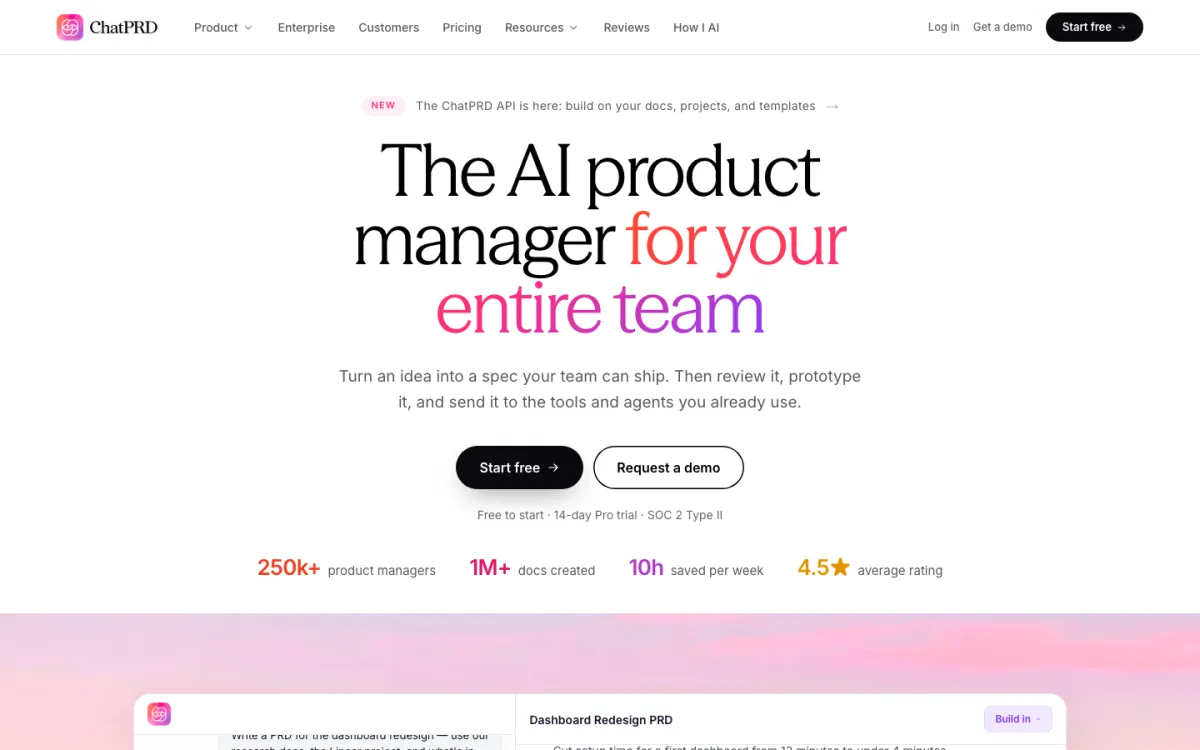
ChatPRD is the best AI PRD generator for product managers who want a specialist tool built around product documents. Most of the best AI tools for product managers are general assistants; ChatPRD is built for specs, reviews, and PM templates.
Give it rough notes, a transcript, or one sentence, and it drafts a PRD using context from Notion, Linear, Granola, and your saved projects. On Pro, its review scores a document on strategy, structure, clarity, and completeness, with line-level edits you can accept in one click or publish to Google Docs as comments.
Best for: PMs and founders who write several specs a month.
Pricing: Free is $0 with 3 chats of limited length. Pro is $19 a month, or $179 a year (about $15 a month), with a 14-day trial. Teams is $39 per seat a month, or $349 per seat a year. See ChatPRD pricing.
Strengths: More than 50 templates keep every spec in your team's format. ChatPRD says "Your data never trains AI models," and its hosted MCP server lets coding agents such as Claude Code and Cursor read your specs.
Watch out for: The free plan's three short chats are enough to judge the output and too few for real work.
Try this: Open a new chat inside your product's project and paste:
Write a PRD for [FEATURE] for [TARGET USER] at a [STAGE] startup.
Context: [PROBLEM AND EVIDENCE]. Success metric: [METRIC AND
TARGET]. Keep scope to one release, list non-goals, and end with
the 5 riskiest open questions. Then critique it as a skeptical
head of product.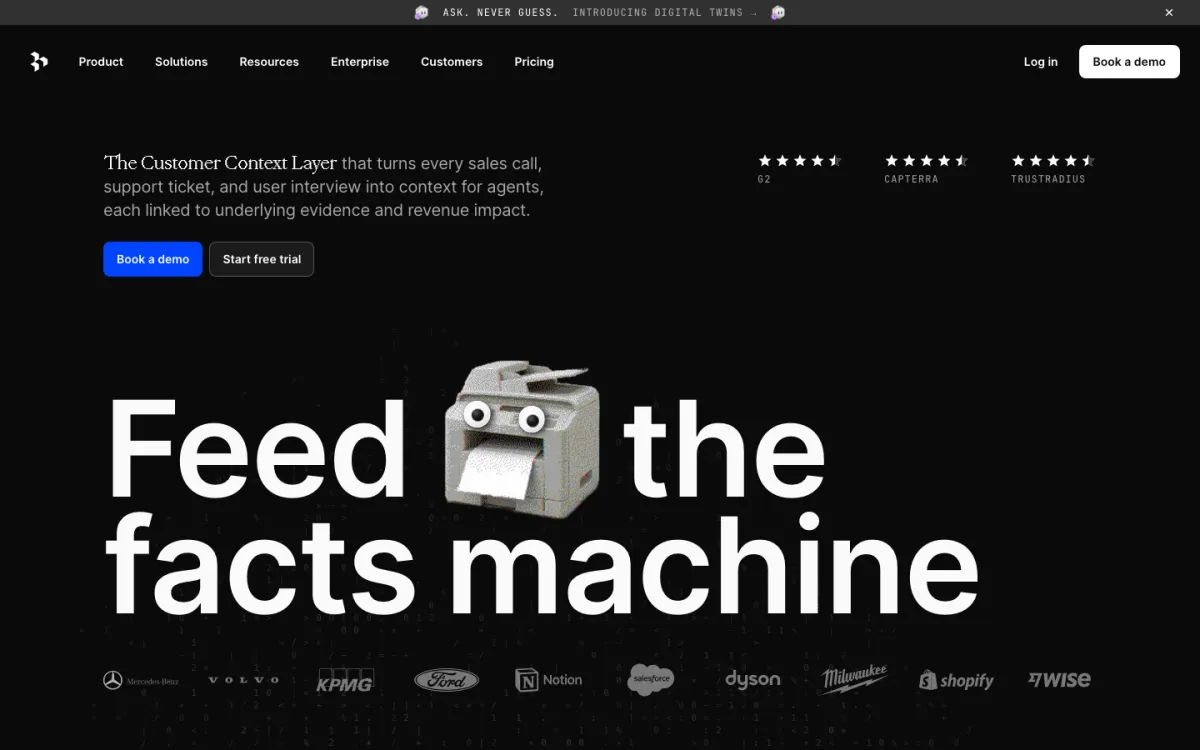
Dovetail is the best of the AI tools for user research when your team collects more interviews, tickets, and reviews than anyone can read. It transcribes, summarizes, and classifies each call, ticket, survey, and review, then answers questions across all of it with citations.
Digital Twins let you talk to synthetic personas built from your real customer data to pressure-test an idea, and Agents route new signals to the right people. Dovetail connects 30+ sources, including Gong, Qualtrics, and G2 reviews. For desk and academic research, see our list of the best AI tools for research.
Best for: Product and research teams with a steady flow of interviews and tickets.
Pricing: Dovetail launched Dovetail One plans for new customers on November 6, 2026. Bronze is $4,800 a year for the platform and 5 users, plus AI credits at 15 cents each; Silver and Gold are quoted by sales, and Gold has a 30-day free trial. See Dovetail pricing.
Strengths: Cited answers let you click back to the customer who said it. MCP connectors bring the same customer context into Claude, ChatGPT, and Cursor.
Watch out for: There is no free plan, each processed data point uses a credit, and AI redaction of personal data is a Gold feature.
Try this: After importing a batch of interviews, open Chat and paste:
Across interviews tagged [SEGMENT] from [DATE RANGE], what are the
top 5 problems with [WORKFLOW]? For each, give the interview count,
two verbatim quotes with links, and any segment that disagrees.
Skip problems raised in only one interview.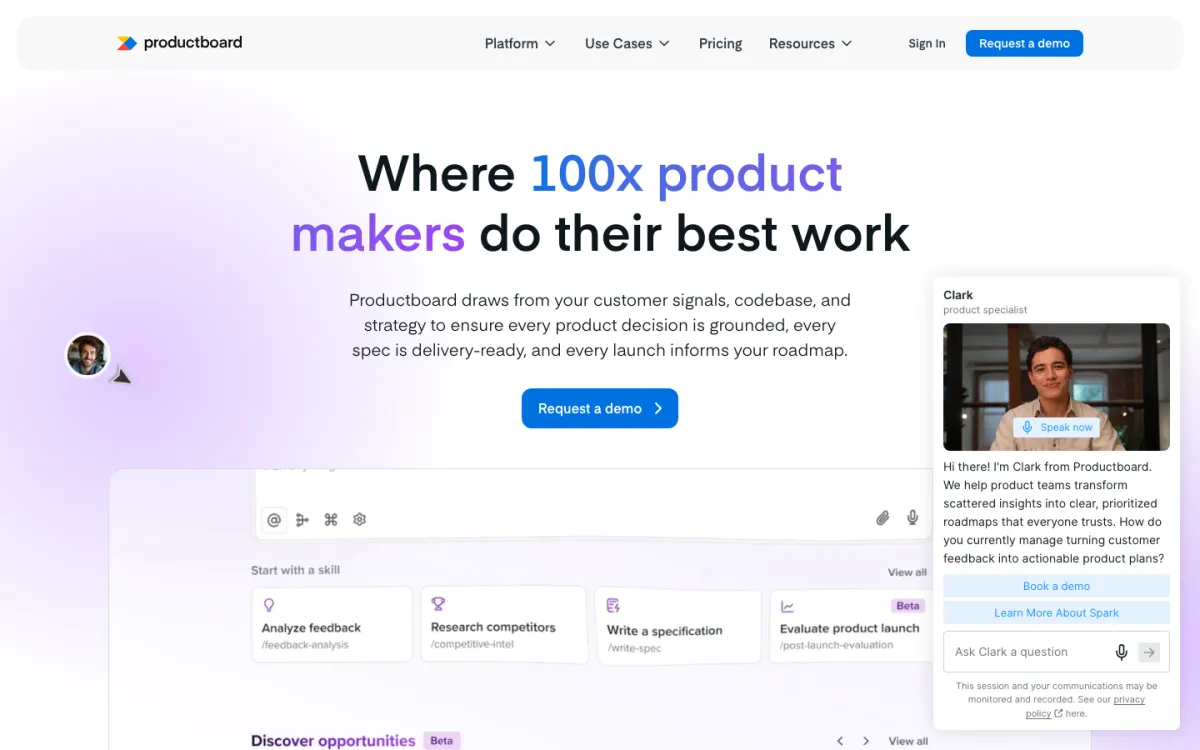
Productboard is the best pick among AI roadmap tools for product teams that want customer feedback, prioritization, and roadmaps in one system. Its AI, called Spark, is included in every plan and works from the feedback and documents in your workspace.
Spark summarizes feedback, surfaces AI Findings and Opportunities, and drafts specs, linking each recommendation to its source feedback. Scheduled tasks rerun an analysis automatically, and an MCP server hands specs to coding tools.
Best for: Product orgs with five or more PMs who need one shared view of customer evidence and the roadmap.
Pricing: Pricing is by quote. The Business plan requires at least 5 makers and includes 500 AI credits per maker a month; extra credits cost $5 per 50 on monthly plans. See Productboard pricing.
Strengths: Productboard says analyzing 100 feedback items uses about 30 to 50 credits, so AI costs are easy to estimate. It also says workspace data "is never used to train external AI models."
Watch out for: There is no free plan or public price, and the 5-maker minimum rules it out for a solo PM.
Try this: Open Spark in your workspace and paste:
Using feedback from [SEGMENT] customers in the last [NUMBER] days,
list the 5 most requested improvements to [PRODUCT AREA], with
item counts and 2 linked quotes each. Then recommend one for the
[QUARTER] roadmap and explain why.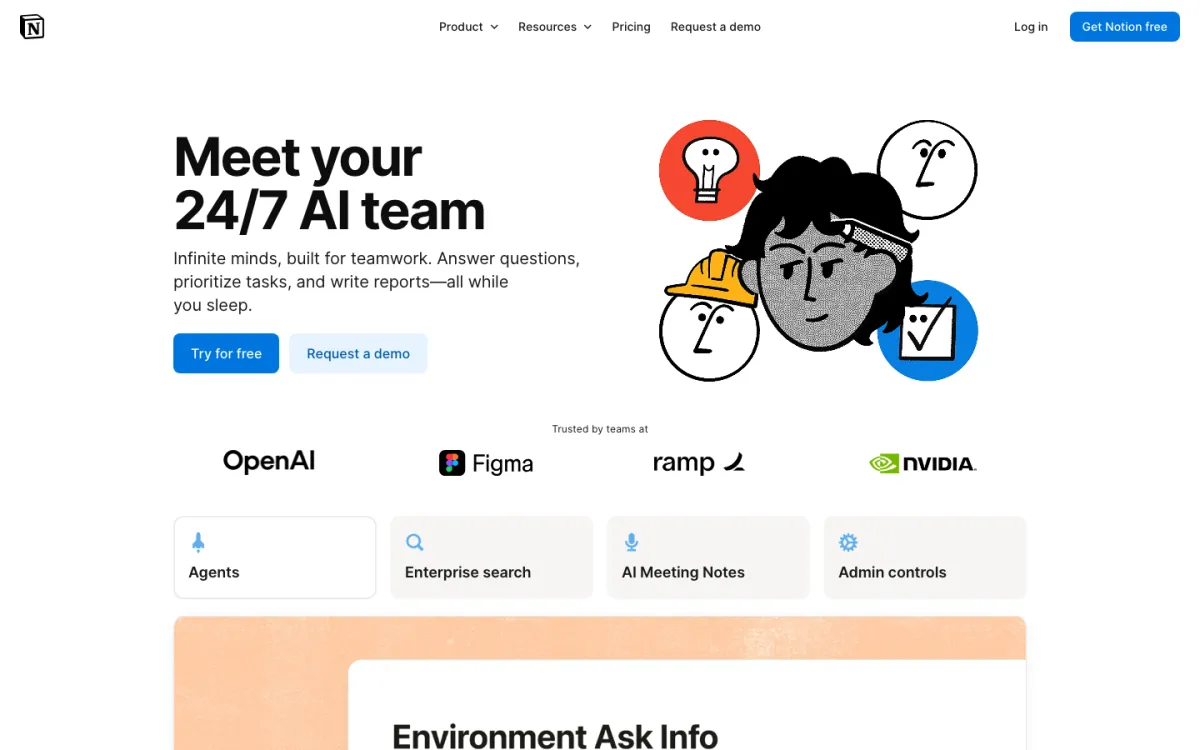
Notion AI is the best pick for product managers whose specs, roadmaps, and team wiki already live in Notion. On the Business plan, Notion Agent works across your pages, connected apps, and the web to draft a spec, update a database, or find where a decision was made.
AI Meeting Notes transcribes and summarizes meetings with no bot needed, and Custom Agents handle repetitive tasks. Our 5 prompt patterns for meeting notes and action items help turn raw notes into decisions.
Best for: Teams that keep PRDs, roadmaps, and decision logs in Notion.
Pricing: Free is $0 and Plus is $10 per seat a month (billed annually), but both include only a trial of Notion AI. Business, which includes the full AI set, is $20 per seat a month (billed annually), or $24 billed monthly. See Notion pricing.
Strengths: The AI works where your docs already are, and Notion can sync Jira, GitHub, and Asana data into a database next to your specs.
Watch out for: Free and Plus get only an AI trial, and heavy Custom Agent use can need extra credits at $10 per 1,000.
Try this: Open Notion Agent on your spec page and paste:
Read this spec and the linked [MEETING NOTES] pages. Update Open
Questions with anything undecided, add a Decisions log with date
and owner, and draft a 5-bullet update for [STAKEHOLDERS]. Leave
the Scope section as is; suggest changes to it as comments.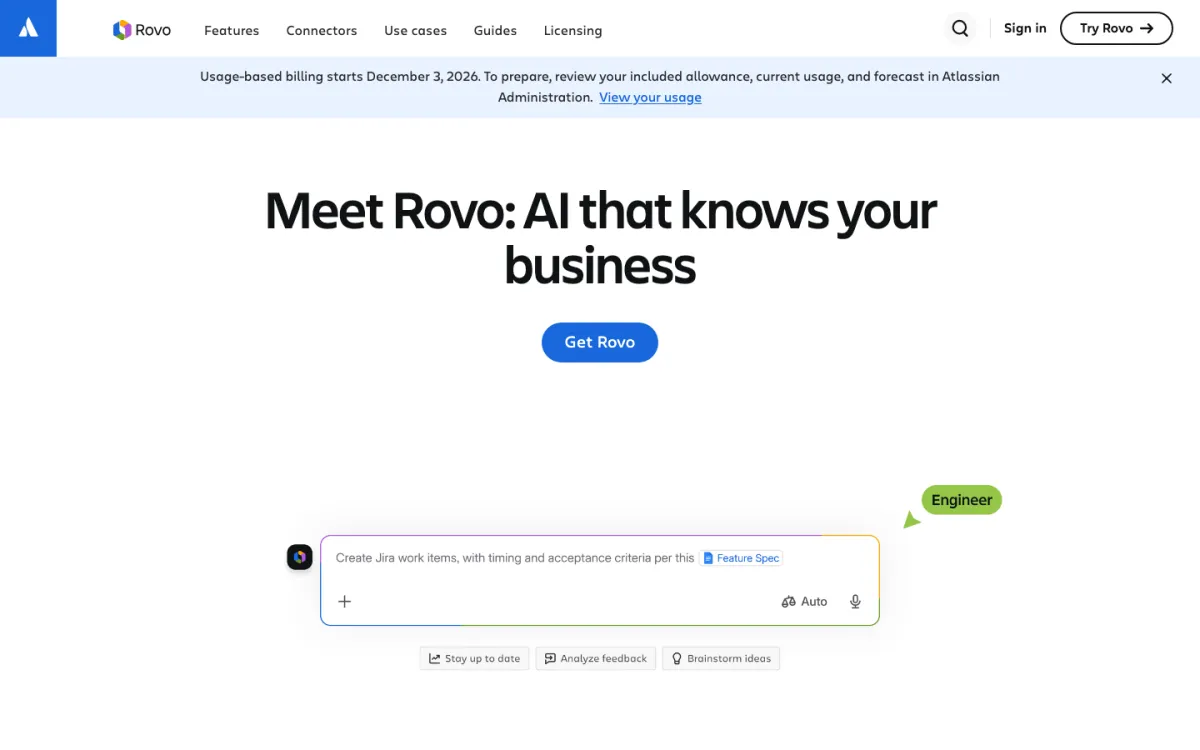
Atlassian Rovo is the best AI pick for product managers whose team plans in Jira and writes in Confluence. Rovo Search, Chat, and Agents come with Standard, Premium, and Enterprise Cloud plans of Jira, Confluence, and Jira Product Discovery, with no separate purchase.
Ask Rovo Chat what shipped last sprint, or build a custom agent in Rovo Studio for a job your team repeats. Jira also lets you assign work to AI agents and track their progress alongside your team's work.
Best for: Product teams already paying for Jira or Confluence Cloud.
Pricing: Rovo comes with paid Cloud plans; the Free plans do not include it. Jira Standard is $8.48 per user a month on monthly billing and includes 25 Rovo credits per user a month, and Confluence Standard is $5.78 per user a month. See Jira pricing.
Strengths: There is no new tool to roll out, and Rovo answers from the tickets and pages your team already writes.
Watch out for: Atlassian's usage-based billing starts December 3, 2026, and pay-as-you-go is on by default once the monthly allowance runs out, so ask your admin to set a spending limit.
Try this: Open Rovo Chat from Jira and paste:
Summarize everything that moved to Done in [PROJECT KEY] since
[DATE]. Group items by epic, link each one, and flag anything that
shipped without a linked Confluence spec. Then draft release
notes for [AUDIENCE] in plain language, under 200 words.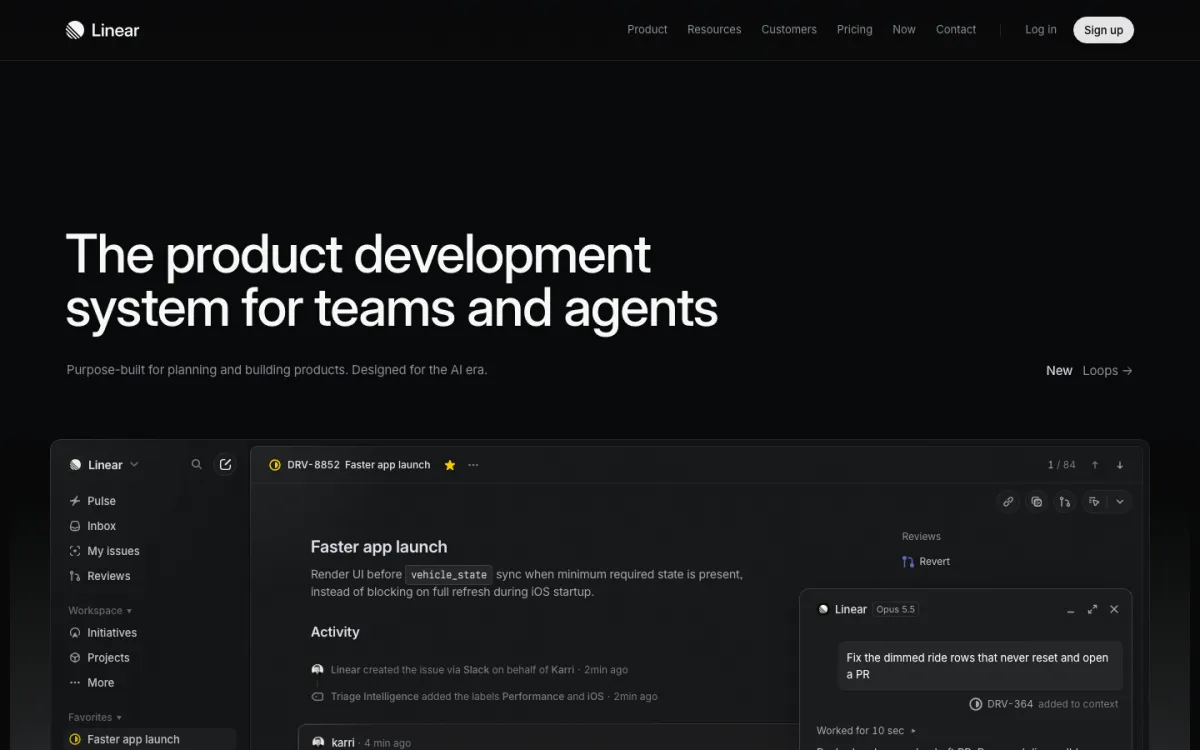
Linear is the best issue tracker for startup product managers who want AI inside the tool their engineers already use. Linear Agent is on every plan, including Free: press Cmd or Ctrl + J to search issues, projects, documents, and code, or to create and update issues.
Linear earns its place among the best AI tools for product managers because customer requests and the work that answers them share one tracker, and Linear Agent can summarize those requests by theme. Business adds Linear Insights, Triage Intelligence, Slack intake through Linear Asks, and Zendesk and Intercom integrations.
Best for: Startup product and engineering teams that want specs, issues, and customer requests in one fast tracker.
Pricing: Free covers unlimited members, 2 teams, and 250 issues. Basic is $10 per user a month and Business is $16 per user a month, both billed yearly. See Linear pricing.
Strengths: Linear says its AI features are included in your plan; only cloud coding agents and agent Loops draw on prepaid credits you opt into.
Watch out for: The Free plan's 250-issue cap fills fast for an active team, and Insights needs Business.
Try this: Press Cmd or Ctrl + J in Linear and paste:
Group customer requests linked to [TEAM] issues in the last
[NUMBER] days by theme. Count requests and customers per theme,
list the top 3 with issue links, and draft a project brief for
the top theme with goals and open questions.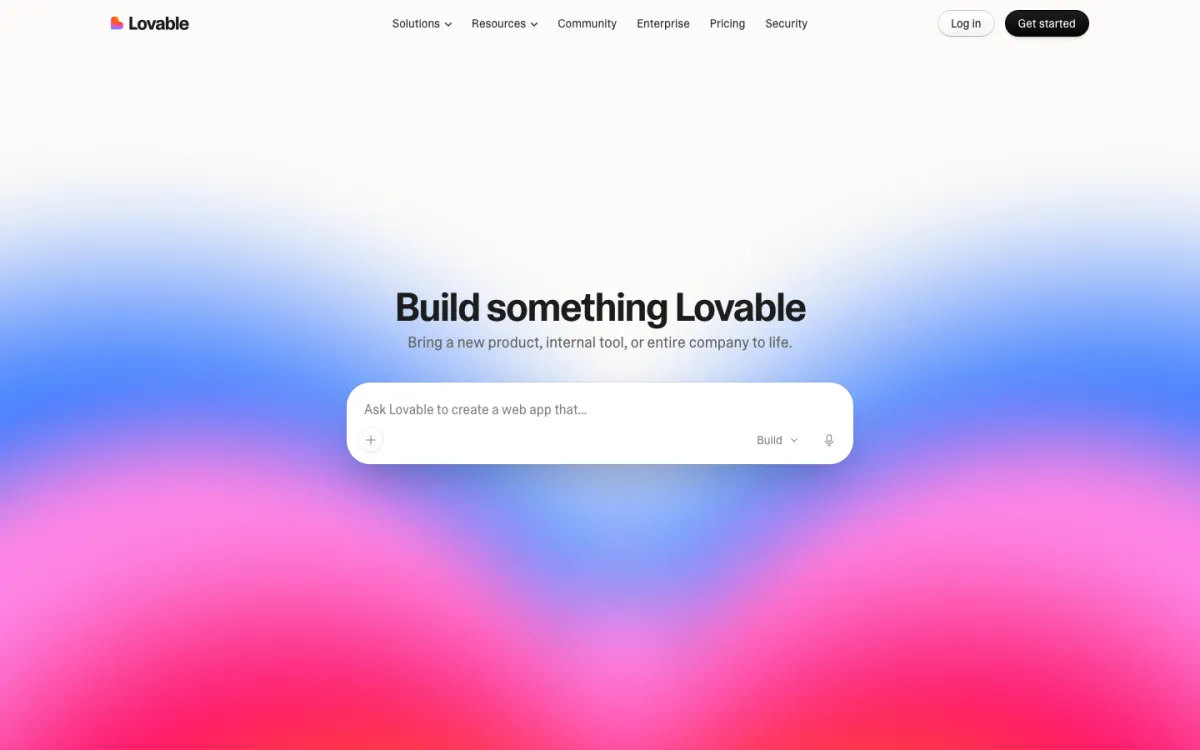
Lovable is the best of the AI prototyping tools for product managers who want to show customers and stakeholders a working idea. You describe the app in chat, and Lovable builds a web app you can click through, publish to a link, and refine.
Plan Mode, which drafts a plan you approve before any code is written, costs 1 credit per message, and the free plan can share a prototype with up to 10 invited people per project. If your engineers deploy on Vercel, v0 is the closest alternative, with a free plan of 7 messages a day; see our v0 prompting guide.
Best for: PMs and founders who need a clickable prototype for a user test or a pitch this week.
Pricing: Free gives 5 build credits a day, up to 30 a month. Pro is $25 a month, or $250 a year, with 100 monthly credits, and Business is $50 a month. See Lovable pricing.
Strengths: Workspaces allow unlimited members on every plan. Lovable says you own the code, and Git sync works on every plan.
Watch out for: Credits go quickly on a large build, and editing code directly needs Pro. Only Business and Enterprise exclude workspace data from model training by default.
Try this: Start a new project in Plan Mode and paste:
Build a clickable prototype of [FEATURE] for [TARGET USER] with
screens [SCREEN 1], [SCREEN 2], and [SCREEN 3]. Use fake sample
data, no login, and no real payments. Main flow: [FLOW]. Keep the
styling plain. Show me the plan first and wait for my OK.
SurePrompts is the best pick for product managers who get generic answers from AI and want sharper ones without studying prompt writing. You describe the task in plain English, and it builds a structured prompt with a role, your product context, clear steps, and an output format, ready for ChatGPT, Claude, Gemini, or Copilot.
It pairs with any of the best AI tools for product managers on this list, for jobs like interview guides and release notes.
Best for: PMs who use more than one chatbot and want consistent, reusable prompts.
Pricing: A free account with Google sign-in includes 3 AI prompt generations a month and the free templates. Pro is $3.99 a month or $29.99 a year, with 200 AI generations a month, 320+ expert templates, and cloud-saved prompts. See the SurePrompts AI prompt generator.
Strengths: It works with every chatbot on this list, and cloud-saved prompts let you reuse your best PRD and research prompts.
Watch out for: SurePrompts builds prompts; it does not run them, so you still need a chatbot such as Claude or ChatGPT.
Try this: Open the generator and type a description like this one:
I'm a PM at a [TYPE OF COMPANY]. I need a prompt that turns raw
customer interview notes into a summary: the customer's goal,
pains with direct quotes, workarounds, and 3 follow-up questions.
Keep it under 250 words and never invent quotes.Here are the best AI tools for product managers side by side, with prices as of November 2026.
| Tool | Best for | Free plan | Paid plans from | Standout feature |
|---|---|---|---|---|
| Claude | PRDs and long research docs | Yes (up to 5 Projects) | $17 a month (billed annually) | Projects and Artifacts |
| ChatGPT | Research and data questions | Yes | $8 a month | Deep research and Projects |
| ChatPRD | PRD drafts and reviews | Yes (3 chats) | $15 a month (billed annually) | Document scorecards |
| Dovetail | Customer research synthesis | No (Gold trial) | $4,800 a year for 5 users, plus credits | Cited answers and Digital Twins |
| Productboard | Feedback-driven roadmaps | No | Pricing by quote | Spark AI linked to source feedback |
| Notion AI | Specs, wikis, and meeting notes | AI trial only | $20 per seat a month (billed annually) | Notion Agent and AI Meeting Notes |
| Atlassian Rovo | Jira and Confluence teams | No | $8.48 per user a month (Jira Standard) | Rovo Chat and agents in Jira |
| Linear | Issue tracking with AI | Yes (250 issues) | $10 per user a month (billed annually) | Linear Agent on every plan |
| Lovable | Clickable prototypes | Yes (5 credits a day) | $21 a month (billed annually) | Prototypes from a chat description |
| SurePrompts | Better prompts | Yes (3 generations) | $3.99 a month | Structured prompts for any chatbot |
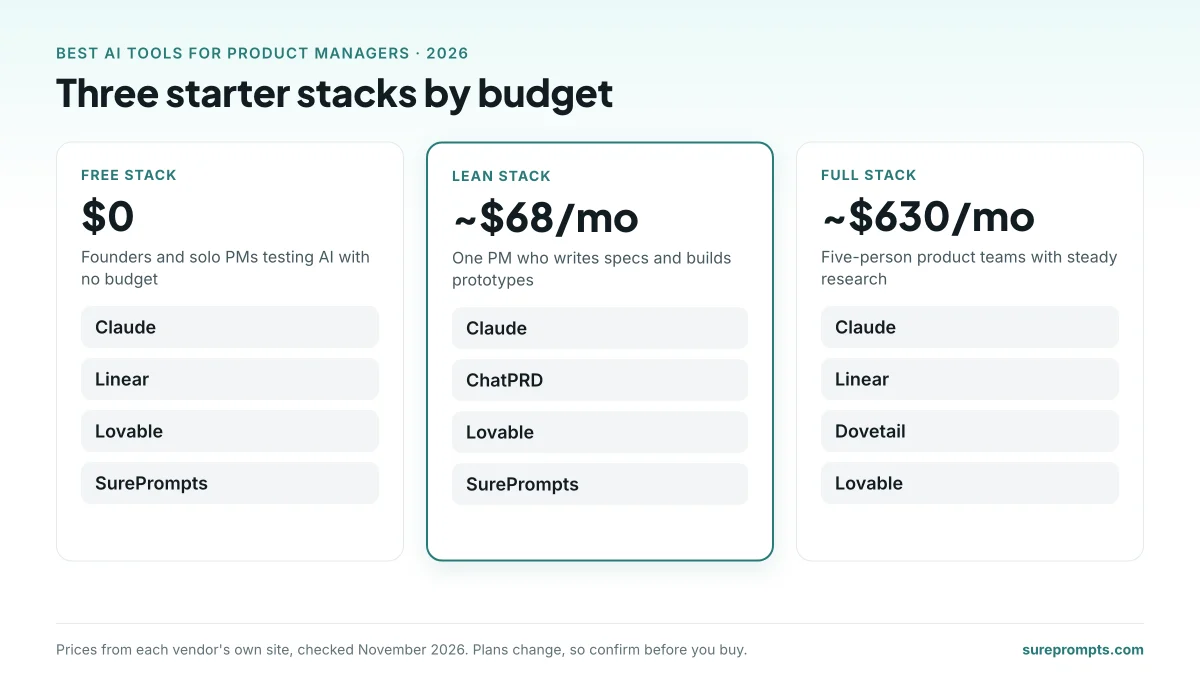
Free stack ($0 a month). Claude's free plan for PRD drafts (training setting off, no customer data), Linear Free for issues and customer requests, Lovable Free for quick prototypes, and a free SurePrompts account for better prompts. That covers specs, tracking, and prototypes.
Lean stack (about $68 a month). For one PM on monthly billing: Claude Pro ($20), ChatPRD Pro ($19), Lovable Pro ($25), and SurePrompts Pro ($3.99). Annual billing on all four brings it to about $55.
Full stack (about $630 a month). For a five-person product team: Claude Team ($125 for five Standard seats, billed monthly), Linear Business ($80 for five users, billed yearly), Dovetail Bronze ($400 a month on its $4,800 annual plan for 5 users), and Lovable Pro ($25 for the whole workspace). Dovetail credits at 15 cents each come on top.
OpenAI and Anthropic say ChatGPT Business and Claude Team do not train on your content by default, and ChatPRD and Productboard say the same. On personal ChatGPT and Claude plans, training is opt-out.
Keep customer PII and recordings in approved tools. Recordings and tickets carry names and sometimes health or payment details. Keep them in tools covered by a data processing agreement, and strip names before anything goes into a personal chatbot.
Treat unreleased roadmaps as confidential. Launch dates, pricing changes, and partner names can tip off competitors. Keep them in company-approved workspaces, and check who can open a shared project or prototype link.
Trace every insight to a real quote. AI synthesis can invent a quote, blend two customers into one, or overweight a few loud accounts. Before an insight reaches a PRD or a roadmap review, click through to the source and count how many customers actually said it.
Get a security review before real users touch a prototype. An AI-built prototype is not production code. Before it collects real customer data or logins, have an engineer review authentication, data storage, and secrets. Our complete guide to vibe coding covers building apps by prompting.
Warning
Never paste a customer's name, email, call recording, or account details into a personal AI account. Use a business plan covered by a data processing agreement, remove names first when you can, and keep unreleased roadmap dates out of any tool your company has not approved.
The best AI tools for product managers are the ones that fit where your team already works and the stage of the product loop that eats the most hours.
If you are a founder acting as PM: start free with Claude, Linear, and Lovable, and upgrade to Claude Pro when you hit the limits.
If your team runs on Jira and Confluence: use the Rovo credits you already pay for, then add Claude or ChatPRD for long specs.
If you drown in interviews and support tickets: Dovetail is built for that volume; choose Productboard if you also want the roadmap in the same tool.
If you work closely with designers: Lovable gets you to a clickable flow fast, and our list of the best AI tools for designers covers the design side.
If you need tools beyond product work: our guide to the 22 best AI tools in 2026 covers the wider field.
Tip
Pick one stage of your product loop, such as interview synthesis or spec writing, and run one tool on it for 30 days. Track the hours saved, then add the next tool only after the first one earns its place.
The biggest gain in AI for product management comes from how you ask. "Write a PRD for search" gets a template filled with guesses. "You are a PM at a B2B analytics startup; write a one-page PRD for saved searches, using these three interview quotes, with goals and non-goals" gets a draft you can review. Assigning the role is called role prompting, and one example of a past PRD you liked helps even more.
Our AI prompt generator for product managers turns a plain-English request into that kind of structured prompt, and our ready-made prompts for product managers give you starting points for common PM tasks.
Pick one tool, one stage of the product loop, and one sprint, and let the results decide what you add next.
Try it yourself
Build expert-level prompts from plain English with SurePrompts — 330+ templates with real-time preview.
Open Prompt BuilderSurePrompts turns plain English into expert-level AI prompts. 330+ templates, real-time preview, works with any model.
Try AI Prompt GeneratorCreate comprehensive PRDs with user stories, acceptance criteria, and technical specifications
Write product requirements documents specifically for AI and LLM-powered features
Generate project rules files for AI coding assistants (Cursor, Claude Code, Windsurf, Copilot)
Generate structured comparison analyses of AI tools, SaaS products, or tech solutions
Reusable AI prompts for product managers to synthesize research, write decision-ready specs, pressure-test roadmaps, plan experiments, and learn from launches.
Go beyond basic questions. Learn 35 advanced Claude techniques including Projects, XML tags, extended thinking, prefill, long-context strategies, and workflows that most users never discover.
Five prompt patterns for turning messy meeting notes into clear summaries, action items, decision logs, follow-up emails, and stakeholder briefs.