November 21, 2026
Updated November 24, 2026
23 min read
Your buyers are asking AI. Are you the answer?
Find out with OptimizeCamp →The best AI tools for freelancers in 2026, from ChatGPT and Claude to HoneyBook and Fathom, with verified prices, free plans, and copy-paste prompts.
TL;DR
ChatGPT is the best AI tool for most freelancers to start with, Claude is best for long briefs and careful editing, and Notion AI is best for a client workspace with built-in AI. The list also covers Fathom for free call notes, Motion for AI scheduling, Grammarly for polish, Canva for visuals, HoneyBook for proposals, contracts, and invoices, Zapier for admin automation, and SurePrompts for better prompts. Eight of the ten have free plans, and every price was checked on the vendor's site in November 2026.
The best AI tools for freelancers in 2026 are ChatGPT for drafting proposals, emails, and research, Claude for long client briefs and careful editing, and Notion AI for keeping client notes and projects in one searchable workspace. The other seven picks cover call notes, scheduling, design, proposals and invoices, automation, and better prompts. Eight of the ten have a free plan, so you can build a working setup before you spend anything.
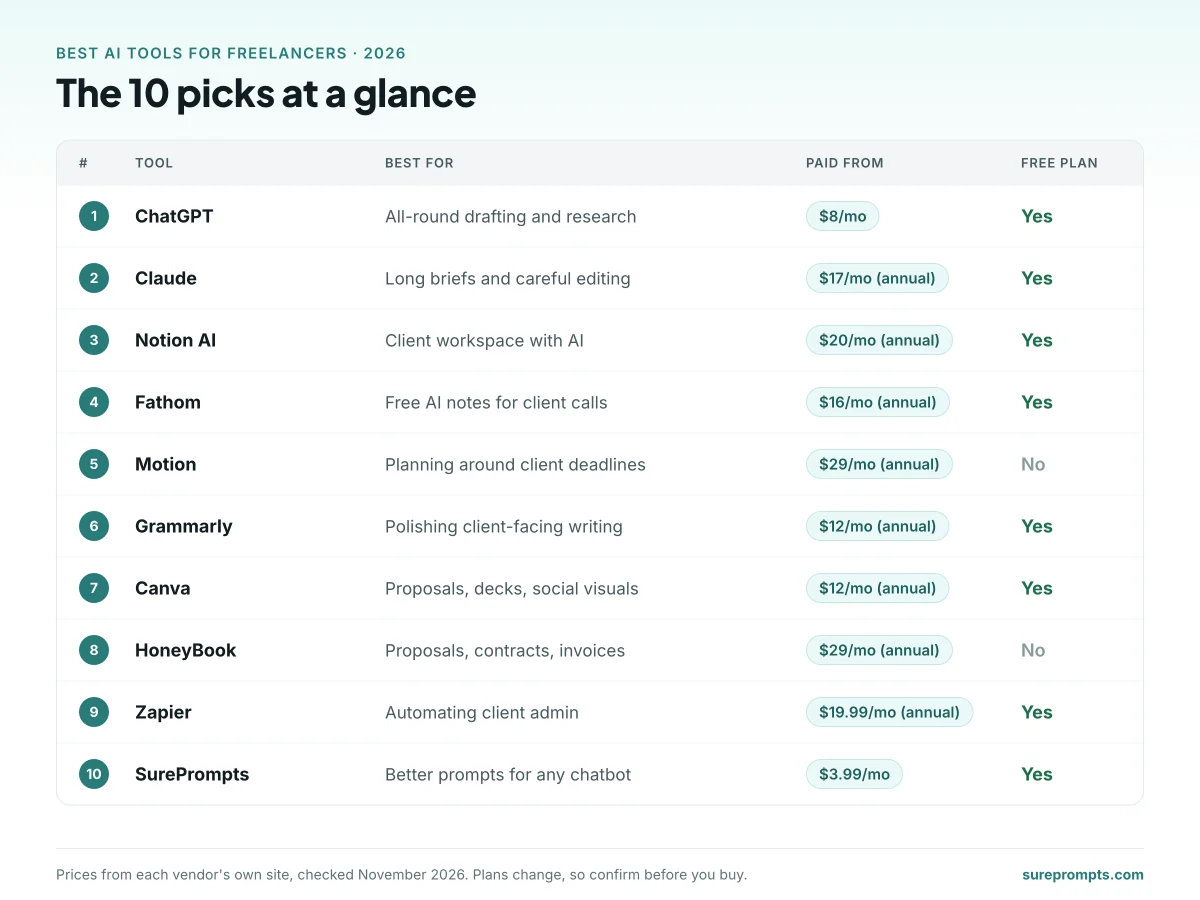
Every price and free-plan limit sits in the comparison table below.
We judged AI tools for freelancers against five tests that match how solo work runs.
It saves unbilled time. Proposals, follow-ups, call notes, scheduling, and invoicing eat hours you cannot charge for. Every pick takes some of that work off your plate.
It has a free plan or a low entry price. Freelance income is uneven, so we favored usable free plans and flagged the two tools that only offer a trial.
It works for a team of one. Every tool here can be bought and set up by one person, with solo pricing on the vendor's own page.
It has data controls you can explain to a client. Client files are often under NDA, so we checked whether each tool lets you keep your content out of model training.
It fits the tools clients already use. Clients meet on Zoom, Google Meet, or Microsoft Teams and send Google Docs, Word files, and PDFs. Tools that fit those habits won.
We compared plans, features, and limits on each vendor's own site in November 2026 and picked for fit, not for sponsorship. No tool paid to be listed.
8 of 10
Most freelancers only need three or four of these tools.
ChatGPT is the easiest of the best AI tools for freelancers to start with, because one free account covers proposal drafts, client emails, quick research, and first-pass edits.
The habit that pays off is one Project per client. A project holds reference files, its own instructions, and project-only memory, so the brief and tone notes are already loaded when you open a chat. OpenAI's help center says free accounts can add 5 files per project and Plus accounts 25. For new business, paste a job post and two past projects and ask for a short, specific proposal; our guide to AI proposal writing prompts has more structures.
Best for: Proposal drafts, client emails, and research before discovery calls.
Pricing: Free; Go $8 a month; Plus $20 a month; Pro from $100 a month; Business $25 per user a month, or $20 billed annually, for small teams. See ChatGPT pricing.
Strengths: It handles almost any freelance task, from a cold pitch to a spreadsheet formula. Projects keep each client's context separate, and deep research helps you learn a client's industry before a call.
Watch out for: On personal plans, OpenAI says chats can be used to improve its models by default, so turn off "Improve the model for everyone" under Settings, then Data controls. Check every fact and figure before a draft reaches a client.
Try this: Create a project for the client, upload their brief, then paste this.
You are a freelance [SERVICE, e.g. brand designer] writing a
proposal. The client's brief is in this project's files.
Past projects I can cite: [PROJECT 1 + RESULT], [PROJECT 2 + RESULT]

Write under 300 words: their goal in one sentence, my approach in
three steps, a [NUMBER]-week timeline, two price options
([PRICE A] and [PRICE B]), and one question that leads to a call.
Plain, confident tone. Do not invent results that are not in
my notes.
Claude is one of the best AI tools for freelancers whose work lives in long documents: brand guidelines, research packs, contracts to read before signing, and drafts that need a careful editor.
The free plan includes up to 5 Projects, so each main client can have a workspace with their style guide loaded once, and Artifacts show documents and tables beside the chat. Pro adds Research, Claude in Chrome, and Claude for Microsoft 365, useful when clients send Word and Excel files. Our ChatGPT vs Claude comparison shows where each fits.
Best for: Reading long briefs and contracts, editing to a style guide, and drafting reports.
Pricing: Free; Pro $20 a month, or $17 a month billed annually; Max $100 a month; Ultra $200 a month. See Claude pricing.
Strengths: Projects on the free plan keep clients separate from day one. Anthropic uses consumer chats for training only if you allow it in the Model Improvement privacy setting, which is easy to explain to a cautious client.
Watch out for: Free usage limits arrive quickly with large files, and Research is a paid feature. Verify names, numbers, and quotes before delivery.
Try this: Add the client's style guide to a Project, then paste this with your draft.
The style guide in this project belongs to [CLIENT]. Edit my draft
below so it follows the guide. Then add a table: what you changed,
which rule it follows, and anything the guide does not cover.
Keep my structure and arguments. Do not add facts or quotes. Flag
anything that looks wrong instead of fixing it silently.

Draft: [PASTE DRAFT]
Notion AI suits freelancers who want client notes, project boards, and meeting notes in one workspace they can search and ask questions about.
A common setup is one page per client with the brief, contacts, deliverables, and call notes underneath. On the Business plan, Notion lists Notion Agent, Custom Agents, AI Meeting Notes, and Enterprise Search, plus monthly AI credits, so you can ask for a status update drafted from a client's page. The free plan works as a wiki and tracker on its own, with a trial of Notion AI to test on real client pages.
Best for: Running client projects, notes, and simple CRM pages in one place.
Pricing: Free; Plus $10 per seat a month billed annually, or $12 monthly (AI trial only); Business $20 per seat a month billed annually, or $24 monthly, for full Notion AI. See Notion pricing.
Strengths: Answers start from your own pages and client history. One tool can replace a separate wiki, task app, and notes app.
Watch out for: Full Notion AI requires Business, double the Plus price for a solo user. Custom Agents use credits, and extra credits cost $10 per 1,000.
Try this: Open a client's main page and ask Notion AI.
Using this page and the pages under it, write a weekly status update
for [CLIENT NAME]: what I finished since [DATE], what is in progress
with expected dates, and what I am waiting on from the client.
Under 200 words, friendly and direct. Use only facts on these pages.
If a date is missing, write [DATE NEEDED] instead of guessing.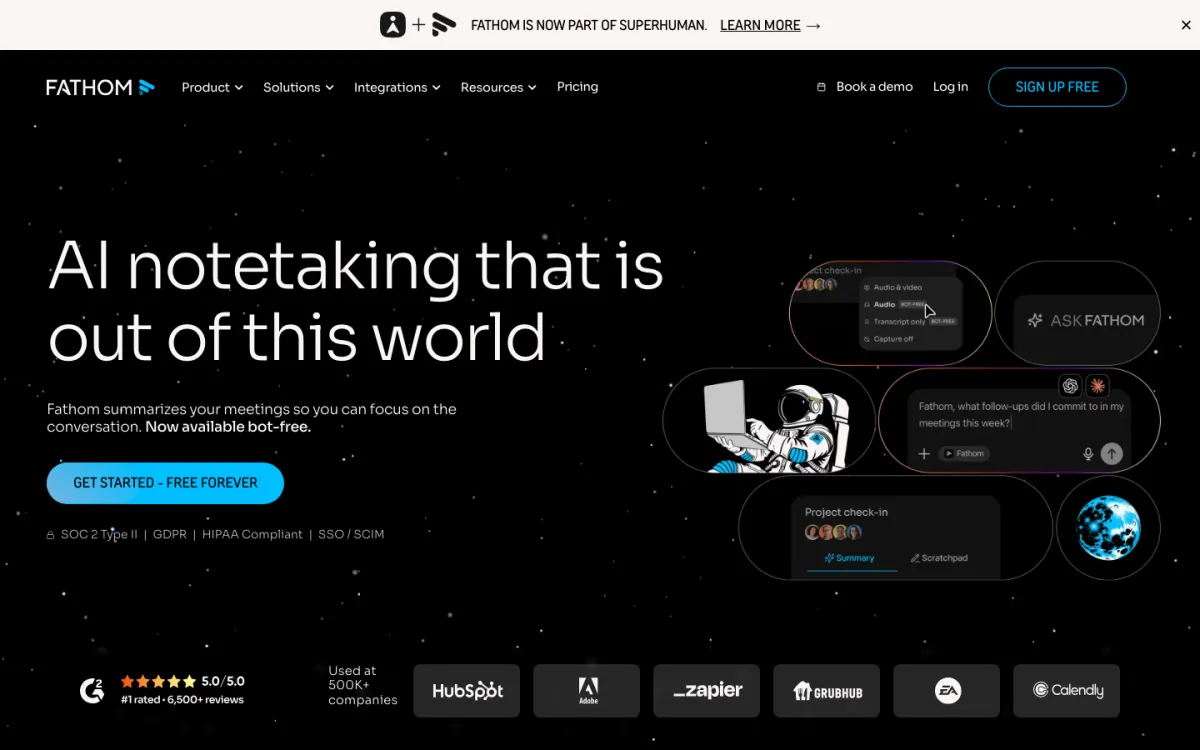
Fathom is the best free AI notetaker for freelancers, because its free plan records and transcribes unlimited calls.
It works with Zoom, Google Meet, and Microsoft Teams, and the company says it is now available bot-free. After each call you get a recording, transcript, and summary to reuse in a scope doc or follow-up email, and notes can sync to Notion, Asana, Slack, HubSpot, and Zapier. Our prompt patterns for meeting notes show how to turn a transcript into next steps.
Best for: Discovery calls, client check-ins, and any meeting where you need a record of what was agreed.
Pricing: Free; Premium $20 a month, or $16 a month billed annually. See Fathom pricing.
Strengths: Unlimited free recordings and transcripts are rare. It covers the three meeting apps clients use most.
Watch out for: Fathom's help center says free advanced summaries cover only 5 calls a month, and Ask Fathom and AI action items need Premium. Always ask clients before you record.
Try this: Set it up before your next discovery call.
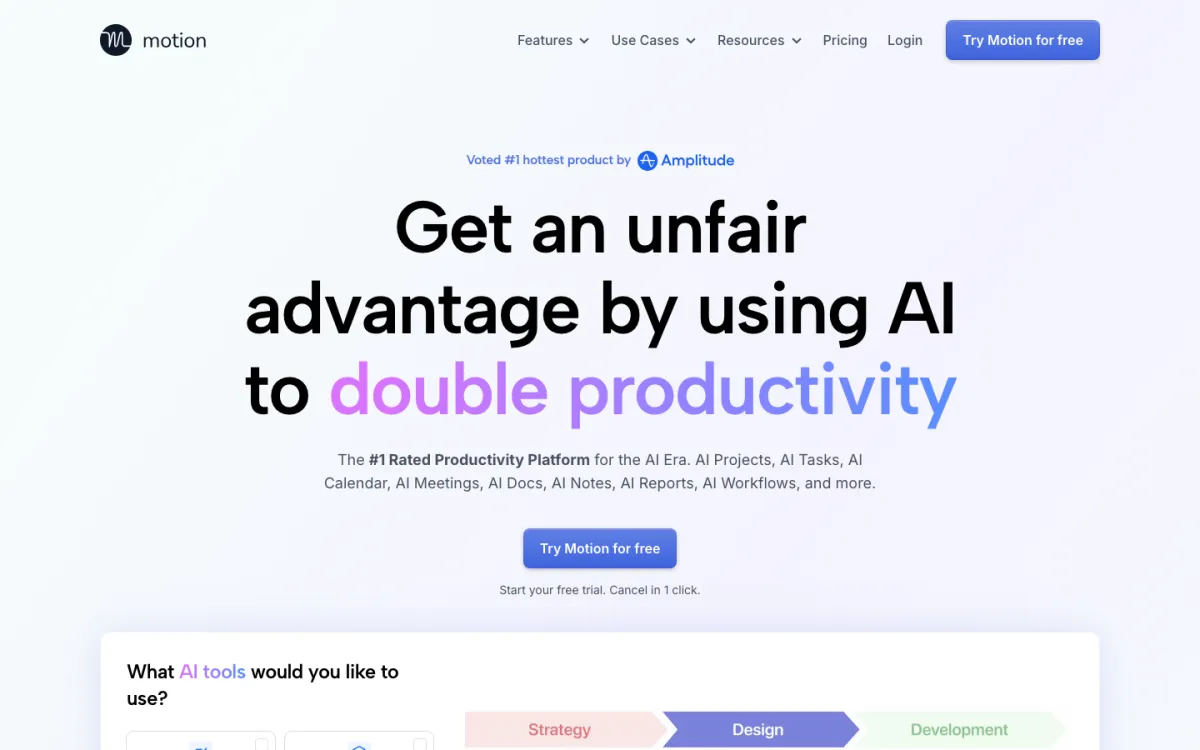
Motion earns its place among the best AI tools for freelancers who juggle several clients and lose the week to replanning, because it schedules your tasks onto your calendar for you.
The vendor says its AI calendar "takes all of your projects and tasks, prioritizes and timeblocks them on your calendar." With three retainers and a one-off project, that means fewer planning sessions and a clearer answer when a new client asks how soon you can start. The Pro AI plan also lists AI Chat, AI Docs, an AI notetaker, and an AI writer. Of the freelancer productivity AI tools here, Motion needs the most setup, since every task needs a realistic duration and deadline.
Best for: Freelancers with several active clients and fixed deadlines.
Pricing: No free plan, but a free trial. For individuals, Pro AI is $49 a month, or $29 a month billed annually; Business AI is $69, or $39 billed annually. Team seats start lower. See Motion pricing.
Strengths: It turns a pile of deadlines into a day-by-day plan without manual dragging. Tasks, docs, and meetings sit in one app.
Watch out for: It is the most expensive single tool here for a solo user. AI features use a monthly credit allowance (7,500 on Pro AI), with extra credits sold separately.
Try this: Open Motion's AI Chat and describe a new project.
Create a project: [CLIENT] - [PROJECT]. Final deadline: [DATE].
I work [HOURS] hours a day, [DAYS] days a week on client work.
Break it into tasks for [PHASE 1], [PHASE 2], client review, and
revisions, each with a duration and deadline. Leave two working
days of buffer, and schedule tasks that need client input first.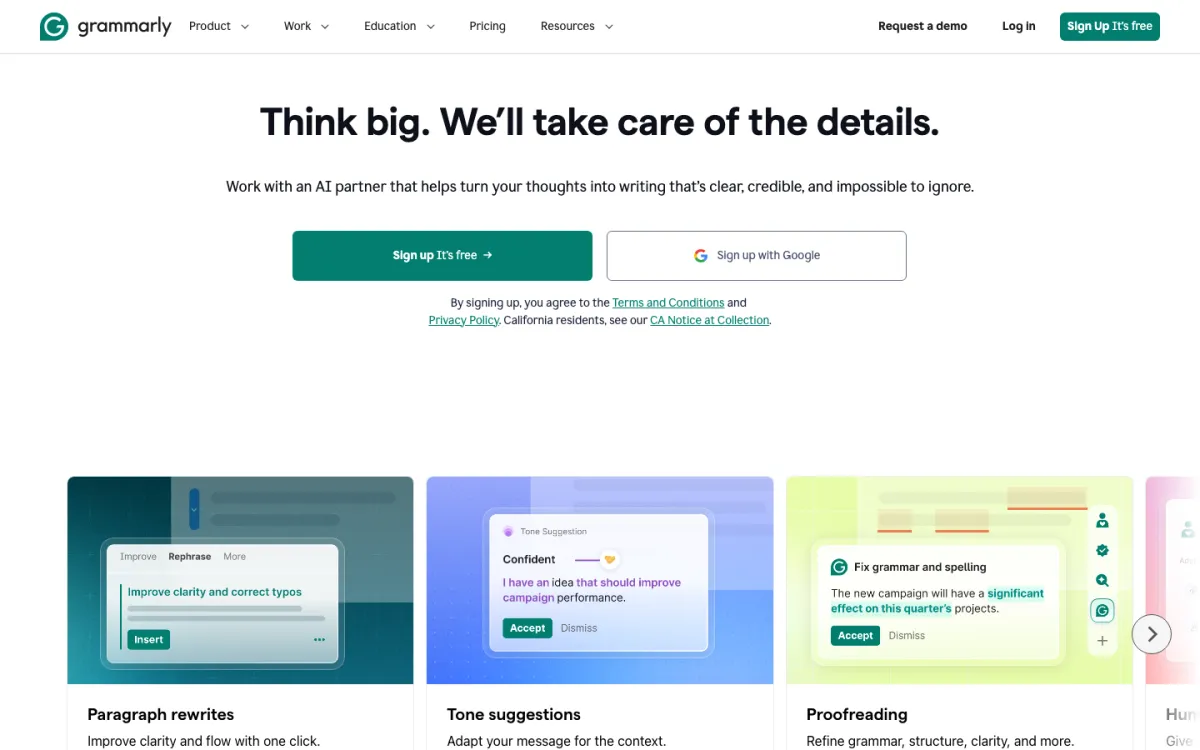
Grammarly is the safety net for freelancers who send a lot of client-facing writing, catching errors and tone problems through its browser extension, desktop app, Microsoft Office add-in, Google Docs integration, and mobile keyboard.
For freelance writers, the free plan covers grammar fixes, tone detection, and 100 AI prompts a month. Pro adds 2,000 prompts a month, a plagiarism check, and AI-text detection. Grammarly's company is now called Superhuman. If writing is your main service, compare it with the editors in our roundup of the best AI tools for writers.
Best for: Proofreading proposals, emails, and deliverables before they reach a client.
Pricing: Free; Pro $30 a month, or $12 a month billed annually ($144 a year). See Grammarly plans.
Strengths: It works inside the apps you already use. The free plan handles daily emails well.
Watch out for: The monthly price is steep unless you pay yearly. AI-detection scores are estimates, so never treat one as proof, and do not use the AI Humanizer to pass AI drafts off as human work.
Try this: Run a final pass before any important send.
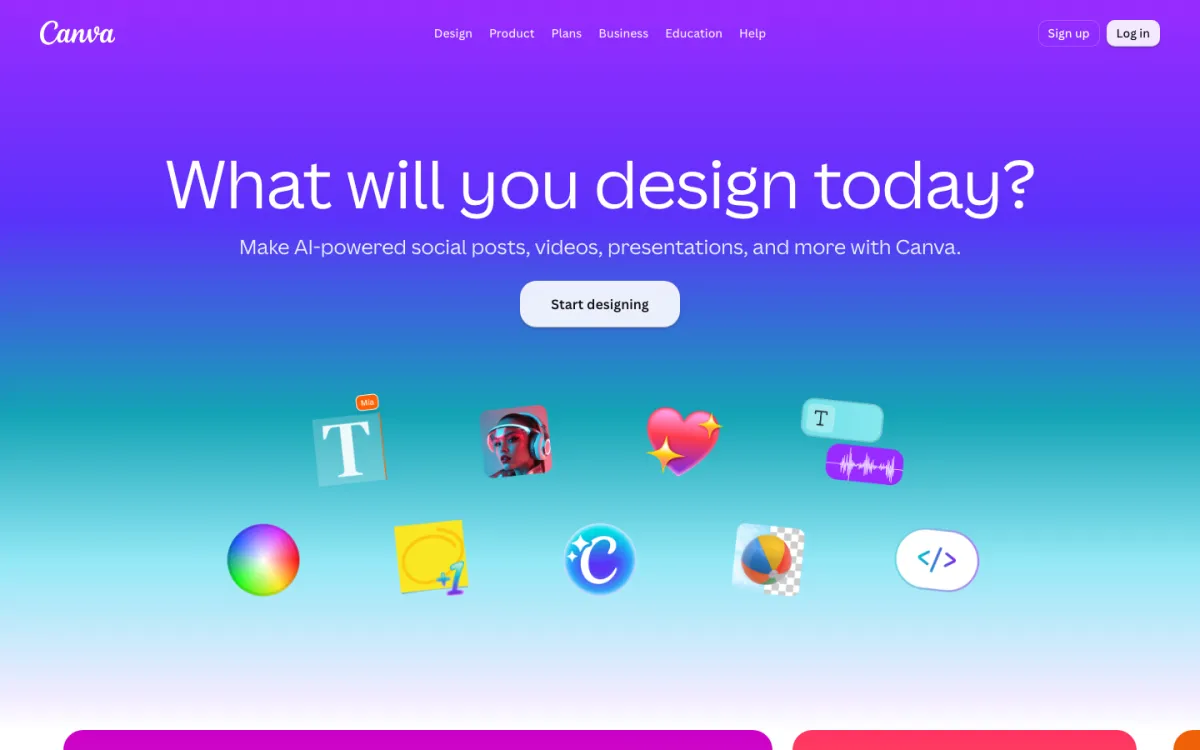
Canva is the fastest way for freelancers who are not full-time designers to make proposals, pitch decks, and social posts look professional.
The free plan includes more than 1.6 million templates and 5 GB of storage, with limited AI. Canva AI covers Magic Write for copy, Magic Layers, and Canva Code. A consultant can turn a proposal into a branded PDF; a virtual assistant can make a month of client social graphics. Among AI tools for freelance designers, Canva works best for fast drafts and client variations next to your main design software. More creator workflows are in our guide to the best AI tools for content creators.
Best for: Proposal designs, pitch decks, portfolio pieces, and social graphics.
Pricing: Free; Pro $18 a month, or $12 a month billed annually ($144 a year); Business $25 per person a month. (Canva is running Pro at $9 a month for three months until Dec 4, 2026.) See Canva pricing.
Strengths: Templates get non-designers to a professional result fast. Pro includes 10 times the free plan's AI usage.
Watch out for: Heavy AI use can hit plan limits, and the AI Pass add-on costs extra. Popular templates are widely used, so customize them before you sell work as original.
Try this: Open Canva AI and paste this request.
Create a one-page proposal design for my freelance [SERVICE]
business, for [CLIENT NAME] in [INDUSTRY]. Sections: the problem,
my approach in three steps, timeline, two pricing options, and
"Why me" with [ONE PROOF POINT]. Brand colors [HEX 1] and [HEX 2].
Leave space for my logo top left. Plain, confident wording.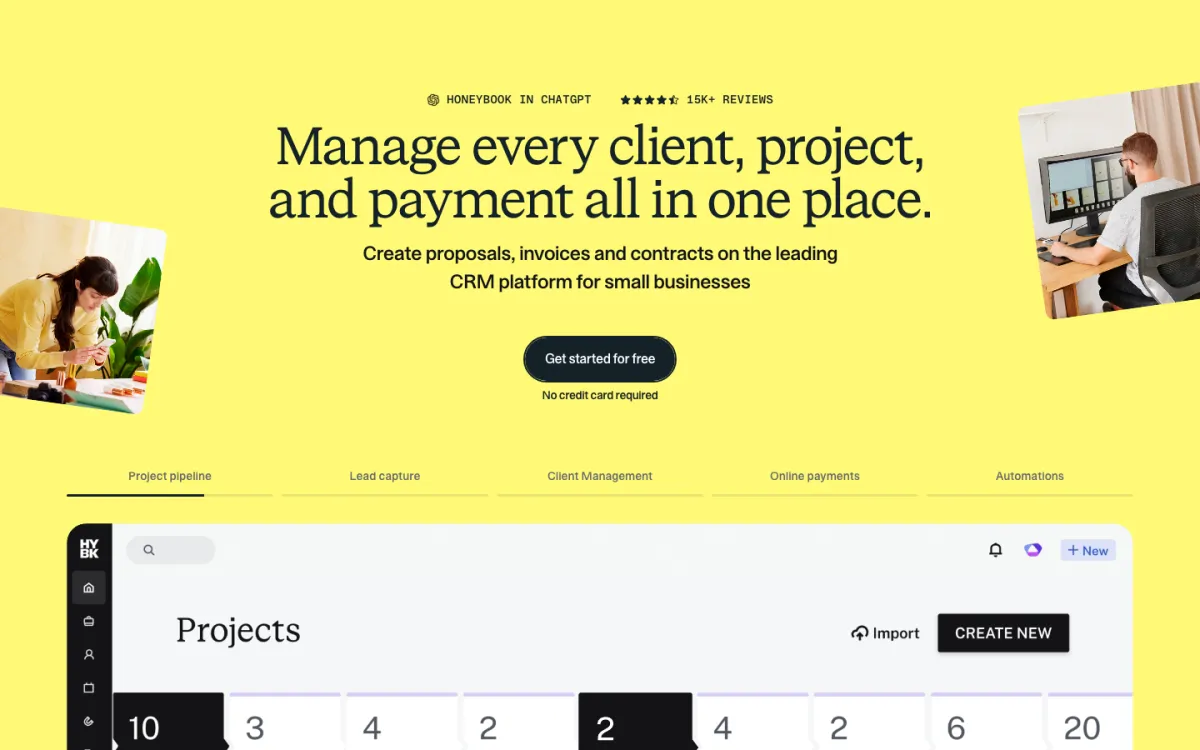
HoneyBook is the best client-management pick for freelancers in the U.S., Canada, UK, and Australia, because proposals, contracts, invoices, and payments live in one client portal with AI that drafts your emails.
HoneyBook AI is listed on every plan. The vendor describes email drafts based on your tone, industry, and context, an AI notetaker, project summaries for meeting prep, reminders to reconnect with past leads, lead enrichment, and AI suggestions when you create files such as proposals. That makes it the closest thing here to an AI proposal writing tool built into your billing. Pair it with our guide on how to write better emails with AI.
Best for: Solo service businesses that send proposals, contracts, and invoices every month.
Pricing: No free plan; a 30-day free trial with no credit card required. Starter $36 a month, or $29 a month billed annually; Essentials $59, or $49 billed annually; Premium $129, or $109 billed annually. (HoneyBook is offering new subscribers 50% off the first year of annual plans until Dec 7, 2026.) See HoneyBook pricing.
Strengths: It replaces separate tools for proposals, contracts, invoices, and payment reminders. Clients get one portal for every document.
Watch out for: It only supports professionals based in the U.S., Canada, UK, and Australia. Card and bank payments carry processing fees on top of the subscription.
Try this: Open HoneyBook's AI chat after a discovery call and paste this.
Draft a follow-up email to [CLIENT NAME] about [PROJECT]. They want
[MAIN GOAL] by [DATE], budget around [BUDGET]. Under 150 words:
thank them, restate their goal, say a proposal with two options is
coming today, and ask them to book a 15-minute review. Friendly and
direct. Promise nothing that is not in my notes: [PASTE NOTES].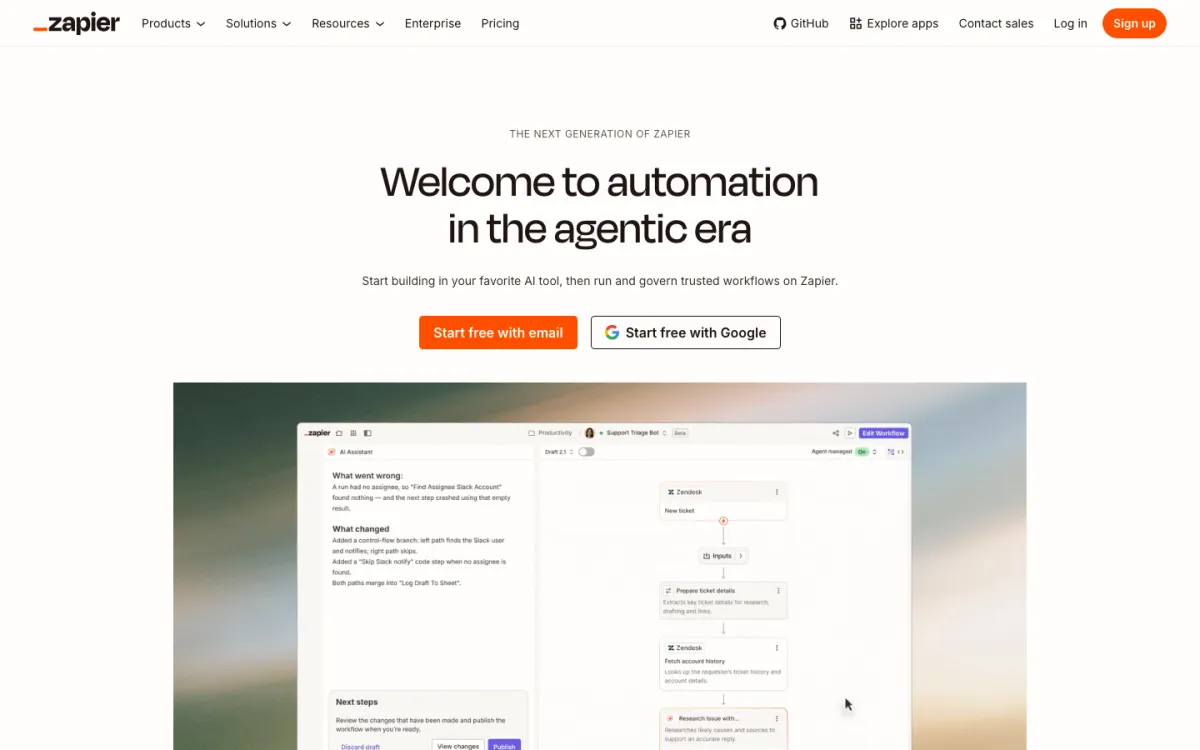
Zapier is the glue for freelancers who copy the same details between apps, such as a new lead from a form into a CRM, or a signed contract into a task list. It is one of the simplest ways to use AI for freelancers to save time on admin.
You can describe a workflow in plain English with Zapier's Copilot, included on the free plan with a daily message limit, and Zapier Agents run on every plan (400 activities a month on Free). For more ideas on what to hand off, see our guide to AI for admin and operations.
Best for: Moving client details between forms, email, calendars, CRMs, and task apps.
Pricing: Free (100 tasks a month, two-step Zaps); Professional $29.99 a month, or $19.99 a month billed annually (750 tasks); Team $103.50 a month, or $69 billed annually. See Zapier pricing.
Strengths: It connects to the apps clients and freelancers already use, and the free plan is enough to test a first automation.
Watch out for: The free plan only runs two-step Zaps and 100 tasks a month, and AI by Zapier steps need a paid plan.
Try this: Open Copilot in Zapier and describe the automation.
When someone submits my [FORM TOOL] inquiry form, add them to
[CRM OR SPREADSHEET] with name, email, company, and budget. Then
create a task in [TASK APP] called "Reply to [NAME]" due tomorrow
and email me their message. Skip anyone who is already a contact.
SurePrompts is for freelancers who use a chatbot every day but keep getting generic drafts. You describe what you need in plain English, and it builds a structured prompt with a role, context, instructions, and output format to paste into ChatGPT, Claude, or Gemini.
It suits repeat freelance jobs such as proposals, scope documents, client emails, and project recaps. Save the prompts that work and reuse them for every new client.
Best for: Freelancers and solopreneurs who want consistent, client-ready output from any chatbot.
Pricing: Free account with Google sign-in (3 AI prompt generations a month plus the free templates); Pro $3.99 a month or $29.99 a year for 200 AI generations a month, 320+ expert templates, and cloud-saved prompts. See the AI prompt generator.
Strengths: It is the cheapest paid tool on this list and works with any chatbot. Templates give you a tested starting structure.
Watch out for: SurePrompts builds prompts; it does not run them, so you still need a chatbot. The free plan's 3 AI generations a month suit a trial run more than daily use.
Try this: Type a request like this into the generator.
I am a freelance [SERVICE] with [YEARS] years of experience. I need
a prompt that turns my rough call notes into a one-page project
scope for [CLIENT TYPE], with deliverables, timeline, what is out of
scope, and open questions. Output as a clean document I can send.Here are the best AI tools for freelancers compared on price and free plans, as of November 2026.
| Tool | Best for | Free plan | Paid plans from | Standout feature |
|---|---|---|---|---|
| ChatGPT | All-round drafting and research | Yes | $8 a month (Go) | Projects per client |
| Claude | Long briefs and editing | Yes | $17 a month (billed annually) | Free Projects |
| Notion AI | Client workspace | AI trial only | $20 a month (billed annually) | AI over your own pages |
| Fathom | Call notes | Yes | $16 a month (billed annually) | Unlimited free recordings |
| Motion | Planning your week | No, trial | $29 a month (billed annually) | Auto time-blocking |
| Grammarly | Final polish | Yes | $12 a month (billed annually) | Works across your apps |
| Canva | Visuals and decks | Yes | $12 a month (billed annually) | Templates plus Canva AI |
| HoneyBook | Proposals and payments | No, 30-day trial | $29 a month (billed annually) | Proposals to payments in one tool |
| Zapier | Admin automation | Yes | $19.99 a month (billed annually) | Plain-English Copilot |
| SurePrompts | Better prompts | Yes | $3.99 a month | Prompts for any chatbot |
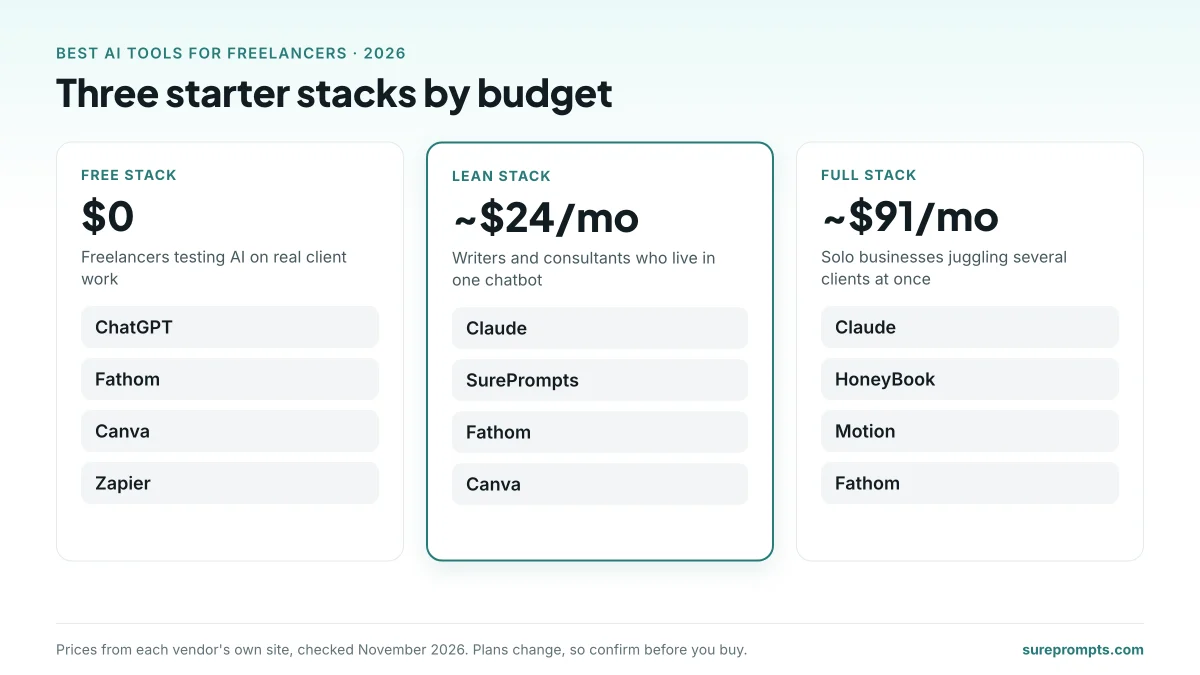
Free stack ($0). ChatGPT Free for drafts and research, Fathom Free for call notes, Canva Free for proposals and visuals, and Zapier Free to send new leads to one list. This covers the core loop from first call to delivery.
Lean stack (about $24 a month). Claude Pro at $20 a month for daily drafting and editing, SurePrompts Pro at $3.99 a month for reusable prompts, plus Fathom Free and Canva Free. One paid chatbot does most of the work, and better prompts get more out of it.
Full stack (about $91 a month). Claude Pro ($17), HoneyBook Starter ($29), Motion Pro AI ($29), and Fathom Premium ($16), all billed annually. This runs the whole business: client admin and payments, your weekly plan, call notes with action items, and a capable assistant.
Settle these points before you paste client work into any tool.
Read your contracts for AI clauses. Some clients now state whether AI may be used, which tools are allowed, and who owns AI-assisted output. If a contract is silent, ask.
Keep client material out of tools that train on your data. Check each tool's setting. In ChatGPT's personal plans, turn off "Improve the model for everyone"; in Claude, check Model Improvement in privacy settings. OpenAI says it does not train on ChatGPT Business workspaces by default.
Ask before you record. Tell clients when Fathom, Motion, or HoneyBook is taking notes, and get their consent. Some places require every party to agree to a recording.
Disclose AI use when the client expects original work. If you are paid for writing, design, or analysis, say where AI helped, and never sell AI output as fully human work.
Warning
Never paste NDA-covered material, client passwords, or customer personal data into a chatbot unless the contract allows it and the tool's training setting is off. When in doubt, remove names and numbers first or ask the client in writing.
The best AI tools for freelancers are the ones that remove your most expensive unpaid task, so start there.
If you write for a living, the strongest AI tools for freelance writers here are Claude or ChatGPT for drafts and research, plus Grammarly for the final pass.
If you design, pair Canva for fast drafts and client variations with ChatGPT for briefs, captions, and client emails.
If you are a consultant or developer, use Claude for long documents and specs, Fathom for calls, and Notion AI to keep each client's history in one place.
If you run a solo service business, HoneyBook and Zapier are the most useful AI tools for solopreneurs here, handling proposals, payments, and follow-ups. Our roundup of the best AI tools for small business covers what to add when you start hiring.
Tip
Add one tool at a time and use it on real client work for two weeks before adding another. Cancel anything you did not open in that time.
Every chatbot here gives better output when you give it a role, the client context, clear instructions, and the format you want back. A pasted example of past work you liked helps more than any adjective. Giving the model a job title is called role prompting, and it is the quickest upgrade for most prompts.
To skip the trial and error, the AI prompt generator for freelancers builds structured prompts from a plain description, and our page of prompts for freelancers has copy-paste prompts for proposals, client emails, and scope docs.
Pick one tool, put it to work on this week's client tasks, and keep what saves you time.
Try it yourself
Build expert-level prompts from plain English with SurePrompts — 330+ templates with real-time preview.
Open Prompt BuilderSurePrompts turns plain English into expert-level AI prompts. 330+ templates, real-time preview, works with any model.
Try AI Prompt GeneratorCreate a structured, effective meeting agenda
Generate project rules files for AI coding assistants (Cursor, Claude Code, Windsurf, Copilot)
Generate structured comparison analyses of AI tools, SaaS products, or tech solutions
AI prompts for freelancers covering proposals, client communication, invoicing, portfolio descriptions, rate negotiation, and project scoping.
Prompt patterns for sales proposals — scoping, value-prop translation, pricing presentation, SOW structure. Built to avoid templated-noise output.
An honest map of where AI gives a solo business the most leverage first. Cut the overwhelm, find your first win this week, and set your 30-day AI plan.