November 6, 2026
Updated November 25, 2026
23 min read
Black Friday: 30% off Pro annual with code BF2026 · ends November 30
Get the deal →The best AI tools for lawyers in 2026, with prices checked on vendor sites: CoCounsel, Lexis+ with Protégé, Harvey, Clio, Spellbook, Paxton, and more.
TL;DR
CoCounsel Legal is the best AI tool for lawyers who research on Westlaw in 2026, Lexis+ with Protégé is the pick for Shepard's-checked research, and Harvey suits large firms and in-house teams. Solo and small-firm lawyers get the most from Paxton, Clio, and Briefpoint. The list also covers Spellbook for contract review, Claude for long documents, Microsoft 365 Copilot for firms on Word, and SurePrompts for better prompts, plus ABA Opinion 512 and fake-citation risks. Every price was checked on the vendor's own site in November 2026.
The best AI tools for lawyers in 2026 are CoCounsel Legal for research and drafting grounded in Westlaw, Lexis+ with Protégé for research with built-in Shepard's citation checks, and Harvey for large firms and in-house legal teams. Solo and small-firm lawyers should look first at Paxton, Clio, and Briefpoint. Every price below was checked on the vendor's own site.
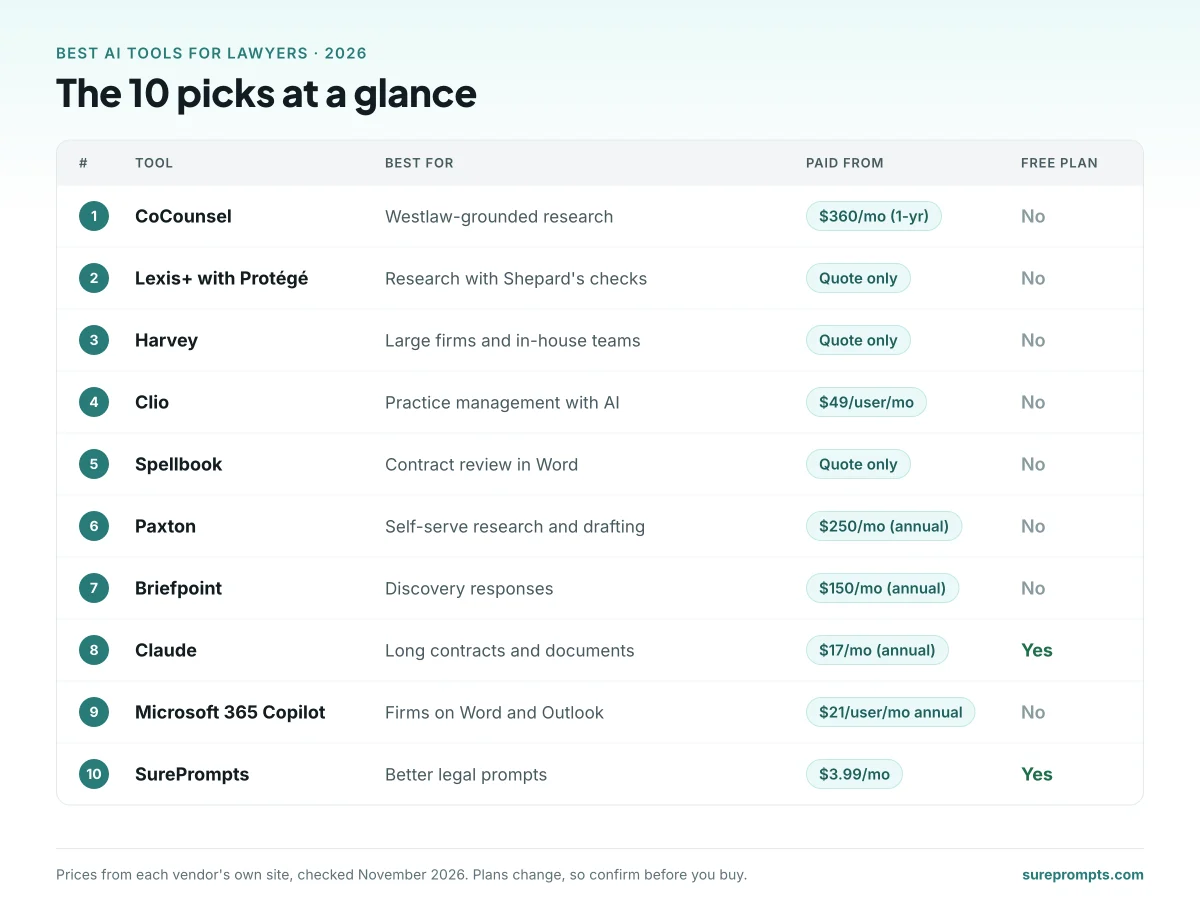
The full comparison table sits after the reviews.
Answers you can trace to a source. We favored AI legal research tools that ground answers in a legal database or your own files and link each citation back to the authority.
Confidentiality in writing. We checked whether each vendor says on its own site that it does not train AI models on your data, and we flag plans where it is opt-out.
Prices a small firm can see. Many AI tools for lawyers are sold only through a sales call. We say plainly when a tool is quote-only or built for large firms.
Works where lawyers draft. We gave credit to tools that work inside Word, Outlook, and the document systems firms already use.
One strong tool per job. We picked one tool each for research, drafting, contract review, discovery, and practice management. For model choice on general legal tasks, see our guide to which AI model to use for legal work.
We compared the plans, features, and limits of these legal AI tools on each vendor's own site in November 2026 and picked each one for fit; no tool paid to be listed.
17% to 33%
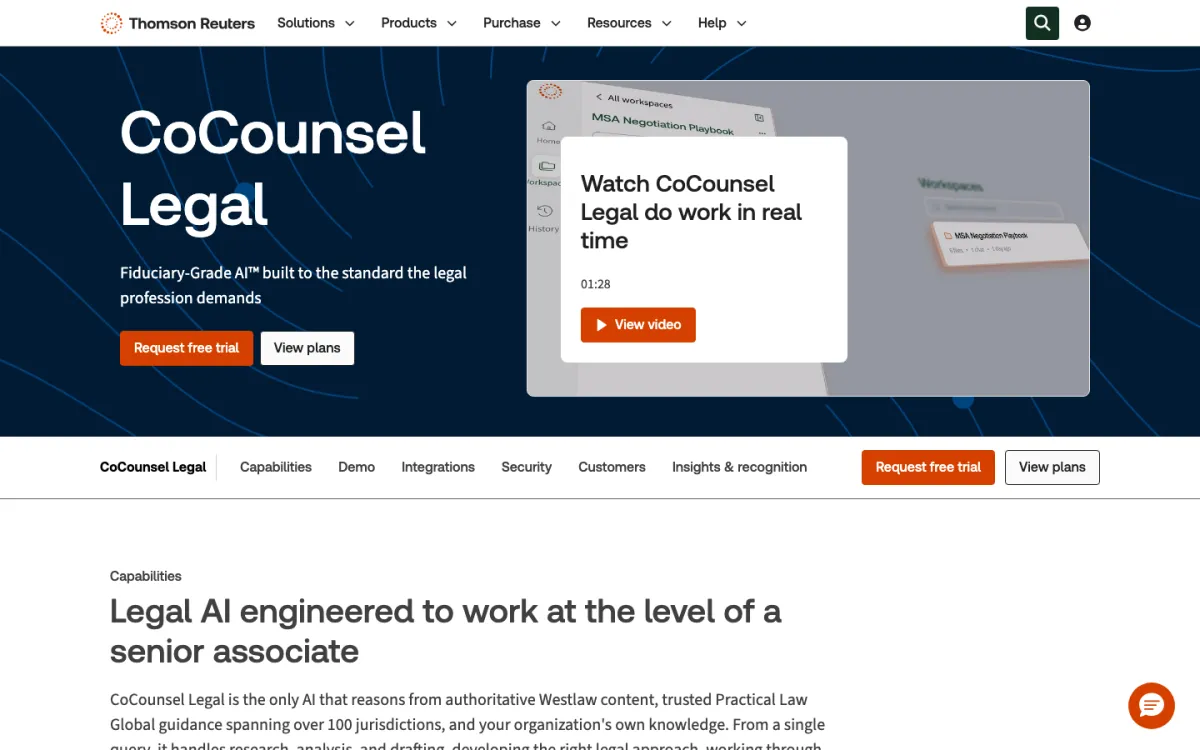
CoCounsel Legal is one of the best AI tools for lawyers who already trust Westlaw and want research, drafting, and document review in one place. Its next generation launched in the U.S. in August 2026, and the full plan bundles Westlaw Advantage, Practical Law, and CoCounsel Essentials.
You describe the task in plain language, and it lays out a step-by-step plan you can inspect, then researches and drafts with linked citations. Westlaw Brief Builder takes a litigator from issue framing to a first-draft brief, and Tabular Analysis reviews up to 10,000 documents against 100 questions in one table. Pair it with our AI legal research prompts.
Best for: Small and mid-size firms that want Westlaw-grounded AI.
Pricing: CoCounsel Legal (all states and federal) is $784 a month for one attorney on a one-year plan, or $637 on a three-year plan. CoCounsel Essentials, for drafting and document review without Westlaw, is $360 a month on a one-year plan. Online prices cover new customers at firms of up to 10 attorneys, and a free trial is available. See CoCounsel Legal plans.
Strengths: Answers draw on authority you already know how to check, inside Word, Outlook, and Teams. Thomson Reuters says it never uses your data to train underlying models.
Watch out for: It is the priciest self-serve option here for a solo, and the lowest monthly price requires a three-year commitment.
Try this: Open CoCounsel Legal, start a workspace for the matter, and paste:
You are a research attorney in [JURISDICTION]. Our client, a
[PARTY TYPE], faces [CLAIM] arising from [SHORT FACTS]. Find
controlling authority on [ISSUE] from [COURT LEVEL] decisions
since [YEAR]. Give a 5-bullet answer, then each case with its
citation, holding, and a quoted passage. Flag any case with
negative treatment. Write "not found" instead of guessing.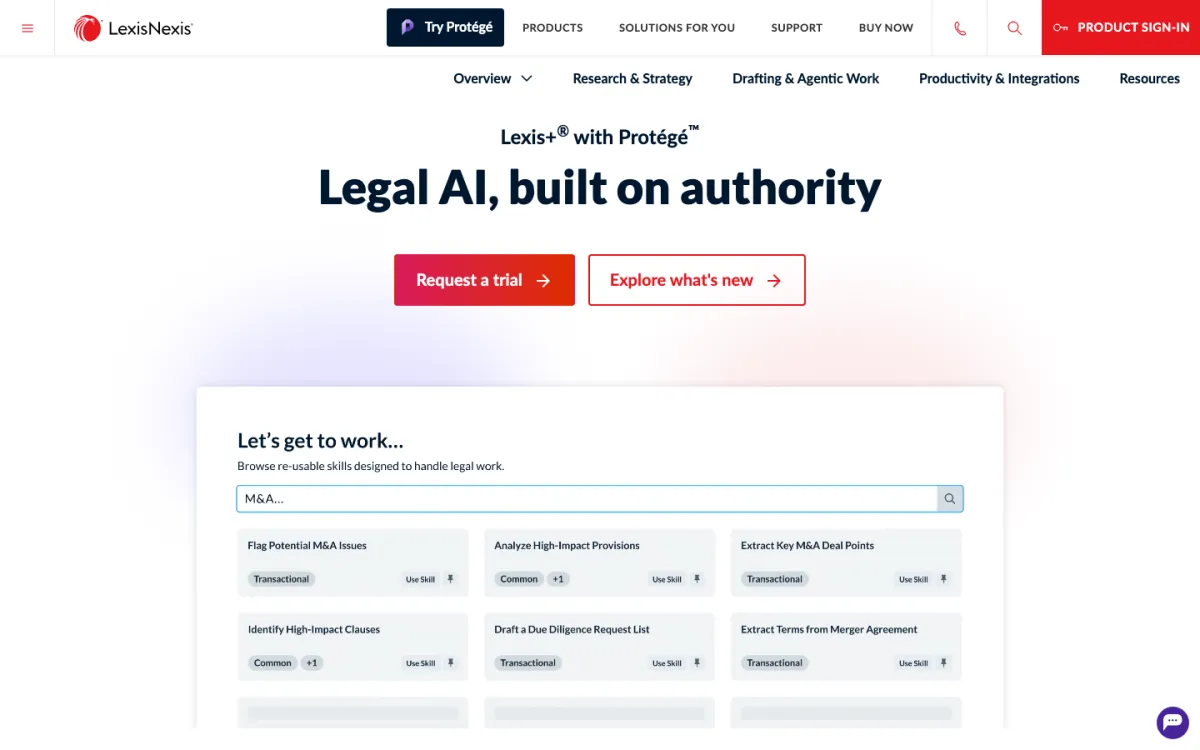
Lexis+ with Protégé is the best pick for lawyers who want citation checking built into every AI answer and draft. It is the new name for Lexis+ AI, renamed in February 2026, and existing Lexis+ AI users moved over automatically.
The Protégé assistant drafts contracts, motions, briefs, and complaints, and researches against LexisNexis primary law, Practical Guidance, and your document system. Shepard's Verify checks citations in AI answers, uploaded documents, and drafts, and flags statements the authority does not support. Vaults hold up to 500 documents each for timelines, counterarguments, and drafts from your own files.
Best for: Lexis subscribers and litigators who want each cited case checked as they draft.
Pricing: Pricing is by quote and depends on firm size and the content you need. Solo lawyers and firms of two or three attorneys can see prices and buy in the LexisNexis Online Store, and there is a 2-day free trial. See Lexis+ with Protégé.
Strengths: Shepard's, a citator many litigators already rely on, now checks AI output. LexisNexis says customer data is not used to train public AI models.
Watch out for: The product page lists no prices, and a 2-day trial is short, so line up a real research task first.
Try this: Upload your draft brief to a Vault and paste:
Check every citation in the attached brief. For each one, give
the Shepard's status, whether the cited page supports the
sentence it is attached to, and a suggested fix. Then list any
statement in sections [SECTION NUMBERS] that has no supporting
authority. Output a table: citation, status, problem, fix.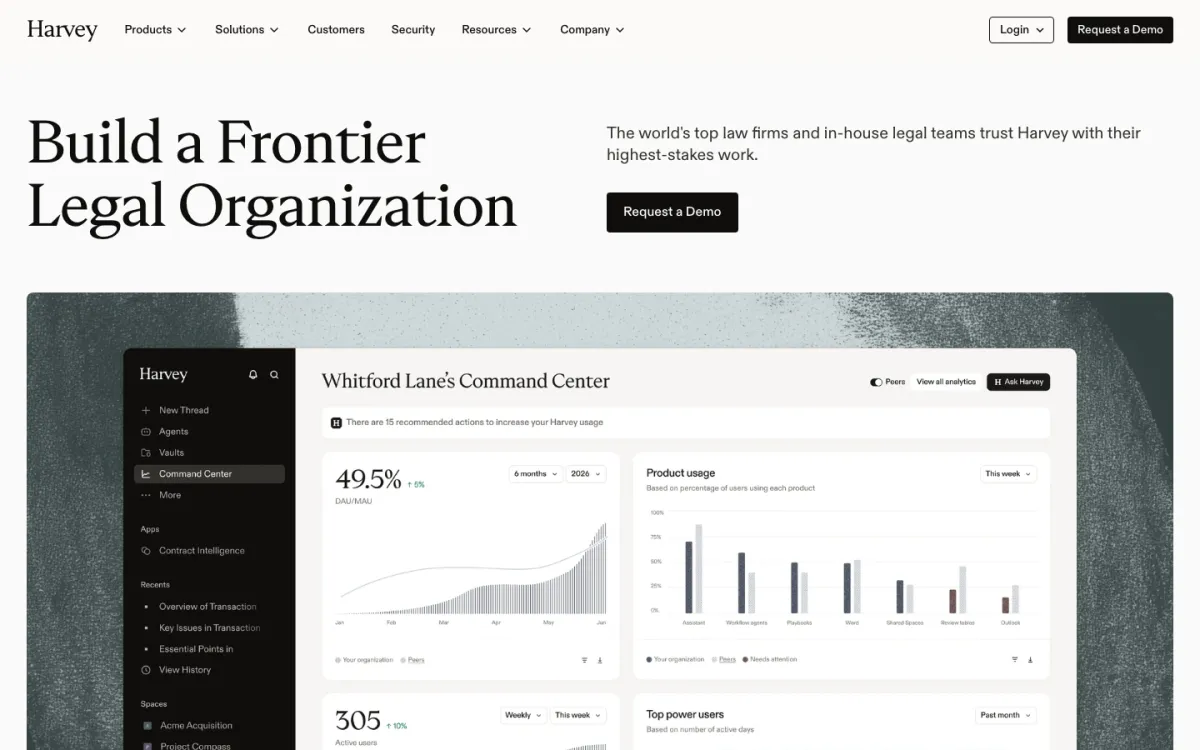
Harvey is the best AI platform for large law firms and in-house legal departments that want one secure workspace for research, drafting, and review. Harvey says more than 200,000 lawyers at over 3,500 firms and legal teams use it.
Its agents carry out multi-step work, Vault analyzes large document sets, and add-ins draft in Word and summarize threads in Outlook. On the Harvey vs CoCounsel question, the deciding factor for small firms is access: CoCounsel posts online prices for firms of up to 10 attorneys, while Harvey sells through a demo and a quote.
Best for: Large firms and corporate legal departments.
Pricing: Pricing is by quote. Harvey's FAQ says it costs "several hundred dollars per user per month" on average, depending on seats, products, and contract terms. See Harvey's FAQ on pricing and access.
Strengths: It connects to your document system and other AI assistants. Harvey says it contractually commits not to train on your inputs, outputs, or uploaded documents.
Watch out for: With no self-serve plan or published price, Harvey is usually out of reach for solo and small firms, and LexisNexis content is a separately licensed add-on.
Try this: In a Harvey Vault that holds the data room, paste:
Review every agreement in this Vault for [CLIENT]'s acquisition
of [TARGET]. Build a table with: document, counterparty,
change-of-control clause (quote it), assignment restrictions,
termination rights, and notice deadlines. Mark anything that
needs consent before closing on [DATE]. Cite page and section.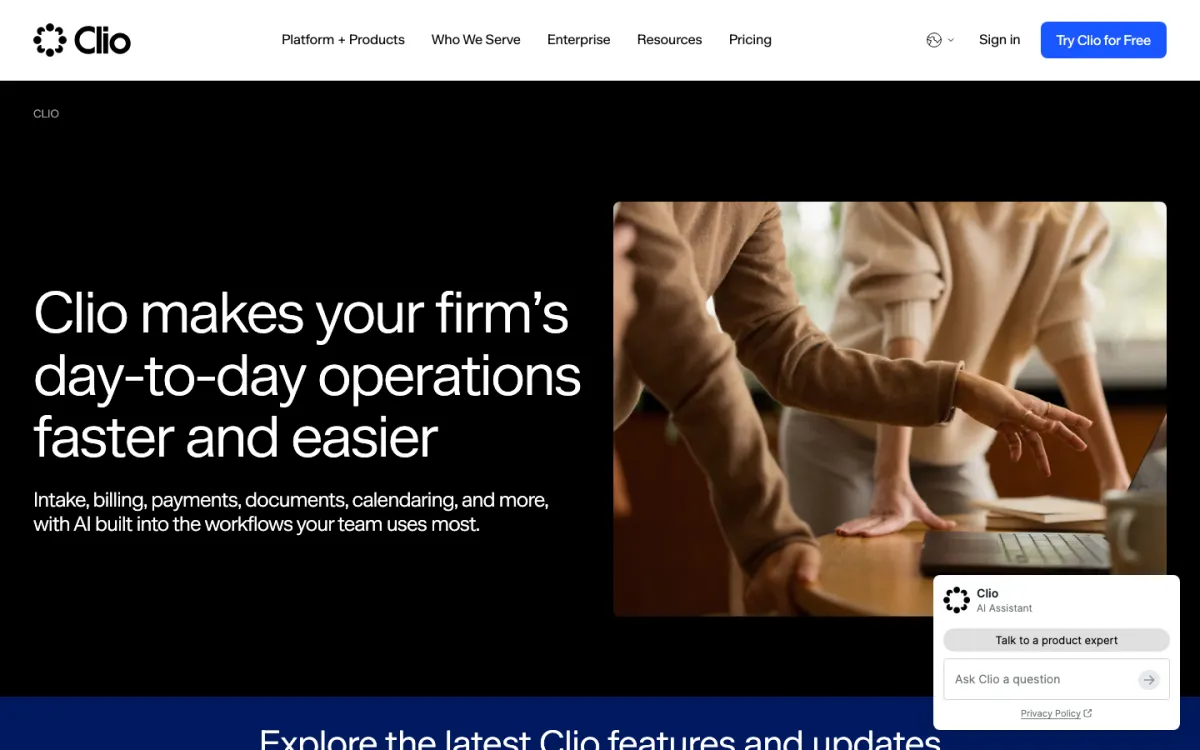
Clio is the best practice management software with built-in AI for solo and small-firm lawyers who want AI working on the matters they already track. Clio completed its $1 billion acquisition of vLex, maker of the Vincent AI legal assistant, on November 10, 2025, and its pricing page lists Vincent under its enterprise offering.
On Clio Manage Core and above, AI drafts bills, turns court documents into calendar events, and drafts client updates. The Clio Work add-on researches more than 1 billion legal documents with a built-in citator and drafts from the files already in Clio.
Best for: Solo and small firms that want AI inside practice management, billing, and deadlines.
Pricing: Plans start at $49 per user a month for Starter, which has no AI. AI starts on Core, and Core, Signature, Elite, and the Clio Work add-on are priced by quote. There is a 7-day free trial with no credit card. See Clio pricing.
Strengths: Clio Work starts from the matter file, so you do not re-upload documents for every task. Clio says customer information is not used to train third-party AI models.
Watch out for: The $49 plan has no AI, and every plan that includes AI needs a sales quote.
Try this: Open a matter in Clio Work and paste:
Using the documents and notes in this matter, build a timeline
of every event from [START DATE] to today with the source
document for each. Then list open deadlines in the next [NUMBER]
days, gaps in our evidence on [ISSUE], and a draft client update
under 150 words in plain English for my review.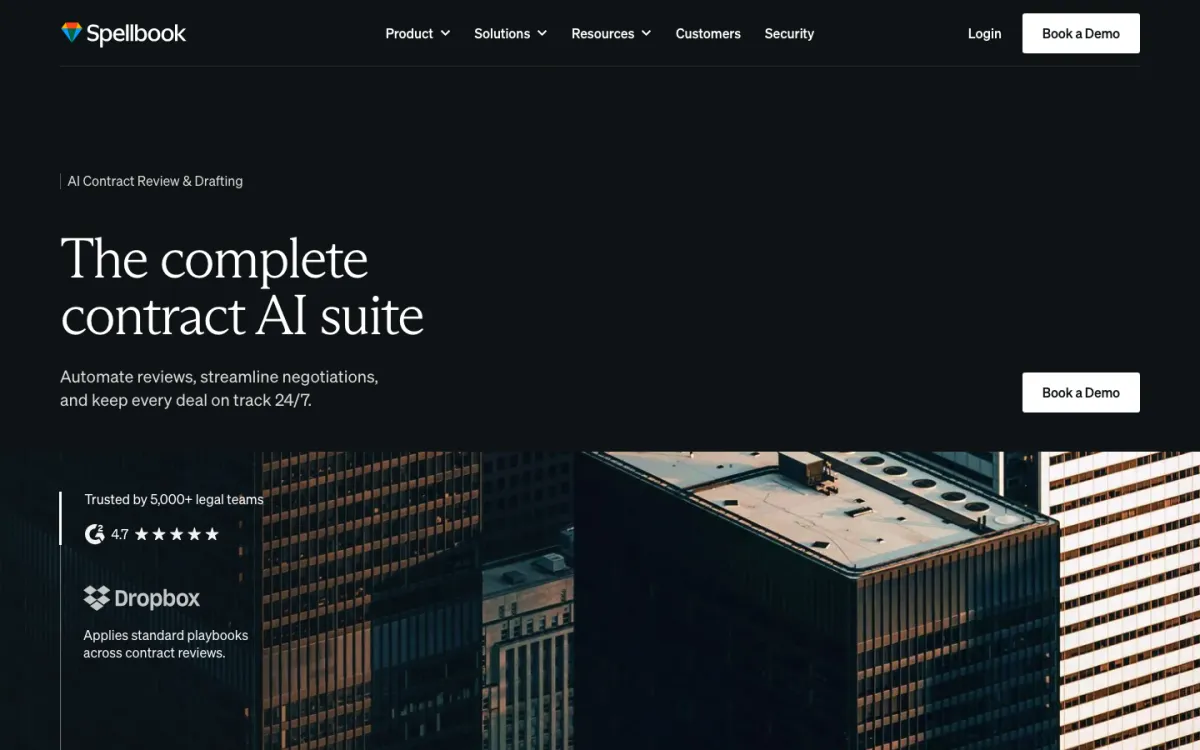
Spellbook is the best AI contract review software for transactional lawyers and in-house counsel who work in Microsoft Word. It runs as a Word add-in, so you review and draft in the agreement itself.
Review redlines a contract and flags risks, Draft writes clauses, and Compare benchmarks terms against market standards. Playbooks store your positions so every review applies the same rules, and Associate, an AI agent, works across related documents. See our AI contract analysis prompts for prompts that work in any tool.
Best for: Transactional lawyers and in-house teams who negotiate contracts every week.
Pricing: Pricing is by quote, based on the number of people on your license, and there is a 7-day free trial. See Spellbook pricing.
Strengths: Redlines and comments stay in Word, where your team already reviews them. Spellbook says its zero data retention agreements prevent your data from being used for training.
Watch out for: It is a contract tool and does not do case law research, and no price is published.
Try this: Open the agreement in Word, open Spellbook, and paste:
Review this [AGREEMENT TYPE] for [CLIENT], the [BUYER / SELLER].
Flag every clause that departs from these positions: liability
cap at [AMOUNT], no consequential damages, [STATE] governing
law, [NUMBER]-day cure period. Suggest a redline for each, with
a one-line reason I can send to opposing counsel.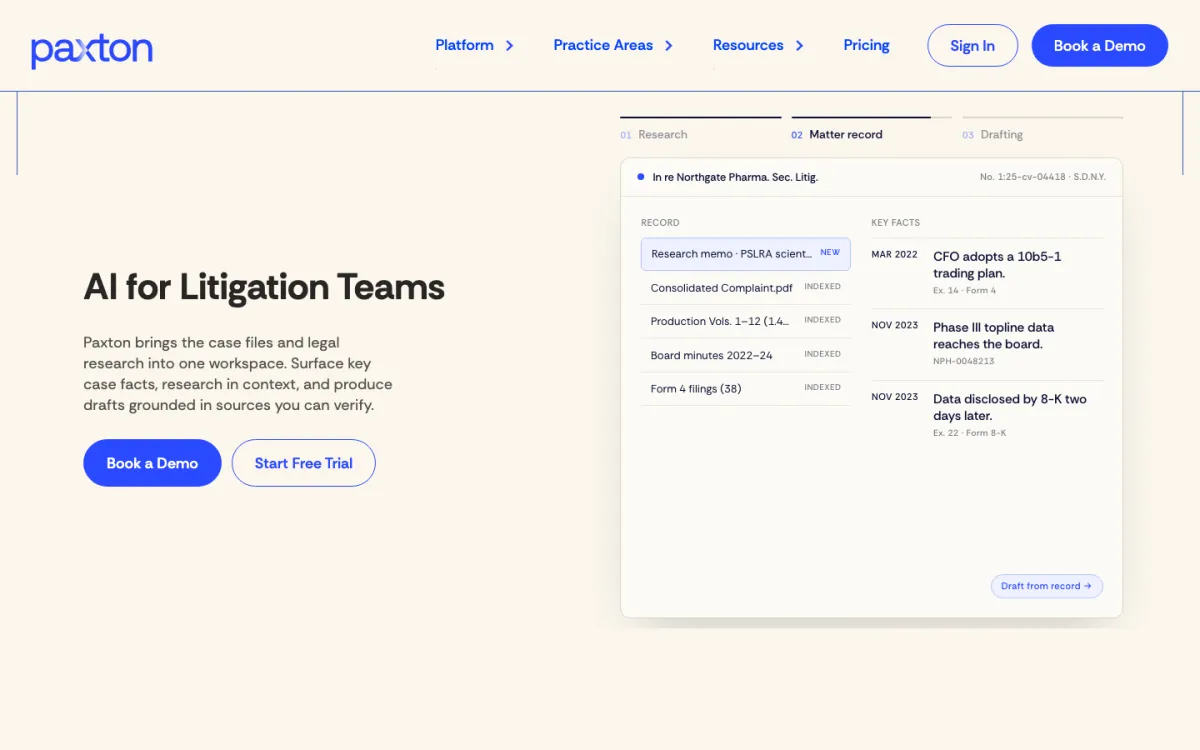
Paxton is among the best AI tools for lawyers who practice alone or in small firms and want to start without a sales call. You can sign up for a 7-day free trial on your own, and Paxton says it was built by the team behind CoCounsel at Casetext.
It researches more than 30,000 legal sources against your matter's facts and jurisdiction, and drafts court-formatted motions, briefs, and discovery responses grounded in the record. It also builds case timelines from your files. Our list of the best AI tools for research covers general research assistants.
Best for: Solo litigators and small firms that want research and drafting without a multi-year contract.
Pricing: Individual is $499 per user a month, or $2,999 per user a year (about $250 a month). Enterprise is priced by quote. See Paxton pricing.
Strengths: A published price and a self-serve trial make it the easiest legal research AI here to test. Paxton says your matters, documents, and prompts are never used to train AI models.
Watch out for: The Word and Outlook plugins are Enterprise-only, and monthly billing costs about twice as much as annual.
Try this: Start a new matter in Paxton, add the complaint, and paste:
I represent the [PLAINTIFF / DEFENDANT] in a [CLAIM] case in
[COURT]. Facts: [3-5 SENTENCES]. Research whether [LEGAL ISSUE]
survives a motion to dismiss in this jurisdiction. Give the
rule, the 3 strongest cases each way with citations, and a
one-page outline for our opposition. Mark any uncertain point.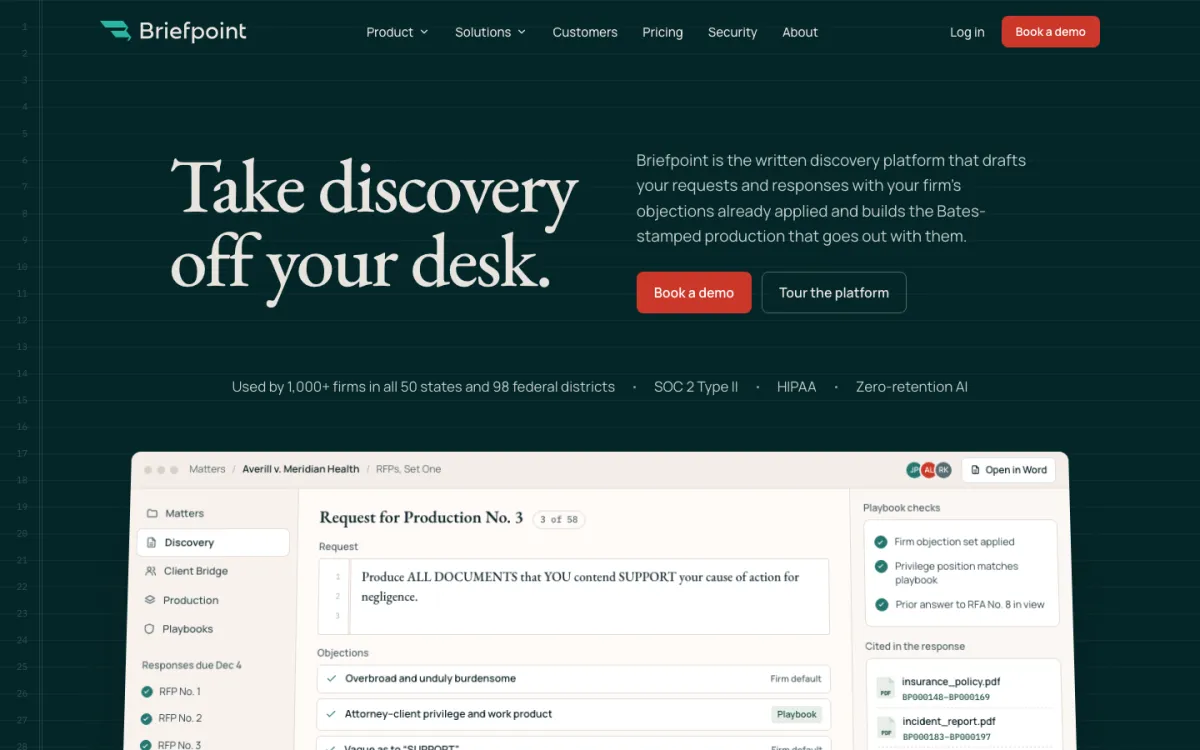
Briefpoint is the best AI tool for litigators who lose hours to written discovery. It drafts responses to interrogatories, requests for admission, and requests for production in all 50 states and 98 federal district courts.
Its Auto Object feature drafts objections with each response, and Interrogatory Answers drafts answers from your case file. Client Bridge sends clients questions they can answer from a phone, in English or Spanish, and Discovery Playbooks keep your standard objections consistent.
Best for: Plaintiff and defense litigators at small and mid-size firms.
Pricing: The Rainmaker Plan is $150 per attorney a month (billed annually, $1,800 a year), with no per-case fees. Enterprise is priced by quote. See Briefpoint pricing.
Strengths: A flat price with unlimited document generation keeps costs predictable. Briefpoint says it is SOC 2 Type II audited and runs its AI with zero data retention.
Watch out for: It does one job, written discovery, and its pricing page offers a demo but no free trial.
Try this: Briefpoint works from the discovery sets you upload, so run one like this:
Claude is one of the best AI tools for lawyers who read and draft long contracts, leases, and policies. On Team and Enterprise plans, Anthropic says it does not train on your content by default, which matters for client work.
Projects keep a matter's documents and instructions together, and Pro and higher plans add Research and Claude for Microsoft 365. Claude also connects to legal tools: Thomson Reuters offers a CoCounsel Legal MCP for Claude, and Harvey offers a connector. Our guide on how to use Claude covers setup.
Best for: In-house counsel and small firms that want one assistant for drafting and summaries.
Pricing: Free is $0. Pro is $20 a month, or $17 a month (billed annually). Team Standard is $25 per seat a month, or $20 (billed annually), for 2 to 150 seats. Enterprise is $20 per seat a month (billed annually) plus usage, with a 20-seat minimum. See Claude pricing.
Strengths: Anthropic lists a context window of up to 1 million tokens, depending on the model, so long agreements fit in one chat.
Watch out for: Claude has no legal database or citator, so verify every case it names. Free and Pro are personal plans where model training is opt-out, and Team needs at least two seats.
Try this: Create a Project for the matter, upload the agreement, and paste:
You are reviewing the attached [LEASE / AGREEMENT] for [CLIENT],
the [TENANT / BUYER]. List every obligation, deadline, fee, and
termination right, quoting the section number for each. Then
compare the indemnity and limitation of liability clauses with
[OUR STANDARD POSITION] and draft a 150-word client summary.
Microsoft 365 Copilot is the most practical AI for law firms and legal departments that already draft in Word and run their day in Outlook. Microsoft says prompts and responses are not used to train the underlying large language models.
Microsoft's Copilot for legal page lists ready-to-use legal skills: draft new agreements from approved precedents, review a contract against your playbook with redline suggestions, and extract key terms across many documents with Tabular Review. Copilot respects your existing access permissions and sensitivity labels.
Best for: Firms and in-house teams already paying for Microsoft 365.
Pricing: The Copilot Business add-on is $21 per user a month (billed annually), or $25.20 billed monthly, on top of a Microsoft 365 plan (Microsoft is offering $18 for the first year until Dec 31, 2026). Business Standard with Copilot is $23.50 per user a month (billed annually). See Microsoft 365 Copilot business pricing.
Strengths: Copilot Chat comes with eligible Microsoft 365 plans at no extra cost, so you can try it first.
Watch out for: Copilot has no case law database of its own, and Microsoft notes usage-based billing for select advanced AI features.
Try this: Open the draft agreement in Word, open Copilot, and paste:
Review this agreement against our playbook in [FILE NAME]. For
each clause that differs from our position on [TOPICS], suggest
a redline and a short comment explaining why. Then summarize
the open points in a table I can paste into an email to
[CLIENT NAME].
SurePrompts is the best pick for lawyers who get generic answers from AI and want sharper, reusable prompts without studying prompt writing. You describe the task in plain English, and it builds a structured prompt with a role, matter context, clear steps, and an output format, ready for Claude, Copilot, or any other chatbot.
It suits tasks lawyers repeat, like client updates and deposition outlines. For ready-made examples, see our AI prompts for lawyers.
Best for: Lawyers and paralegals who use general chatbots and want consistent results.
Pricing: A free account with Google sign-in includes 3 AI prompt generations a month and the free templates. Pro is $3.99 a month or $29.99 a year, with 200 AI generations a month, 320+ expert templates, and cloud-saved prompts. See the SurePrompts legal prompt generator.
Strengths: It works with any chatbot on this list, and cloud-saved prompts let you reuse the ones that work.
Watch out for: SurePrompts builds prompts; it does not run them, so you still need a chatbot such as Claude or Copilot. Use placeholders rather than client names.
Try this: Open the generator and type a description like this one:
I am a [PRACTICE AREA] lawyer at a small firm. I need a prompt
that turns my rough notes into a client update email: plain
English, under 200 words, what happened, what it means, next
steps with dates, and what we need from the client. No legal
conclusions that are not in my notes.Here are the best AI tools for lawyers side by side, with prices as of November 2026.
| Tool | Best for | Free plan | Paid plans from | Standout feature |
|---|---|---|---|---|
| CoCounsel Legal | Westlaw-grounded research | No (free trial) | $360 a month (Essentials, one-year plan) | Westlaw and Practical Law built in |
| Lexis+ with Protégé | Research with citation checks | No (2-day trial) | Quote only | Shepard's Verify on AI output |
| Harvey | Large firms and in-house teams | No | Quote only | Agents and Word add-ins |
| Clio | Practice management | No (7-day trial) | $49 per user a month (AI from Core, by quote) | Matter-aware Clio Work |
| Spellbook | Contract review | No (7-day trial) | Quote only | Review and playbooks inside Word |
| Paxton | Solo and small-firm research | No (7-day trial) | $250 a month (billed annually) | Self-serve research and drafting |
| Briefpoint | Discovery responses | No | $150 per attorney a month (billed annually) | No per-case fees, all 50 states |
| Claude | Long contracts | Yes | $17 a month (billed annually) | Projects, no Team training by default |
| Microsoft 365 Copilot | Word and Outlook firms | Copilot Chat with eligible plans | $21 per user a month add-on (billed annually) | Playbook review in Word |
| SurePrompts | Better prompts | Yes (3 generations) | $3.99 a month | Structured prompts for any chatbot |
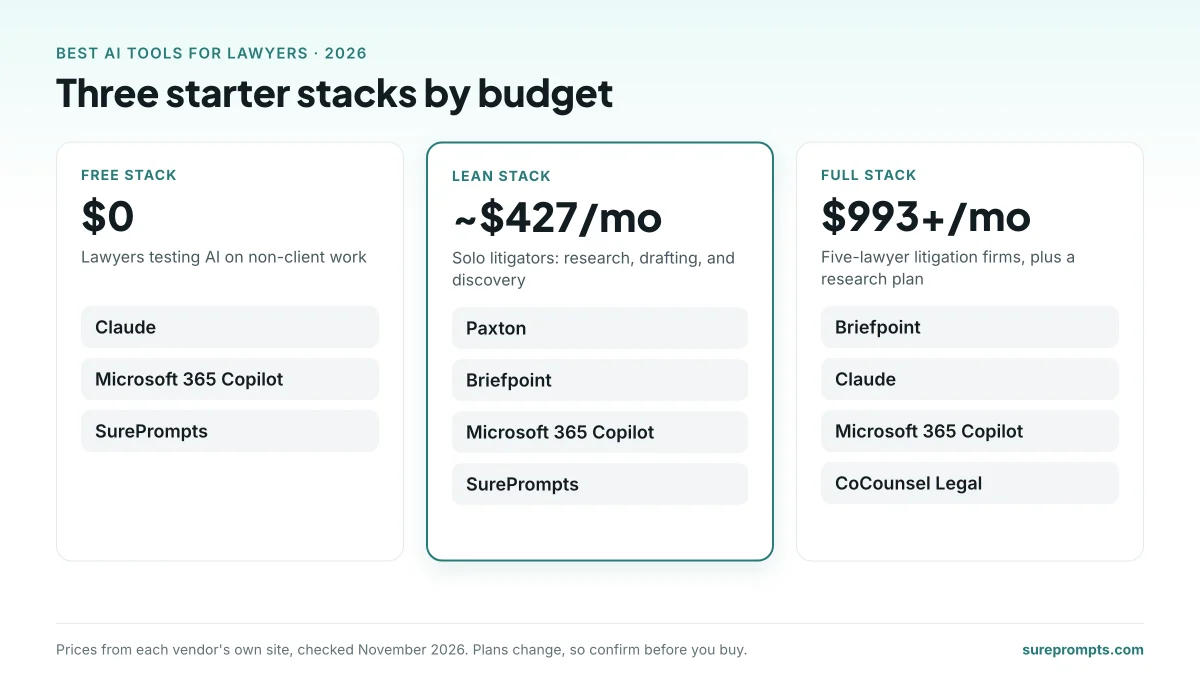
Free stack ($0 a month). Claude Free for drafting with no client confidences, Copilot Chat if you already pay for an eligible Microsoft 365 plan, and a free SurePrompts account. Use the Paxton, Spellbook, and Lexis+ with Protégé trials to test them on a closed matter.
Lean stack (about $427 a month). For a solo litigator: Paxton Individual on annual billing (about $250), Briefpoint ($150, billed annually), Microsoft 365 Business Standard with Copilot ($23.50, billed annually), and SurePrompts Pro ($3.99). That covers research, drafting, discovery, and email.
Full stack (about $993 a month, plus research). For a five-lawyer litigation firm: Briefpoint ($750 for five attorneys, billed annually), Claude Team Standard ($125 for five seats, billed monthly), and Microsoft 365 Business Standard with Copilot ($117.50 for five users, billed annually). Add CoCounsel Legal for research, priced online by firm size.
AI does not change a lawyer's duties. ABA Formal Opinion 512, issued July 29, 2024, says lawyers using generative AI must consider their duties of competence, confidentiality, client communication, supervision, candor toward the tribunal, and reasonable fees. Your own state's rules and bar guidance govern your practice.
Client confidences need consent. Opinion 512 says that for self-learning tools, a client's informed consent is required before you input information relating to the representation, and engagement letter boilerplate is not enough. Keep privileged material out of consumer accounts.
Bill for real time. If you bill hourly, the opinion says you bill only your actual time, never general office overhead, and explain any AI charge before you charge it.
Fake citations get sanctioned. On June 22, 2023, Judge P. Kevin Castel of the Southern District of New York sanctioned two lawyers and their firm in Mata v. Avianca for submitting non-existent opinions with fake quotes and citations created by ChatGPT, then standing by them after the court questioned them. The court imposed a $5,000 penalty and ordered letters to each judge falsely named as an author. An AI hallucination can look exactly like a real citation; our guide on how to stop AI hallucinations covers practical checks.
Check each court's rules. Some judges require lawyers to disclose AI use or certify that a person checked AI-drafted text.
Warning
Pull every case, quote, and pin cite from the original source and read it before you file, whatever tool produced it. This article is not legal advice; check your state's ethics rules and talk with your firm's ethics counsel before you put client information into any AI tool.
The best AI tools for lawyers are the ones that fit your practice area, your firm size, and the research platform you already pay for. There is no single best legal AI for 2026.
If you already pay for Westlaw: add CoCounsel Legal, or CoCounsel Essentials for drafting and review only.
If your firm runs on Lexis: move to Lexis+ with Protégé for Shepard's checks on every AI answer.
If you practice alone or in a small firm: start with Paxton's and Clio's free trials, the most accessible AI tools for small law firms here.
If most of your work is contracts: try Spellbook, or Copilot's playbook review if your firm is on Microsoft 365.
If you need a tool outside this list: our guide to the 22 best AI tools in 2026 covers general tools for writing, research, and admin.
Tip
Test each tool on a closed matter you know well, so a wrong answer is easy to spot, and compare two tools on the same task before you sign a multi-year contract.
AI for legal drafting and research works best when you brief it the way a partner briefs an associate: name the role, give the jurisdiction and facts, state the task, and set the output format. "Summarize this case" gets a generic paragraph. "You are a research attorney in Ohio; summarize the holding and apply it to a slip-and-fall at a store, in five bullets with pin cites" gets something you can check.
Our AI prompt generator for lawyers turns a plain-English request into that kind of structured prompt, and our prompts for lawyers give you ready-made starting points for research, drafting, and client letters.
Pick one tool, one task, and one closed matter, and let the results decide what you buy next.
Try it yourself
Build expert-level prompts from plain English with SurePrompts — 330+ templates with real-time preview.
Open Prompt BuilderSkip the trial and error. Our curated prompt collection is designed specifically for legal professionals — ready to use in seconds.
See Legal professionals PromptsPractical AI prompt templates for legal professionals. Contract analysis, legal research, brief drafting, due diligence, and compliance checking with jurisdiction-specific formatting.
AI prompt templates for legal research — case law analysis, statutory interpretation, and regulatory compliance. Includes critical guidance on verifying AI output and avoiding hallucinated citations.
Step-by-step guide to using AI for contract analysis. Prompt templates for clause extraction, risk flagging, liability analysis, and comparison against standard terms.